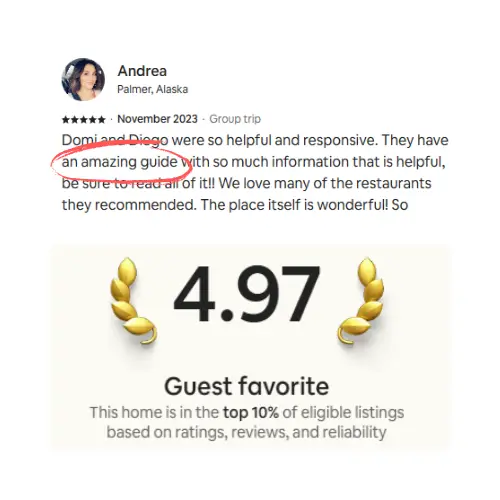

Arrival information splits in two, with one exception. Anything tied to a single reservation, a door code above all, travels in a message. Anything that stays true until you change it belongs somewhere a guest can open at 2am. Whatever a guest needs before they can reach the door goes in both. Get that right and a short scheduled sequence carries most arrivals, but never the early guest, the failed code, or the one standing at the wrong entrance.
Channel rules change periodically, so check your own channel's help pages before building a sequence around anything here.
Every arrival needs the same short list of facts, and most of us have typed them by hand more times than we want to admit. One long message sent once does not hold up. What works is a short sequence, a single place the guest can open at any hour, and a rule for which fact goes where.
What should an automated check-in sequence send, and when?
In general we send four things: a confirmation at booking with a link to the arrival information, a pre-arrival note a few weeks out carrying the exact address, the access details on the day of arrival, and one short check that the guest actually got in. Automate the sending from your PMS or from your channel's own scheduled-message tool. Keep anything tied to a single reservation, a door code above all, out of any place that outlives the stay.
The rule that decides where each fact goes
Ask one question about every piece of arrival information: does this expire when the guest leaves? If it does, it belongs in a message attached to that reservation. Anything that stays true until you change it belongs in a guidebook the guest can open at 2am without asking you.
Send it in the message | Put it in the guidebook |
|---|---|
The door, gate or lockbox code for this stay | Directions, and a daylight photo of the actual entrance |
The arrival window you agreed with this guest | Parking, including what to do when the obvious spot is taken |
Anything true of this booking only, like the building work next door that week | Wifi, the AC, the dishwasher, checkout |
The link to the guidebook | What to do if the code does not work |
A few facts break the rule and belong in both places. A guard on the gate once asked one of our guests for ID that nothing we had published mentioned, and a guidebook is no use to somebody stopped at a barrier short of the door. Anything a guest needs before they can physically reach the entrance goes in the message as well as the guidebook, even when it never changes.
All three big channels are built around a similar split, which is part of why we settled on it. Airbnb shows guests your check-in method, and its host help article says they will not see the detailed check-in instructions until 48 hours before check-in. Vrbo emails its welcome guide three days before check-in, cuts access once the guest checks out or cancels, and lets you set reservation-specific access instructions that override the welcome guide's access section when both exist.
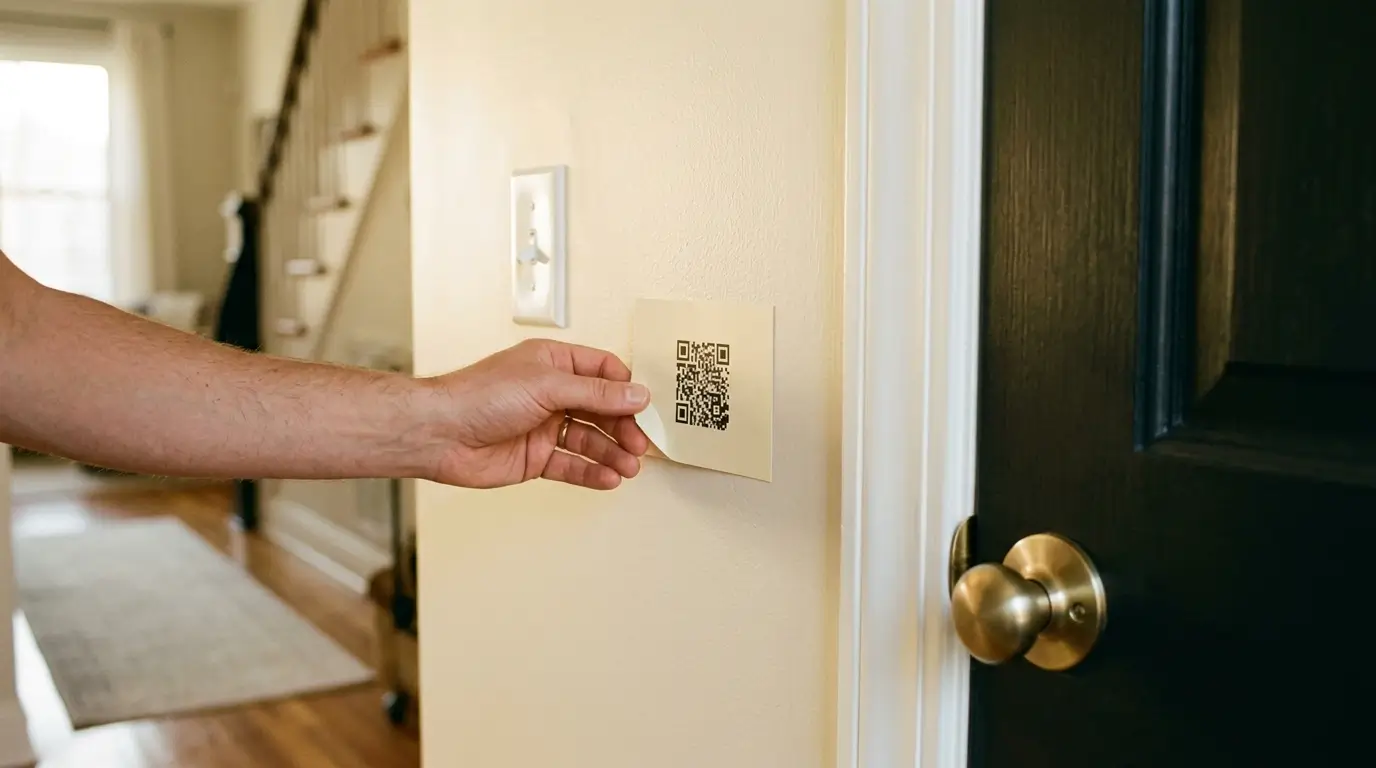
The guidebook half only works if there is exactly one copy of it. We have been letting our Washington DC row house since 2015, and the QR code we stuck beside its temperamental gas oven is the reason we ended up building SmoothStay: one small code, deep-linked to a how-to, and the oven questions stopped. What we got wrong was the destination. That code pointed at a PDF sitting in Google Docs, and it kept scanning long after the instructions inside had gone stale, because updating them meant remembering that the real file lived somewhere else.
The four sends, and why each one sits where it does
At booking. The check-in window and the link to your arrival information. Confirmations tend to get kept, so the link has somewhere durable to sit even though most of what it answers is weeks away.
A few weeks out. Most of the reading happens here. Across four properties in the Riviera Maya over 90 days, our own guidebook analytics showed a clear pre-arrival skim, often from abroad and sometimes a good two weeks before anyone reaches the front door. Booking.com's partner help makes the same case from the other direction, advising partners to get in touch as soon as possible because guests may be travelling and have limited access to their email close to check-in.
The morning of arrival. The code, the entry steps, and a deep link that lands on the directions article itself. By this point the guest is on the move, so keep it to what they need at the door.
Two hours after check-in time. One line asking whether they got in. It is the only send whose job is to catch a failure, and it is the one we added last at our own properties.
Four has been enough for us. A fifth mostly added a notification guests scrolled past.
What each channel does with your arrival information
Channel | Where arrival detail lives | Where you set up scheduling | The catch |
|---|---|---|---|
Airbnb | The arrival guide: check-in method, then detailed instructions | Messages, then Settings, then Quick replies. Fires on triggers such as booking or check-in | Detailed instructions stay hidden from the guest until 48 hours before check-in |
Vrbo | The welcome guide, plus optional reservation-specific access instructions | Inbox, then Templates. Schedulable by clock time or by booking event | The welcome guide is emailed three days out and access ends at checkout |
Message templates and the reservation conversation in the extranet | Reservations, then the guest, then Conversation with guest. Templates schedulable to your own preference | The help page says PDFs and QR codes are not supported as attachment formats, only images |
One gap is worth knowing about before it bites you. Airbnb skips some scheduled messages for last-minute bookings and short stays by default, unless you switch on the send for last minute bookings and short stays toggle; Vrbo carries an equivalent option on its scheduled templates. We do not take same-day bookings, but we do take the night before, and that is precisely the reservation a default sequence drops on the floor.
Some channels also expect access details to be available by a stated point before arrival, and the requirement is not the same everywhere. Check yours before you settle on a morning-of send. On Booking.com the link rules are worth reading in full, and we covered them in Booking.com's guest messaging rules.
A pre-arrival message you can copy
Use this a few weeks out. Swap the bracketed parts and cut anything that does not apply to your place.
Hi [first name], we are looking forward to having you at [property] on [date]. You can arrive any time after [check-in time].
The address is [full address]. [One line of local nuance: the driveway is the second one past the church, not the first.]
Everything about the place is here: [guidebook link]. Directions, parking, the entrance photos, wifi and how the AC works are all in it, and it opens on any phone with no app to install.
Your door code goes out on the morning of [arrival date], so it is fresh when you need it.
If anything goes wrong at the door, message me here or call [number] and someone will pick up.
One thing that helps us: roughly what time do you expect to arrive?
What automation still does not cover
A sequence delivers the same words to everyone, which is its whole value and also its limit. Three arrivals come up often enough at our own properties that we plan for them separately.
The guest who turns up four hours early. No scheduled message can tell whether the cleaner has finished. Our handyman walks each property after every turnover, which is how we know a unit is ready instead of assuming it. Put the earliest realistic entry time in the pre-arrival note alongside the official one, and say where bags can go if you have somewhere.
The code that does not work. Give the sequence a human endpoint: a number that gets answered, and a second way in you can talk someone through by phone.
The guest standing somewhere that is not your door. At our Tulum studio a few guests each year walk into the HOA office and ask to check in, because it looks like a front desk. A message they read weeks ago is no use at that moment; a deep link that opens on the directions article is. For the door-level failures themselves, our Airbnb self check-in guide works through them one by one.
What changes at a campsite or a B&B
At a campsite, the operators we have talked to describe signal as the binding constraint. A link is little use at a pitch with one bar, so the finding-the-site detail has to sit in the body of the message, where it survives on a screenshot. Save the link for what guests read before they lose reception, and put a QR at the barrier for whoever wants the shower block. Our campsite guide book post covers what goes in it.
At a B&B the arrival is usually a person at the door, so the sequence changes job. The pre-arrival note is mostly asking a question: what time should we expect you, and do you need us to leave the side door on the latch. The B&B check-in process post goes into the in-person half.
Before your next arrival
Check the last-minute toggle on every scheduled template you have already built.
Confirm nothing permanent and publicly reachable contains a door code.
Open your guidebook link on a phone, logged out, the way a guest will.
Point the morning-of message at your directions article, not at your front page.
Make sure the number in your messages is one somebody answers.
Add whatever this arrival teaches you to the guidebook before the next one.
The tooling, in plain terms
Three layers, and it helps to keep them separate in your head.
Scheduling belongs to your PMS or to the channel's own template tool.
Access belongs to your lock. We run Schlage and Ultraloq. Rotate the code between reservations.
The reference is a guidebook or a page the guest can open once the message has scrolled away.
That third layer is what we build. A SmoothStay guidebook is a link that opens in any browser with no app to install, and you maintain one copy of it instead of a version per channel; on a booking source you have marked as restricted, OTA Compliance Mode decides what a guest sees on that link. You can deep-link a message straight to the parking article, print a permanent QR for the entry, and let guests pick their own language. If you would rather the code lived in the guidebook than in a message, articles marked as restricted only surface inside that reservation's access window and disappear after checkout, and the lead time on that window is yours to set. For the arrival-hour question your messages did not anticipate, the AI Concierge answers from what you have published in the guidebook.
FAQ
When should I send check-in instructions to guests?
Earlier than most hosts think, and more than once. A link to your arrival information can go out at booking, the exact address a few weeks before the stay, and only the access details need to wait for the day itself. On Airbnb the detailed check-in instructions field stays hidden from guests until 48 hours before check-in, so anything earlier has to travel in your own message.
Can I automate check-in messages without a PMS?
Yes, for a small portfolio. All three channels above have scheduling built in. A PMS earns its place at two or more properties, or two or more channels, once you want one sequence instead of three.
Should the door code go in my digital guidebook?
Only if the guidebook can restrict it to the current reservation and drop it at checkout. A code on a permanent link is a code the guest from March still has. Rotating codes between reservations matters more than which tool you use.
What happens to my scheduled messages on a last-minute booking?
By default, some of them do not send. Airbnb and Vrbo both skip some scheduled messages on last-minute bookings and short stays unless you switch the relevant option on. It is the first thing to check when a host is sure a message went out and the guest never saw one.
Can I send the same check-in instructions on every channel?
The content, yes. The mechanics differ on when the guest can see the detail, what you can attach and which links survive moderation. Write the arrival information once, then let each channel's message point at it.
If you would rather not build the arrival layer yourself
You can have a digital guidebook running in an afternoon, built from your existing listing, with deep links and QR codes for the arrival moments and translation for guests who do not read your language. Your messages keep doing the sending. The guidebook gives them somewhere to point.
Latest articles

Vrbo Premier Host in 2026: Every Listing Now Stands on Its Own Record
Vrbo Premier Host requirements changed in 2026: per-listing scoring, tighter thresholds, quarterly checks. What each one means, and how it compares to Superhost.
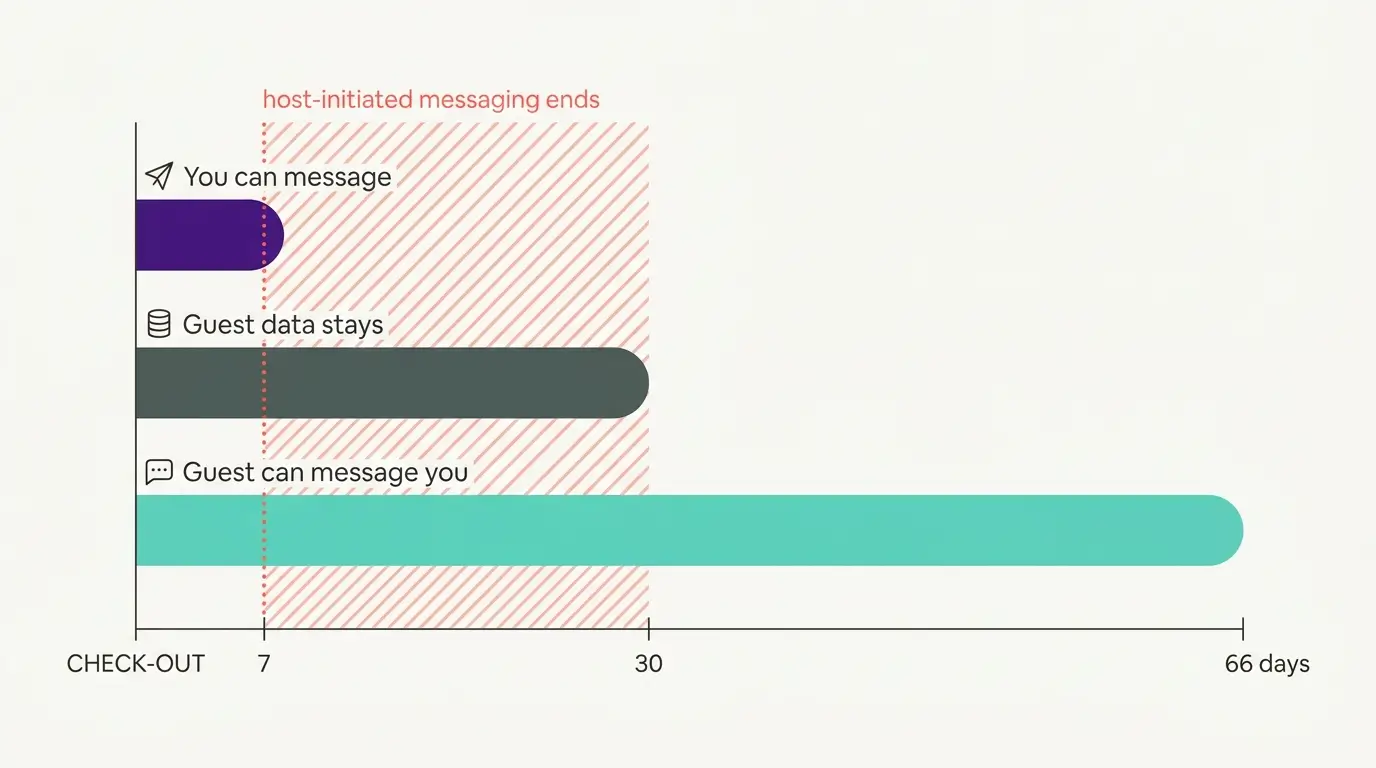
Booking.com Guest Messaging Rules: What Hosts Can Send, When, and Why Links Get Removed
Booking.com guest messaging rules, verified at source: how long you can message a guest, why your links get removed, and what the partner terms say.
Vrbo's New Features for Fall 2026: What's Live, What's Gated, and What's US-Only
We sorted Vrbo's new features for fall 2026: what is live globally, what is gated behind eligibility, and what is US-only. Verified against Vrbo's own pages.
Airbnb Direct Booking Links: What the Reduced Fee Changes at 1 to 20 Listings
Airbnb direct booking links cut the host fee to a reported 6% or 10%. What they are, how they work at 1 to 20 listings, and what the lower fee still pays for.