Changelog
New features
🔗 Webhooks: send SmoothStay data to your other tools
Your contacts and reservations can now flow straight into the tools you already use. Connect Zapier, Make, Activepieces, or your own application, and SmoothStay sends the full record the moment something changes.
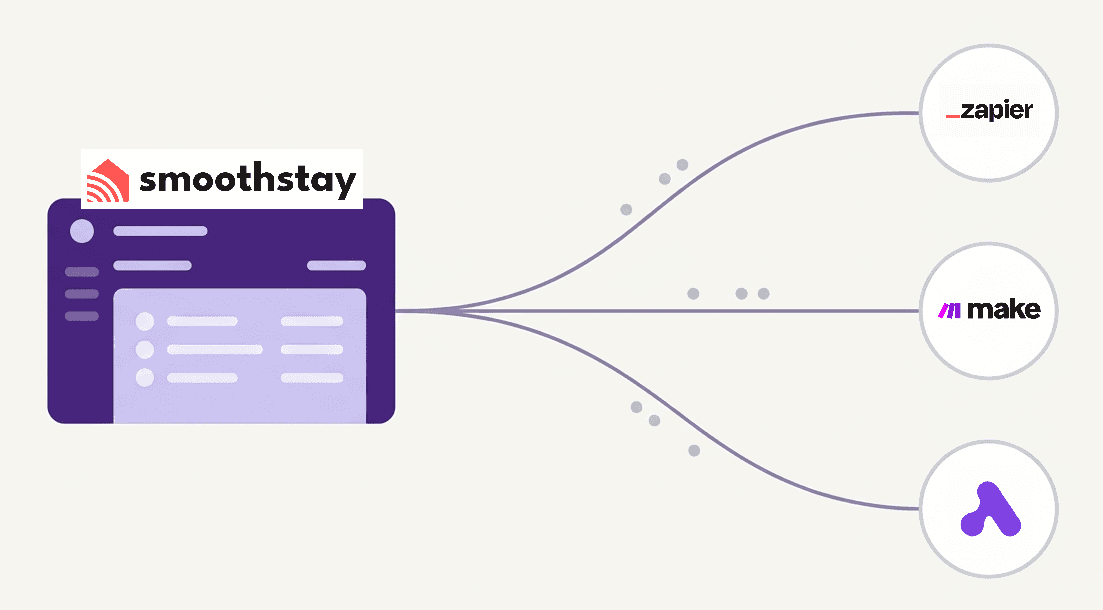
Set it up once and it runs in the background. Add guests to your mailing list as they opt in, log every booking to a spreadsheet, ping your team when a reservation lands, or text a guest their door code at check-in. No coding required.
⚡ Six events covering contacts and reservations: created, updated, and deleted
🎯 Choose exactly which events you want to receive
🧪 Test any endpoint before it goes live, with delivery logs and a debug view when something needs checking
🔒 A webhook secret on every request so you can confirm it came from SmoothStay
⏱️ Setup takes about five minutes in Settings → Integrations. Read the guide →
New features
📋 Guest Registration, OTA Compliance & More
This release brings two new features hosts have been asking for — plus a set of smaller improvements and fixes across the platform.
✨ Guest Registration
You can now collect guest information directly through your guidebook — before guests even start exploring. The registration widget lets guests share their name, email, phone, preferred language, and country, with full control over which fields are required, optional, or hidden.
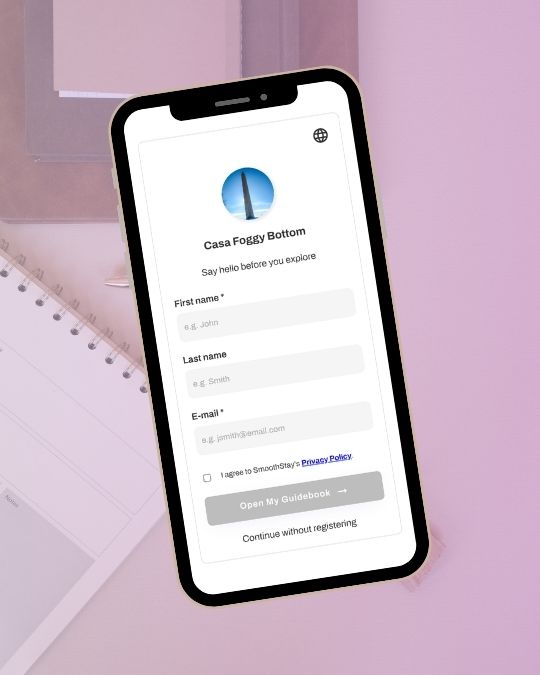
Key things to know:
Flexible access control — set registration as Off, Optional (guests can skip), or Required per property, under Visibility & sharing → Guest registration
Marketing opt-in — optionally invite guests to subscribe to updates and offers. The checkbox is always unchecked by default and only appears on eligible links
Privacy policy auto-fill — add your privacy policy once under Settings → Brand → Brand profile and it populates across all your registration forms automatically
OTA-aware — marketing opt-in is automatically hidden on OTA-restricted links (Airbnb, VRBO, Booking.com), keeping you compliant without extra steps
Shared widget — one registration form configuration applies across all your properties. Change it once, update everywhere
All registered guests appear in Contacts, where you can view them alongside reservation-based contacts in one unified place, and see at a glance who opted in for marketing communications. This is just the beginning — export, filtering, and more CRM-style features are on the way.
Learn more about guest registration →
🛡️ OTA Compliance
Platforms like Airbnb, VRBO, and Booking.com restrict what hosts can share with guests — including marketing content, direct booking promotions, and external review requests. SmoothStay now gives you built-in tools to stay on the right side of those policies.
Restricted share links — when generating a general or public share link, set OTA compliance to Restricted. SmoothStay automatically hides OTA-sensitive content for guests who open that link
Automatic on reservation links — configure which booking sources trigger restrictions under Settings → Reservations → OTA Compliance Sources. All major OTAs are included by default; direct bookings are excluded
Article-level control — mark individual articles as Hide from OTA guests or Mark as sponsored under each article's Visibility settings. Marked articles are hidden automatically on OTA-restricted links — no extra steps needed per link
Widget-aware — registration forms and marketing opt-in are disabled automatically on OTA-restricted links
Learn more about OTA compliance →
🔧 Additional improvements & fixes
Contacts — reservation guests and registered guidebook visitors now appear together in one unified Contacts view, with marketing opt-in status visible at a glance
Analytics — guests' approximate region and country are now shown in the analytics table, estimated from browser timezone (no IP address involved)
Analytics — fixed a bug where the article being viewed was not displayed correctly in some instances
Guidebook — performance optimizations for faster guidebook rendering
New features
🗂️ Streamlined Category View — Fewer Clicks, Better Navigation
Not every guidebook needs three levels. If you're managing a smaller property with a tighter content set, making guests tap through categories → subcategories → articles can feel like unnecessary friction. This update gives you the flexibility to match your guidebook's navigation to its actual content.
What's new
You can now choose, on a per-category basis, how guests navigate your guidebook:
Default (3-level): Guests tap a category → see subcategories → then articles. Best for larger guidebooks with lots of content organized across multiple subcategories.
Streamlined category view (2-level): Guests tap a category and land directly on its articles — no subcategory screen in between. Fewer clicks, faster answers.
Subcategories as filters (optional): When streamlined view is on, you can optionally surface subcategories as a horizontal filter bar above the articles, so guests can still narrow down by topic without an extra navigation step.
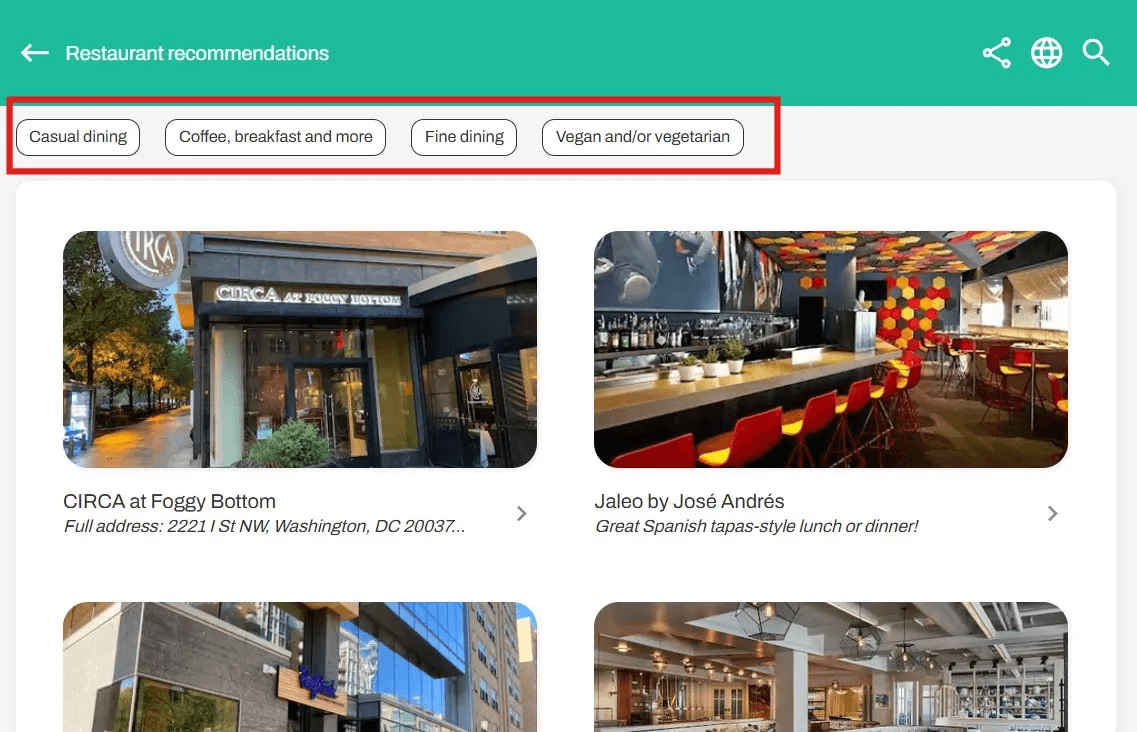
Why it matters
This came directly from host feedback — a recurring request from hosts with lean, focused guidebooks who found the default 3-level structure more than they needed. The result is a cleaner, faster experience for guests, without taking anything away from hosts who do need the full structure.
How to use it
Go to Content → click (⋮) next to any category → Edit → toggle on Streamlined category view. Optionally enable Subcategories as filters if you'd like guests to be able to filter by subcategory within the article view. Each category can be configured independently.
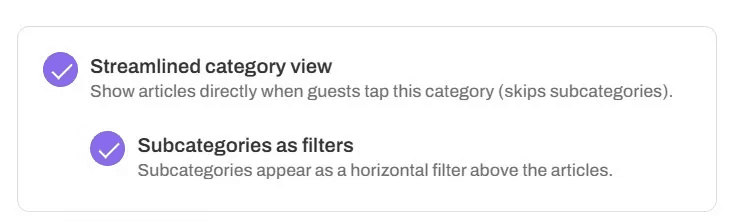
Improvements
🤖 AI Chatbot Improvements - Smarter Insights & Better Memory
We've shipped several improvements to the AI chatbot to give you more visibility into how it's performing and to make conversations feel more natural for your guests.
Guest Session Feedback Indicators
Each guest session in Content Hub → AI Chatbot → Guest Sessions now shows a feedback indicator so you can see at a glance how the chatbot performed. Look for 👍 helpful, 👎 missed the mark (with or without guest comments), or 🔍✕ out of scope — making it easier to identify which guidebook articles need attention.
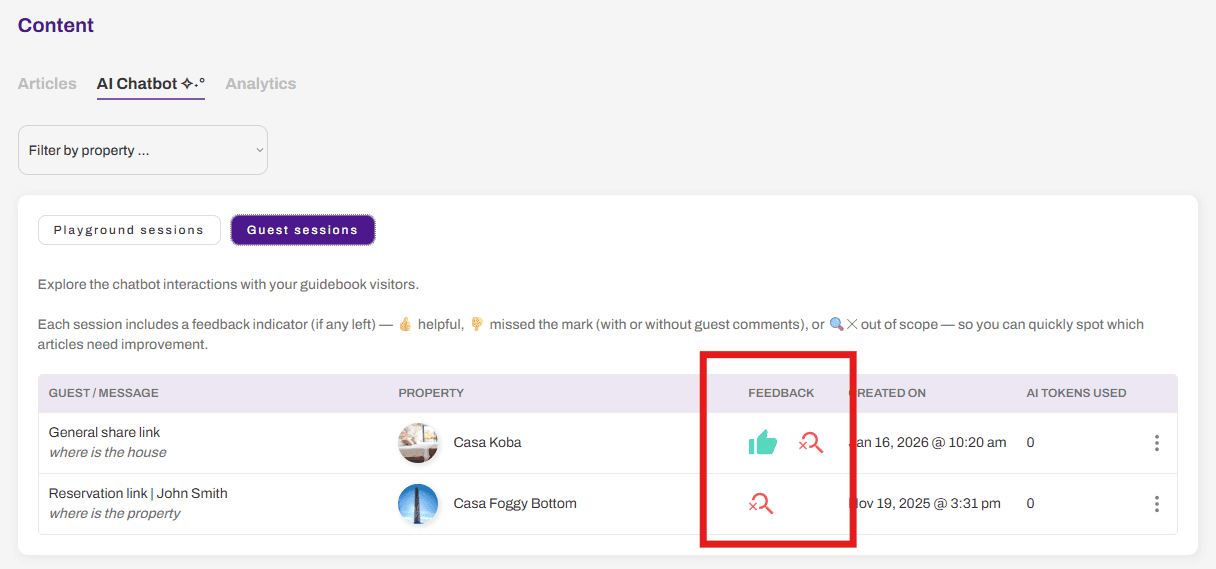
Out-of-Scope Admin Notifications (optional)
You can now opt in to receive an e-mail notification whenever the chatbot can't find an answer in your guidebook. Enable it anytime from Settings → AI → Notify admin when the AI chatbot is out of scope.
Improved Persistent Memory
We've optimized how the chatbot retains context across a guest conversation. It now better relates follow-up questions to previous messages, resulting in more coherent and helpful responses throughout the session.
Other changes ->📱 Dashboard — Mobile Usability Improvements
We've made several UI adjustments to the dashboard to improve usability on mobile devices, so you can make edits to your guidebooks on the fly. We know there's still more work to do here — stay tuned for continued improvements.
New features
🔗 New contextual sharing plus performance and bug fixes
✨ What's new: contextual sharing in guidebook
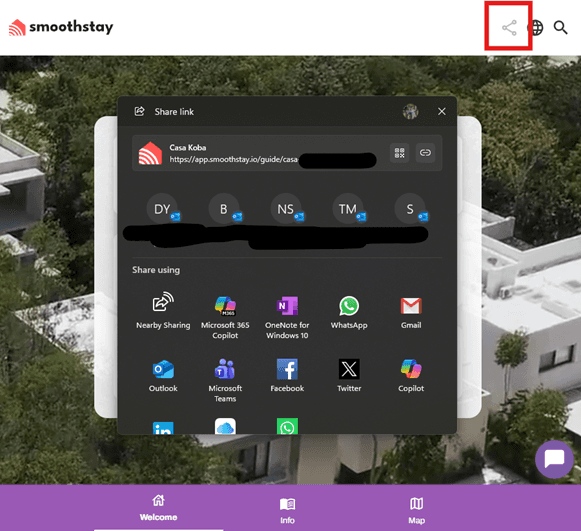
The share button in guidebooks now uses the native Web Share API, so guests get a contextual share sheet based on their device (messages, email, WhatsApp, etc.). When the device does not support this protocol, the share button gracefully falls back to copying the guidebook link to the clipboard so you can still share it instantly.
💬 User experience updates
The AI chatbot is now featured more prominently in the bottom-right corner of the guidebook, making it easier for guests to find quick answers without hunting through menus.
🛠️ Performance & fixes
Articles now load noticeably faster in large guidebooks with many sections and items, improving the experience for power users and multi-property hosts.
Fixed an issue where the chatbot did not always load the previous conversation thread in some cases, so guests now see their full chat history reliably.
Fixed a bug where, occasionally, the deep link parameter in the guidebook URL would not update correctly when navigating between sections, ensuring links always reflect the current view.
New features
🎨 Expanded Icon Library + Brand Color Matching
What's New
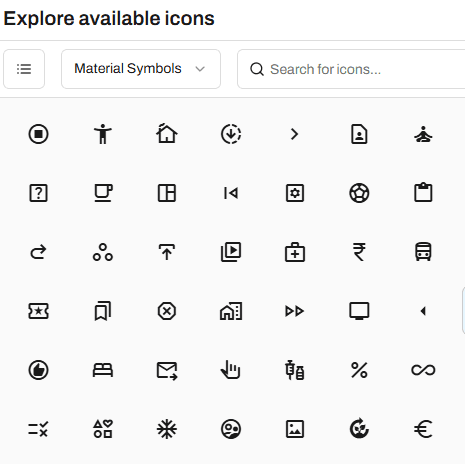
We've upgraded from 100+ icons to over 7,000 professional icons—and now they automatically match your brand colors.
What Changed
Before: Limited to 100+ icons with fixed black accent color
Now:
✅ 7,000+ icons across three professional families (Material Symbols, Material Icons, and Phosphor)
✅ Automatic brand color matching – Icons now use your brand or property accent color instead of default black
✅ Multiple style options – Choose from Default, Filled, Bold, Regular, Light, Thin, and Duotone styles
✅ Better organization – Browse by category, search by keyword, and sort by popularity or name
Features
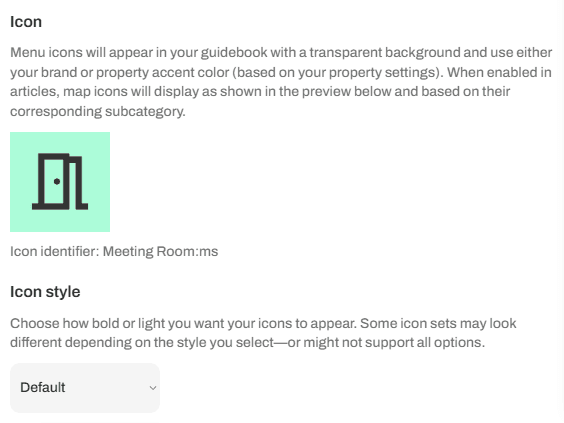
Menu icons – Display in guidebook navigation with transparent backgrounds using your custom brand or property accent color
Map icons – Show on maps with light green backgrounds and black accents for optimal readability
Smart preview – See exactly how icons look with your colors before saving
Auto-sync – Updates apply instantly across all properties using that category
How to Use
Go to Content → click (⋮) next to any category or subcategory → Edit
Click the icon preview to open the picker
Browse 7,000+ icons, search, or filter by category
Select your icon and adjust style if needed
Save – your icon now matches your brand colors automatically
Automatic Migration: What You Need to Know
We're automatically updating your existing icons to the closest matching icons from our new libraries. Your guidebook will continue to look great, and you can change any icon at any time to better fit your brand. No action needed unless you want to customize further.
Why This Update Matters
No more generic black icons. Your guidebook now reflects your unique brand identity with professionally designed icons that match your color scheme—all while giving you 70x more options to choose from.
New features
🎨 Custom Branding Per Property
You can now use custom branding for individual properties — giving each guidebook its own unique identity 🎉
Until now, SmoothStay used your default brand settings across all guidebooks. Now you have the flexibility to override these settings on a property-by-property basis, which is perfect for:
🏠 Co-hosting arrangements — Let each owner's brand shine through their guidebook
🌟 Properties with distinct identities — Boutique properties, themed stays, or locations with their own established branding
🎯 White-label experiences (almost) — Create fully customized guidebooks that match each property's unique vibe
How it works
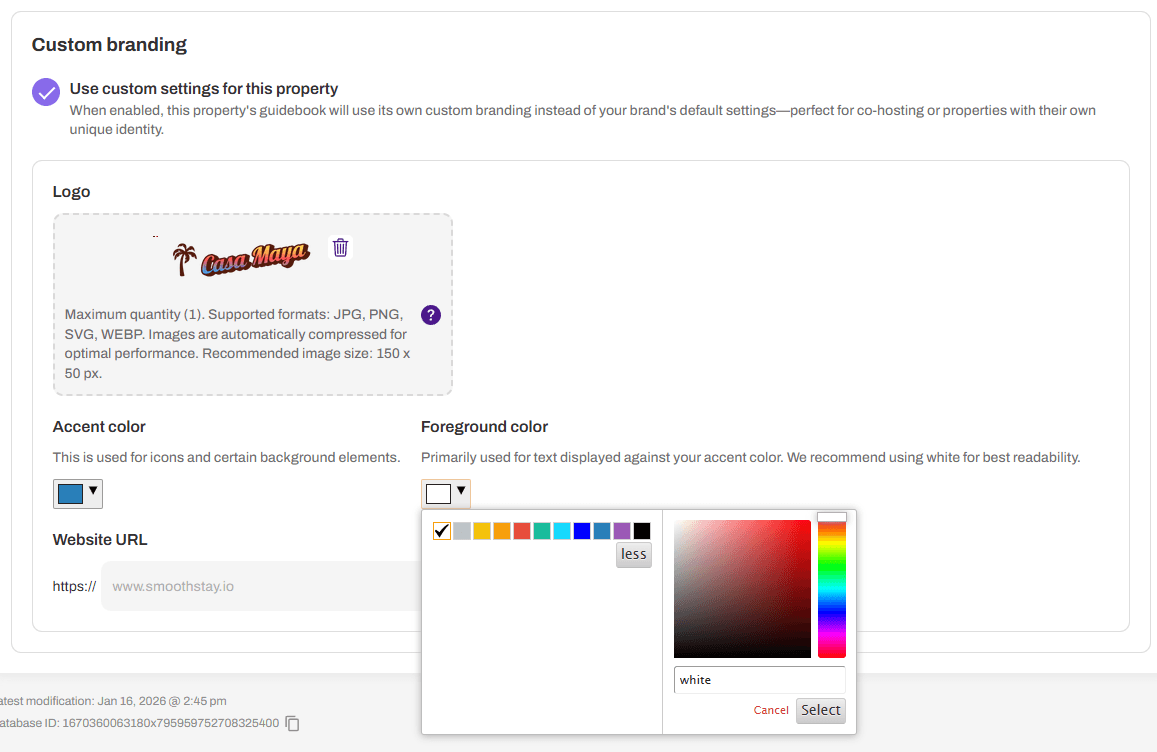
When editing a property, simply toggle "Use custom settings for this property" under the Custom branding section. Then customize:
Logo: Upload a custom logo (JPG, PNG, SVG, WEBP — recommended size: 150 x 50 px)
Accent color: Used for icons and certain background elements
Foreground color: Primarily used for text displayed against your accent color
Website URL: Add the property's own website link
Your custom settings will only apply to that specific property's guidebook, while your other properties continue using your default brand settings.
This update gives you complete control over how each property presents itself to guests — smooth, seamless, and on-brand ✨
New features
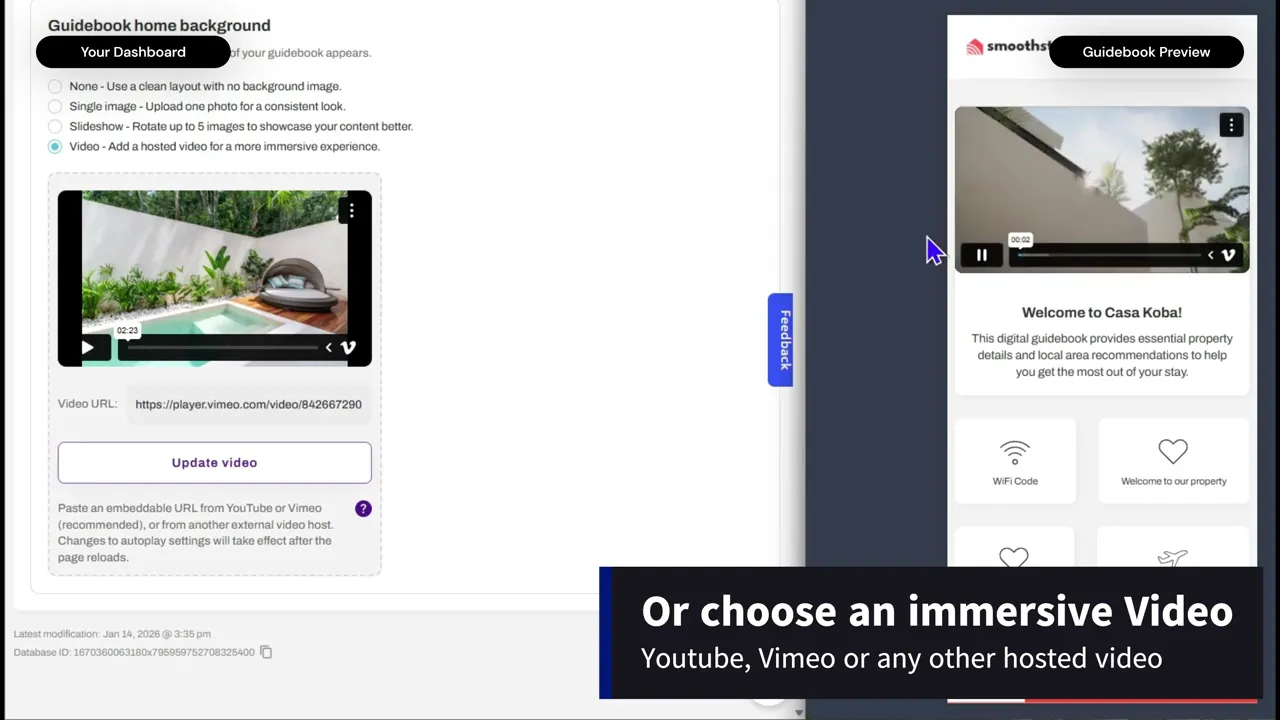
🎥 Video background for your guidebook home + all articles
Bring your digital guidebook to life with a looping video background that matches your property’s vibe. Perfect for showcasing drone shots, walk‑throughs, or mood clips that instantly set expectations for the stay.
Media options in one simple setting 🖼️
The “Guidebook home background” section under each property or any of your articles now let you choose between:
None – clean, distraction‑free layout
Single image – one consistent hero image for a polished look
Slideshow – rotate multiple images to highlight rooms, amenities, or local attractions
Video – a hosted background video for a more immersive experience
ARTICLES ONLY - Host profile (dynamic) - Always show the latest image from your host profile.
ARTICLES ONLY - Property location image (dynamic) - Automatically use the current image tied to the property address.
Other updates 🔁
New toggle to enable or disable auto‑play on both video backgrounds and slideshows, so you control exactly how dynamic your guidebook home feels.
Automatic image compression to optimize performance and keep your visuals smooth while your guidebook loads quickly on mobile and desktop.
Why this matters for hosts ⭐
Make your guidebook feel like a custom guest app, not a static document
Highlight your brand and property story the moment guests open the guide
Increase engagement with your content, so guests find what they need faster and message you less
How to use it ⚙️
Go to your guidebook → Settings → Guidebook home background → choose your preferred option, upload your media, set auto‑play on or off, and hit save. Your changes go live instantly for all guests.
Load More