Booking.com Guest Messaging Rules: What Hosts Can Send, When, and Why Links Get Removed

Published
Last updated
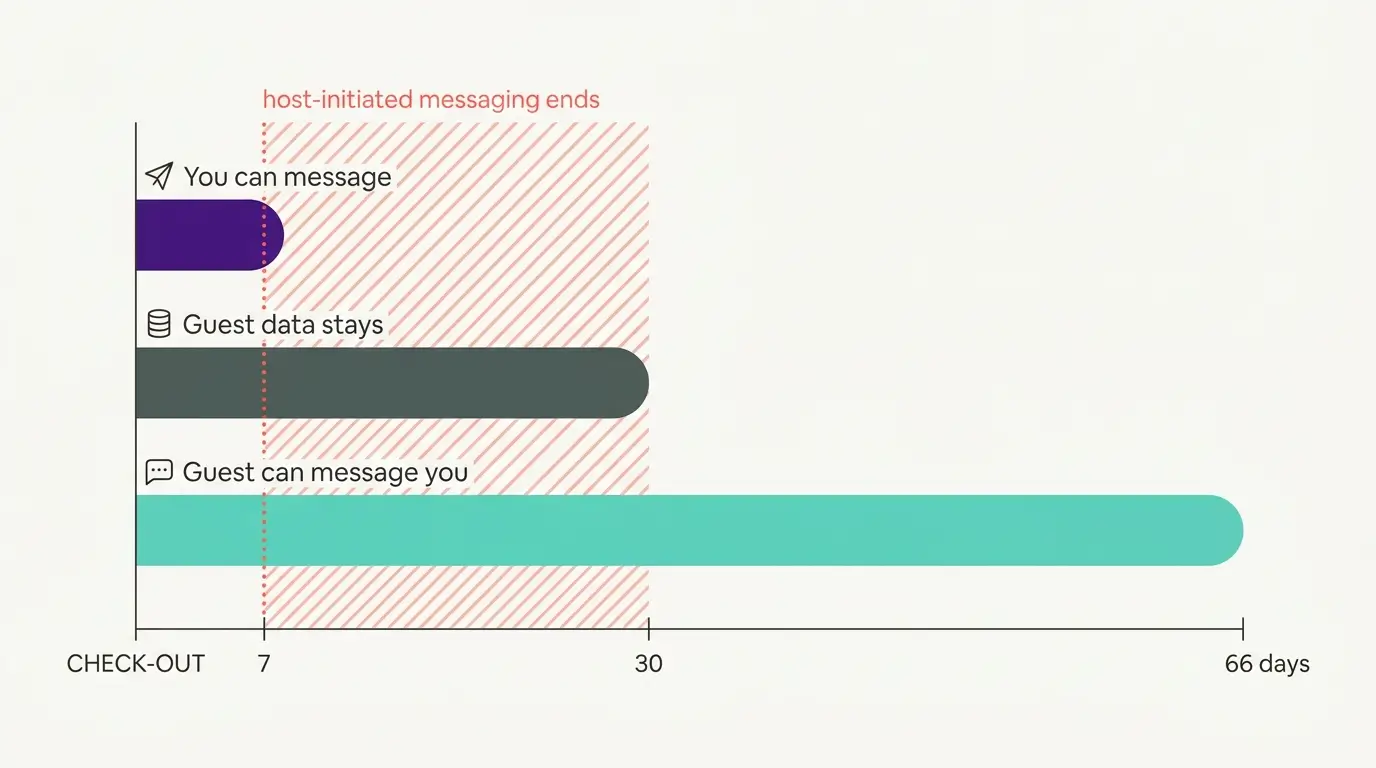
Booking gives a guest 66 days to message you after checkout. It gives you seven to start a new message of your own. You see an alias, not an email address. A contract clause bars unsolicited messages to any details Booking hands over. Airbnb bans marketing lists outright, while Vrbo permits opt-in offers travellers agreed to receive. Read the three together and the only contact list that holds up anywhere is the one a guest chose to give you.
Almost everything written about OTA messaging rules is really about Airbnb. If your property also sits on Booking, which for many small hotels and B&Bs is the bigger channel, the mechanics differ enough that an Airbnb habit carried across will eventually cost you a message that does not land or a link the guest cannot see.
What can a host send a Booking guest, and when?
In general you can message a guest from the time of booking until seven days after check-out or cancellation, through the Extranet or the Pulse app. If a guest writes to you near the end of that period, Booking allows a reply window that can run past the seven-day mark. You never see their real email address, only an anonymous alias. And the partner terms bar you from using the messaging service, or the guest contact details Booking gave you, to send unsolicited electronic communications to anyone.
Where partner messaging actually lives
Two surfaces, one inbox. On the Extranet you open Reservations, click the guest's name, scroll to Conversation with guest, and type a message or pick a template. Replies land under Inbox, then Reservation messages. The Pulse app does the same job from a phone: Bookings, pick the guest, write under Messages.
Message templates can be scheduled to go out after booking or before check-in, the closest thing here to an automated pre-arrival sequence. One limit is worth knowing before you design around it. On attachments, the help page says: "To ensure partner and guest information-sharing safety, we don't support PDFs or QR codes as an attachment format – we only support images." If you need to get a printable arrival sheet to a guest through Booking's messaging tools, you will generally need to send it as an image or make it available through an approved link.
The clocks running on every reservation
We have not found these timings collected in one place. In several cases Booking's developer documentation is more explicit than its partner help pages.
What the clock governs | How long | Where it is written |
|---|---|---|
You sending a message to a guest | From the time of booking until seven days after check-out or cancellation | |
You replying once a guest has written to you | Up to 14 days from the guest's message, "even if this exceeds the 7-day post-checkout limit" | |
The guest sending a message to you | From the time of booking until 66 days after check-out or cancellation | |
Reading the old thread | Messages are readable up to one year after check-out or cancellation | |
Guest personal data staying available on the Extranet | Thirty days after the end of the stay or the cancellation date, unless Booking sets another period or another means and tells you in advance | General Delivery Terms, Annex 1, clause 2.2.6 |
The guest can write to you for more than two months after they leave. You can normally initiate messages for only one week. Booking does not explain the gap on any page we could find, and in practice a late guest message may be the only way further communication becomes possible after day seven.
The reservation detail you might want for a dispute also leaves the Extranet about three weeks after your own sending window has closed. As a practical matter, many hosts will want damage claims, reconciliations and reservation audits finished inside that thirty-day period.
The alias, and the phone number sitting next to it
Booking's privacy line is clear enough: "we don't share private email addresses. You and your guests will only ever see an anonymous alias ending in @guest.booking.com or @partner.booking.com."
On the same help page, the steps for reaching a guest include this: "If you'd prefer to call your guest, you can see their contact number by clicking Show phone number." And the FAQ at the bottom of that page answers "Can I get the guests' contact information?" with "we can't share any personal information with either party."
Booking's documentation refers to guest phone numbers being visible in some circumstances while also stating that personal information cannot be shared, and it does not explain how those statements fit together. Its own security article tells partners they "probably have access to a large amount of guest data, including names, addresses, credit card details, and phone numbers."
What reaches you varies by configuration, the address in your inbox is usually a relay, and being handed a detail is not the same as being free to use it. We wrote up where guest details actually end up across our own properties in a piece on guest data privacy.
Messaging security settings, and the link that quietly disappears
Under Property, then Messaging preferences, then Security settings, behind two-factor authentication, sit two admin-only allowlists. The email one registers which addresses or domains may reach your guests: "Any messages sent from unregistered email addresses won't reach your guests."
The link one catches people out. You register the URLs or domains allowed to appear in your messages, and after that, in Booking's words, "any links you haven't added will be removed from your messages. Your guests won't be able to click them and instead will see [Link was removed]." Booking's own example of what to register is "your property's website address or a link to your online check-in tool."
If you have ever switched this on and later had a guest say the arrival link did not reach them, start there. Registering your own check-in or guidebook domain is the documented purpose of the setting, not a way around anything. There is also a version you do not control: Booking says that if it detects suspicious activity on your account it will disable your ability to include links in messages at all, to stop criminals sending fake payment links in your name.
What the partner terms say about marketing
The clause people go looking for sits in the General Delivery Terms, section 2.9, Messaging Service. Clause 2.9.3 reads:
"The Accommodation shall not use the Messaging Service and/or Guest contact details provided by Booking.com to the Accommodation to send unsolicited electronic communications to any individual and fully indemnifies Booking.com for any claims from third parties and any fines resulting from the unlawful or unauthorized use of the Messaging Service and/or Guest contact details by the Accommodation."
The clause names the guest contact details as well as the messaging channel, so its wording is not confined to messages sent inside Booking's inbox. It restricts unsolicited communications without going on to describe what a solicited one would look like.
The data annex adds the other half. Where Booking transmits personal data to you, "the Accommodation acts as an independent and separate Data Controller in relation to its own processing of such Personal Data." That is the role the contract puts you in.
We run properties, we are not lawyers, and none of this is legal advice. What that clause means in your market, and what your consent wording needs to say, belongs with your own counsel.
Airbnb and Vrbo answer the same question differently
All three channels are built to keep the guest relationship. Where they part company is on whether consent buys you anything, and each has written that down somewhere different.
Channel | What the policy text says about marketing to guests |
|---|---|
Booking | Clause 2.9.3 bars unsolicited electronic communications sent using the messaging service or the guest contact details Booking provided. The terms describe no consented route. We have therefore chosen not to infer one from that silence. |
Airbnb | The Off-Platform and Fee Transparency Policy, as worded on 3 September 2026, prohibits "selling, sharing, or using guest contact information for marketing communications or signing guests up for contact list", and separately prohibits soliciting a guest's email through Airbnb messaging after a booking. |
Vrbo | The Off-Platform Booking Policy, as worded on 3 September 2026, runs a "what is allowed" list, and on it: "general marketing (for example, opt-in mailing list offers) that is not used to move an active reservation or payment off-platform and that travelers have expressly agreed to receive." |
Vrbo is the only one of the three that writes an express-consent carve-out into the policy text itself. Airbnb's prohibited list carries no equivalent, and Booking's clause stops at unsolicited. That same Vrbo policy tells hosts not to include "links, QR codes, buttons, or contact details that are intended to redirect guests away from Vrbo", so the test it sets is one of intent.
The clause-by-clause reading of the Airbnb side is in our post on getting direct bookings without risking your Airbnb account, and the pricing side of Booking is in our Genius programme post. Platform policies change periodically, so check your own extranet before you act on any of this.
Where we got this wrong ourselves
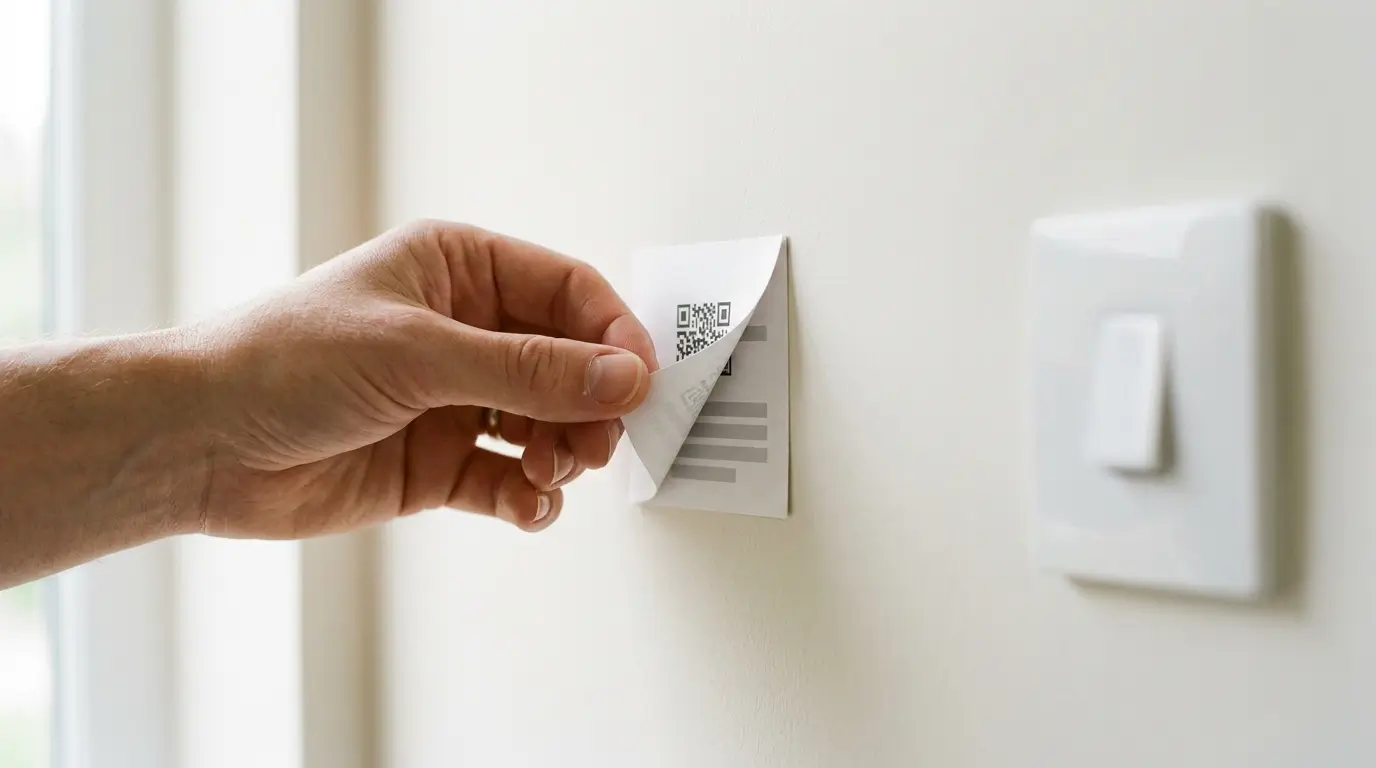
In the early years we had a QR code posted physically in the property that opened a form asking for the guest's email address for marketing. Because it was printed and left up, every guest saw it, whichever channel they had booked through. A printed code cannot tell channels apart. For a while that put us against booking channels' guidance, and we took it down. That episode is where our own data process started.
Where a legitimate contact list comes from
Not from extraction. It comes from a guest choosing to give you their details, with the consent recorded, on a channel where that ask belongs. On OTA reservations, many operators choose not to make the ask at all unless they have established that the request is permitted by both the platform's policy and the law that applies to them. What makes it workable is one guidebook you maintain once, where the ask appears or disappears according to where the booking came from, so it does not depend on you remembering. We covered the mechanics in guest registration for short-term rentals.
FAQ
Can I email a guest who booked through Booking?
Not at a real address, in most cases. What you have is an anonymous alias, and the partner terms bar using the messaging service or the contact details Booking provided to send unsolicited electronic communications. Service messages about the stay itself are what that channel exists for.
How long can I message a guest on Booking?
From the time of booking until seven days after check-out or cancellation. If the guest writes to the reservation, Booking's developer documentation says you can reply for up to 14 days from their message, "even if this exceeds the 7-day post-checkout limit". Guests get much longer than you do: 66 days after check-out or cancellation.
Why did my link disappear from a message to a guest?
The likeliest answer is that the messaging security link setting is switched on and the domain is not registered. Guests see "[Link was removed]" where the link was. Booking can also disable links on your account entirely if it detects suspicious activity there.
Can I message a Booking guest on WhatsApp instead?
Booking's guidance is to keep it on its own rails: "Only use Booking.com platforms, the Extranet, and Pulse app to communicate with guests securely." Its stated reason is security, since messages sent on the platform are stored and can be reviewed if something goes wrong.
Can I add guests who booked through an OTA to my mailing list?
Not from the contact details the platform handed you. Airbnb prohibits using guest contact information for marketing lists. Vrbo permits general marketing that travelers have expressly agreed to receive. Booking's clause covers unsolicited messages and stops there. The version that holds up everywhere is a contact who chose to give you their details on a channel where asking is allowed.
If you would rather not wire this up yourself
Our Guest Registration widget sits in front of the guidebook and captures name, email, phone, language and country from guests who register themselves. Each guest consents for themselves, so a family suite can produce several contacts where the booking produced one. Contacts export to CSV or push out by webhook into your own email tool, since we do not send marketing email and are not going to imply otherwise. Activating it needs your own privacy policy URL, a legal obligation on you rather than a SmoothStay rule.
OTA Compliance Mode, included on all plans, handles the channel difference. When a booking arrives from a channel you have flagged as restricted, the registration widget is switched off for that guest altogether, not merely stripped of its marketing opt-in. A reservation link inherits that from the booking sources you configured, while a general link you share through a channel carries whichever flag you set on it. Guest Registration sits on the paid plan, with a 14-day trial and no card.
Latest articles

How to Automate Check-In Instructions for Short-Term Rental Guests
Automate check-in instructions for short-term rental guests: the four-send sequence, what goes in a message versus a guidebook, and a copy-ready sample.

Vrbo Premier Host in 2026: Every Listing Now Stands on Its Own Record
Vrbo Premier Host requirements changed in 2026: per-listing scoring, tighter thresholds, quarterly checks. What each one means, and how it compares to Superhost.
Vrbo's New Features for Fall 2026: What's Live, What's Gated, and What's US-Only
We sorted Vrbo's new features for fall 2026: what is live globally, what is gated behind eligibility, and what is US-only. Verified against Vrbo's own pages.
Airbnb Direct Booking Links: What the Reduced Fee Changes at 1 to 20 Listings
Airbnb direct booking links cut the host fee to a reported 6% or 10%. What they are, how they work at 1 to 20 listings, and what the lower fee still pays for.