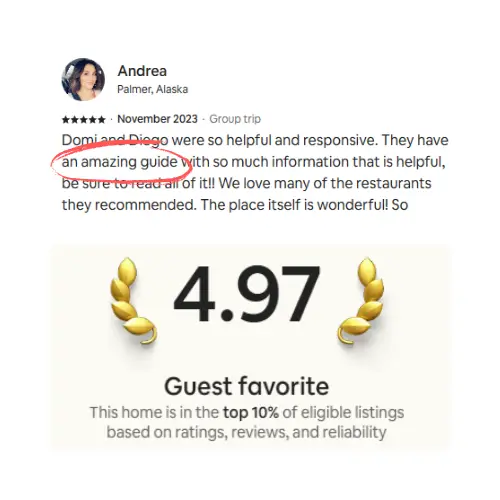

Airbnb self‑check‑in works best when hosts pair the right access hardware with clear, photo‑rich instructions that are easy to find at the door. Providing redundant, multilingual information through the Arrival Guide, a digital guidebook, and QR codes prevents common failures and ensures a smooth, stress‑free guest arrival.
A guest lands at 11pm after a delayed flight, phone at 8% battery, standing in front of a door they've never seen. This is the moment self check-in is really for. Get it right and they're inside in two minutes and you never hear from them. Get it wrong and you're taking a call in the dark trying to describe which of three gates is yours.
One of our front-door smartlocks failed outright and needed replacing. The stay wasn't affected, because the guidebook already pointed guests to a spare key in our backup lockbox by the side door.
Most advice about Airbnb self check-in stops at the hardware. Buy this lock, set this code, done. The lock is the easy half. The half that actually decides whether check-in goes smoothly is the information: where to park, which door, what code, and where to find that answer again when the guest forgets it. That's what this guide is about.
What is Airbnb self check-in and how do you set it up?
Airbnb self check-in lets guests let themselves in using a smart lock, keypad, lockbox, or key, with no host meeting required. You set it up in your listing editor under Arrival Guide: choose a check-in method, then write step-by-step instructions and add a photo for each step. Airbnb shows guests your check-in method when they book, but it only releases the detailed instructions to them 48 hours before check-in (per Airbnb's Help Center).
That 48-hour window matters more than most hosts realize. It means the instructions you write have to stand completely on their own, read by a stranger on a small screen, often for the first time on the day they arrive. No follow-up conversation, no context. Just your words, your photos or sometimes even video. So the setup that matters isn't clicking through the menu. It's writing arrival information a tired traveler can follow without asking you anything.
How Airbnb self check-in actually works
Here's the flow from the guest's side, because writing good instructions starts with knowing what they already see.
When someone books, Airbnb tells them the check-in method (smart lock, keypad, lockbox, and so on) but hides the specifics. Roughly 48 hours before arrival, the full check-in package unlocks in their Airbnb app under the reservation, and Airbnb also sends a reservation reminder with the details (Airbnb Help Center, article 100). The package lives in the app and stays available even without a signal, which is genuinely useful for properties where cell coverage drops at the door.
Two things follow from this. First, everything you put in the Airbnb Arrival Guide reaches the guest whether or not they ever open a message from you. Second, it only reaches them two days out, and only inside Airbnb. If you want arrival info available earlier, or in a place the guest can pull up in one tap without digging through the app, you need a second home for it. More on that below.
One caveat worth stating plainly: self check-in isn't offered in every country, and some buildings or local rules require an in-person handoff. Check your market before you promise a keyless arrival.
Choosing your access method
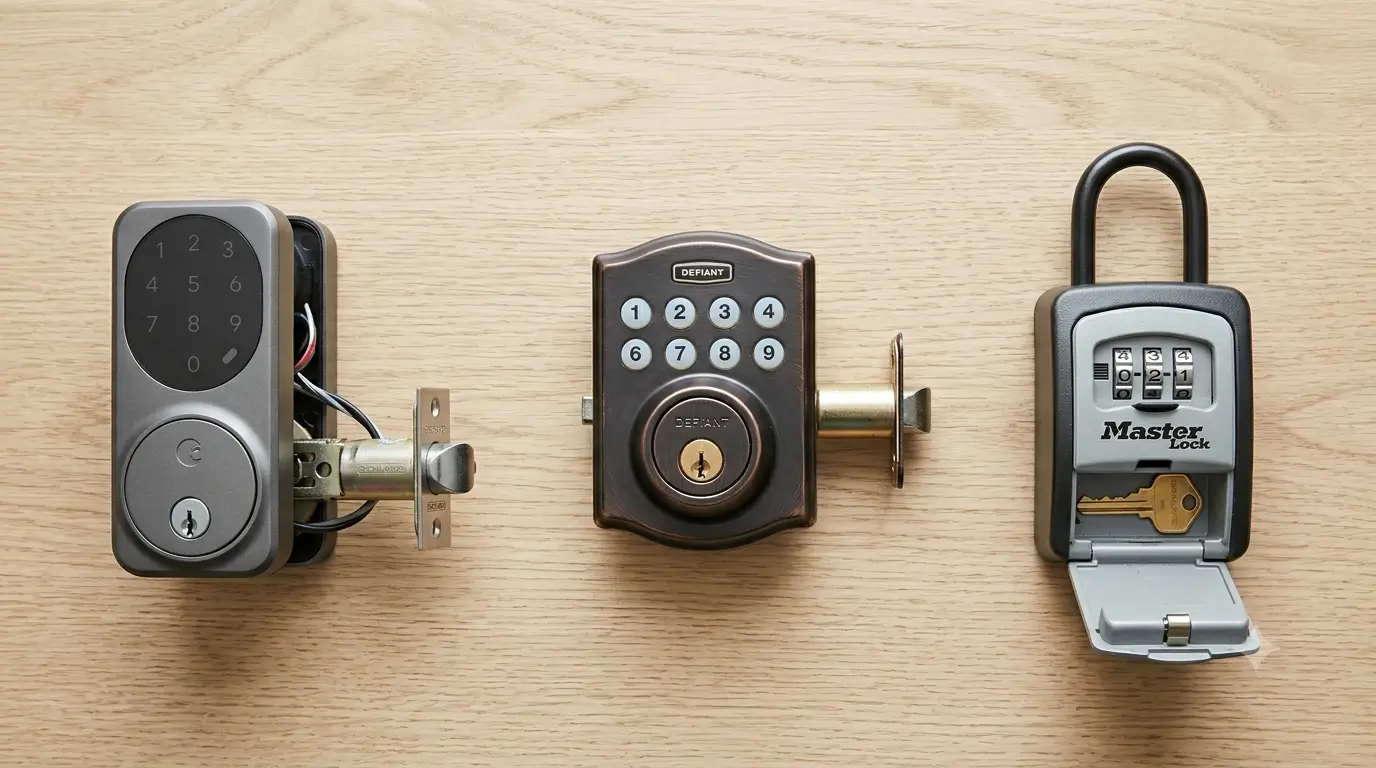
The four common methods each trade convenience against control. There's no single right answer; it depends on your door, your building, and how comfortable you are managing codes.
Access method | How it works | Best for | Watch out for |
|---|---|---|---|
Smart lock | Wifi or Bluetooth lock opened by a code or app; codes can be changed remotely | Hosts who turn over often and want a fresh code per guest | Needs power and connectivity; batteries die at the worst time |
Keypad lock | Electronic lock opened by tapping a code, no wifi required | Reliable keyless entry without depending on a network | Changing codes may mean visiting the door unless it's a smart model |
Lockbox | A small safe holding a physical key, opened by a code | Cheapest option, doors you can't or won't replace | Codes rarely change, so old guests keep working codes; visible boxes attract curiosity |
In-person / key handoff | You or a co-host meets the guest with a key | High-touch stays, buildings that require it, valuable or complex properties | Ties your evening to a flight time; the thing self check-in exists to avoid |
We run smart locks across our properties (Schlage and Ultraloq are the two brands we've stuck with), and the single habit that saves the most trouble isn't the brand. It's code hygiene: a unique code per reservation where the lock allows it, changed or retired at checkout. A lockbox with the same four digits since 2023 means every guest you've ever hosted can still open your door. That's worth fixing.
To be clear about our own lane: SmoothStay doesn't sell a lock or connect to one, and this post isn't trying to point you at hardware we make. Pick the lock that fits your door. What we care about is the entire process of self check-in.
Writing self check-in instructions guests actually follow
Good instructions are boring, specific, and photo-heavy. Vague and clever both fail at 11pm. Here's the set that covers almost every arrival:
The exact address, plus the nuance. Not just the street number, but "the building is set back behind the taco stand" or "enter from the alley, not the main road." Map pins lie in dense neighborhoods; a sentence fixes it.
Parking, in detail. Where to put the car, whether a permit is needed, what happens if the obvious spot is taken. Parking confusion generates more arrival messages than locks do.
A photo of the actual entrance. The specific door, in daylight, from the angle a guest approaches it. This one photo prevents more wrong-door texts than any paragraph.
The access step, spelled out. "Enter 4-7-2-9 then press the checkmark. You'll hear it click." Include what success sounds and looks like so they know it worked.
What to do inside, immediately. Which way to the unit, where the light switch is, the wifi. Getting in the building isn't the same as getting into the room.
A contact path for when something's off. Who to message and how, framed calmly. Guests panic less when they know there's a backstop.
Write each step as if the reader is stressed, because they often are. Short sentences. One instruction per line. A photo wherever a photo would answer the question faster than words. If your property has a genuinely tricky arrival, record a 20-second phone video walking the path from the street to the door; it's the closest thing to meeting them there.
If you want a fuller framework for the in-home version of all this, our Airbnb house manual guide covers how the manual and the arrival instructions divide the work. The manual explains how the home runs. The arrival instructions just get them through the door.
The information layer is where most check-ins fail
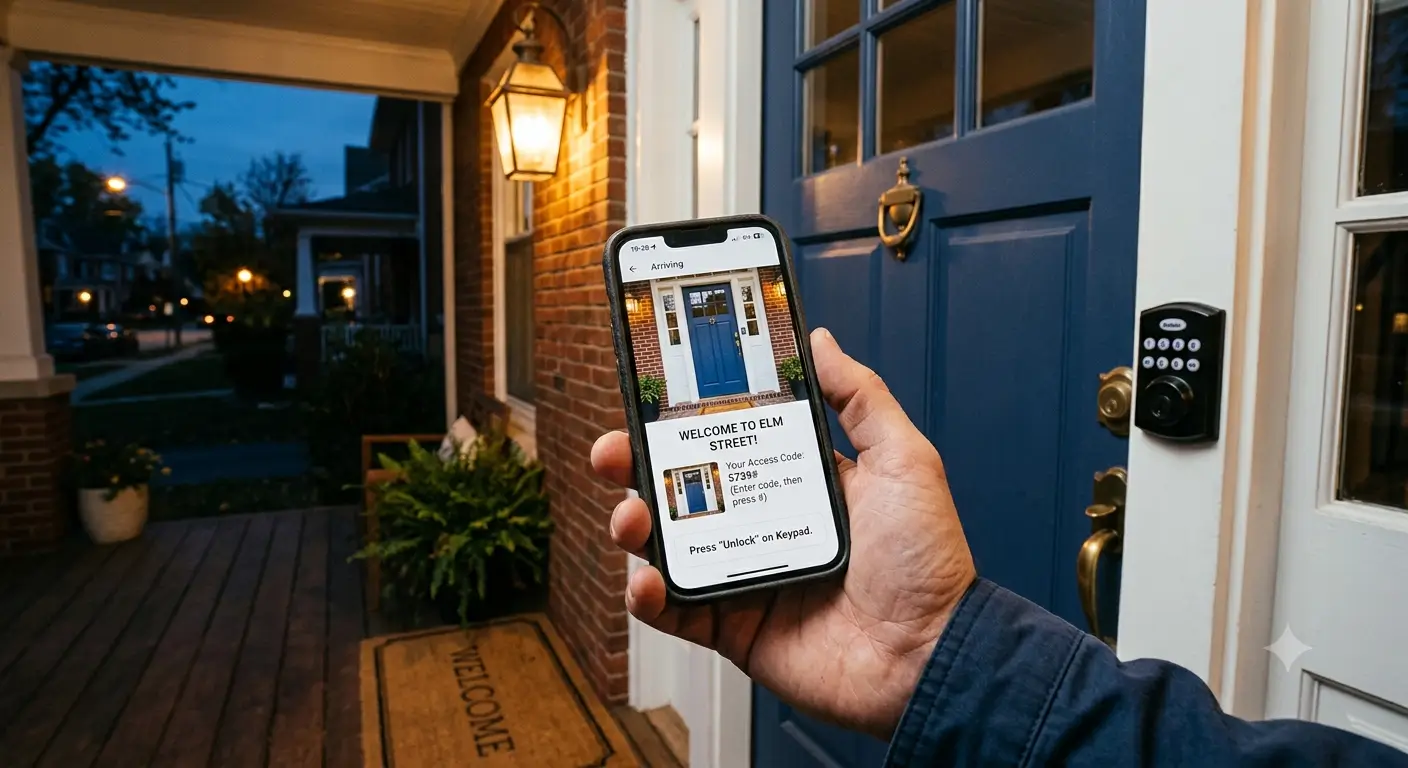
Here's the part the hardware guides skip. A guest with a working code still gets stuck if they can't find the code when they need it. The failure is almost never the lock. It's that the answer is buried in a message thread from three days ago, or trapped in an app the guest closed, or written in a language they don't read comfortably.
The fix is redundancy. The code and the arrival steps should live in at least two places the guest can reach: inside Airbnb's Arrival Guide (which unlocks 48 hours out), and in a guidebook the guest can open from a link before arrival and a QR code on-site. When the same answer sits in two places, a dead phone, a closed app, or a missed message stops being a crisis.
This is the job a digital guidebook does well. You put the arrival section (entrance photos/video, parking, the access steps) in the guidebook, drop the link into your pre-arrival note, and post a QR code at the entrance so a guest standing at the door can pull it up in one tap. Because that arrival section carries your codes, it helps to tie access to the reservation window, so the details surface for the booked guest around their stay instead of living on an open link forever (time-based reservation access does exactly this). For the questions your written steps didn't quite answer, SmoothStay's AI Concierge responds from your own guidebook content, in the guest's language, at whatever hour they're standing there. It isn't a lock and it doesn't open your door. It just makes sure the answer is never more than a tap away when nobody's at the property to give it.
If you also collect guest details at booking for local registration rules, the same platform handles that as OTA-compliant guest registration, kept separate from the arrival flow so it doesn't clutter the moment a guest is trying to get inside.
The point of the information layer is quiet: fewer messages, calmer arrivals, and a guest who never had to think hard about getting in. That's also the fastest way to cut down guest questions across the whole stay, since arrival is where the anxious ones cluster.
Common self check-in failure points (and the fix)
Failure point | Why it happens | The fix |
|---|---|---|
Guest at the wrong door | Map pin is imprecise; multiple entrances | A daylight photo of the exact entrance in the instructions |
Code doesn't work | Typo, wrong sequence, or an expired code | State the full sequence and the "you'll hear a click" cue; retire old codes |
Can't find the instructions | Buried in messages or a closed app | Put arrival info in the guidebook too, with a QR at the door |
Language barrier | Instructions only in English | A guidebook that translates arrival steps into the guest's language |
Parking chaos | No parking guidance, or the spot's taken | Spell out the primary and backup parking plan up front |
Arrived, still confused | Got in the building, not the unit | Include the last few steps from front door to room |
None of these need better hardware. They need better information, placed where the guest can reach it. That's the whole game.
FAQ
When does Airbnb send check-in instructions to guests?
Airbnb releases your detailed check-in instructions to the guest 48 hours before check-in, and includes them in a reservation reminder. Guests see your check-in method at the time of booking, but not the specifics until that 48-hour mark (Airbnb Help Center).
Do I need a smart lock for Airbnb self check-in?
No. A keypad lock or even a simple lockbox works for self check-in. A smart lock's advantage is remote code changes between guests. If you go with a lockbox, change the code regularly so past guests can't still get in.
Where do guests find their check-in instructions?
In the Airbnb app under their reservation details, and in the reservation reminder email Airbnb sends. The info is stored in the app and available offline, so it works even where there's no signal. Many hosts also share the same details through a guidebook link and an on-site QR code as a backup.
What should Airbnb self check-in instructions include?
The exact address with any nuance, parking guidance, a photo of the entrance, the access step spelled out with the full code, what to do once inside, and a contact path if something goes wrong. Add a photo for every step you can.
Is Airbnb self check-in safe?
It's safe when you manage access properly: use unique codes where your lock allows, change or retire codes between guests, and don't leave a lockbox code unchanged for months. The risk isn't the method; it's stale codes and instructions that never get updated.
Can I offer self check-in in any country?
Not always. Airbnb notes self check-in isn't available in every country, and some buildings or local rules require an in-person handoff. Confirm what's allowed in your market before you set it up (Airbnb Help Center).
Get arrival right before the guest arrives
Self check-in works when the lock and the information are equally solid. The lock you can buy in an afternoon. The information layer takes a little more thought: clear steps, real photos, and a place the guest can find them at the door without texting you. If you'd rather not rebuild all of that by hand for every property, you can have a digital guidebook with your arrival section, QR codes, and an AI Concierge running in under an hour. Pair it with a solid guest welcome checklist and most arrivals stop being something you have to manage at all.
Latest articles

How to Automate Check-In Instructions for Short-Term Rental Guests
Automate check-in instructions for short-term rental guests: the four-send sequence, what goes in a message versus a guidebook, and a copy-ready sample.

Vrbo Premier Host in 2026: Every Listing Now Stands on Its Own Record
Vrbo Premier Host requirements changed in 2026: per-listing scoring, tighter thresholds, quarterly checks. What each one means, and how it compares to Superhost.
Booking.com Guest Messaging Rules: What Hosts Can Send, When, and Why Links Get Removed
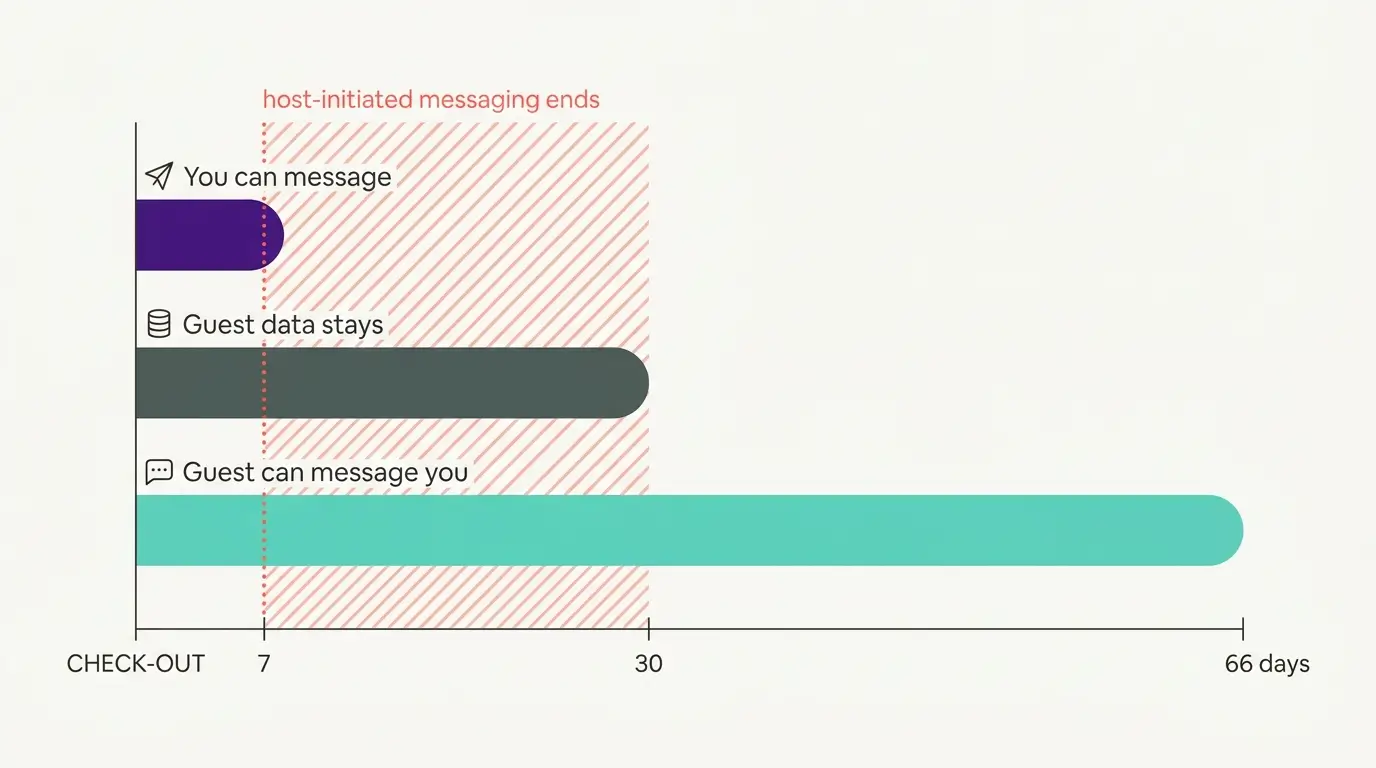
Booking.com guest messaging rules, verified at source: how long you can message a guest, why your links get removed, and what the partner terms say.
Vrbo's New Features for Fall 2026: What's Live, What's Gated, and What's US-Only
We sorted Vrbo's new features for fall 2026: what is live globally, what is gated behind eligibility, and what is US-only. Verified against Vrbo's own pages.