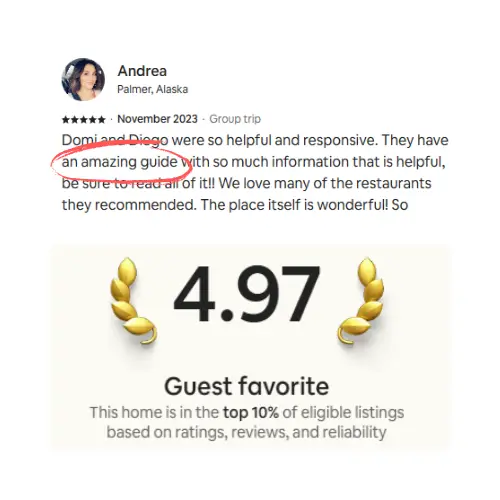

The Vrbo Welcome Guide is a free native feature that emails guests their arrival essentials three days before check-in: contact details, directions, parking, access instructions, and amenity basics like wifi. Guests with a confirmed booking can also reach it in the Vrbo app. It stops at checkout, though, and it holds no local recommendations, no maps, no branding, and it can't answer a question. Hosts listing on more than one channel should pair it with a digital guidebook that carries the rest of the stay, works across every channel, translates per guest, and puts an AI Concierge on the questions the guide didn't cover.
If you host on Vrbo, there's a built-in feature doing quiet work before every arrival, and plenty of hosts either don't know it exists or never finished filling it out. It's called the Welcome Guide. Vrbo emails it to your guest a few days before check-in with the basics they need to get in the door, and it shows up inside the app and email flow guests already trust. It's free, it's automatic, and it's worth setting up properly. It also stops well short of what a good stay actually needs.
What is the Vrbo welcome guide?
The Vrbo Welcome Guide is a native feature that gathers your property's essential stay details, including host contact info, directions, parking, access and check-in/check-out instructions, and amenity instructions like how the wifi works, and emails them to confirmed guests three days before check-in in the language you wrote them in. Guests can also pull it up anytime in the Vrbo app or on the web under My Trips. It handles arrival logistics well. It doesn't touch the rest of the stay.
The native guide is a solid arrival form. It is not a guest experience, and Vrbo never pretended it was. Once you see where its walls are, the fix is obvious.
Why the native guide is worth setting up first
Start here before you add anything else, because this one is free and it rides inside Vrbo's own delivery. Your guest gets it in the same place they manage the rest of their trip, so there's nothing to download and no link to lose. For the pure logistics of getting someone through the front door, that's hard to beat.
It also cuts down the "how do I get in?" message that always seems to land at 9pm. When directions, parking, and the door code are already sitting in the guest's trip details, most people find them without texting you. Vrbo's own line is that guests with easy access to key information have smoother check-ins and leave better reviews, and that matches what any host sees in practice.
So fill it out completely. A half-finished Welcome Guide is worse than none, because the guest expects it to have the answer and then it doesn't.
How to set up your Vrbo welcome guide
Vrbo walks you through it the first time you open the section. Here's the order:
Log in to your account and select the listing if you manage more than one property.
Select Property, then Welcome guide.
Select Create welcome guide.
Enter your contact information and select Save and continue.
Enter your directions and parking instructions and select Save and continue.
Under How should guests enter your property, pick the option that matches your setup and select Save and continue.
Enter your wifi network name and password, then select Finish.
Select View my welcome guide to see what the guest will see.
To add instructions for a specific amenity, go back into Welcome guide, open the Amenities tab, select + Add next to any amenity, type your instructions, and save. You can attach a photo to an amenity here too, which is handy for the appliance that has a mind of its own.
One more setting worth knowing: Vrbo lets you set reservation-specific access instructions from your Inbox for a single booking. If you've entered both a general access instruction and a reservation-specific one, only the reservation-specific version goes to that guest. You can also run just one of the two, either the welcome guide instructions or the reservation-specific module, instead of both. Useful for the stay where the lockbox code is different, easy to forget you left it on.
One housekeeping note from Vrbo: whatever you put in the welcome guide has to follow Expedia Group's marketplace policies. It's platform space, so keep it to the practical arrival details and put anything else in a surface you own.
What the Vrbo welcome guide includes
Per Vrbo's help center, the native guide covers:
Host or property manager contact information
Directions to the property
Parking instructions
Access instructions
Check-in and check-out instructions
Amenity instructions, such as how to use the wifi or laundry
Vrbo's help center sets out the delivery rules plainly: the guide goes out by email three days before check-in, in whatever language you wrote it in. Only guests with a confirmed booking can see it, and the details stop being available once they check out or if the booking is cancelled. Source: Vrbo Help Center
Read that list again and notice what it is. It's an arrival checklist. Everything on it answers one question: how do I get in and get set up? That's genuinely useful, and it's also the ceiling.
Where the Vrbo welcome guide stops
The limits aren't bugs. They're what the feature is. Knowing them is how you decide what to build around it.
It's logistics, not a stay. There's no room for local recommendations, no restaurant you'd actually send friends to, no "skip the main beach, park two streets over and walk." The stuff that makes a guest feel like a local hosted them has nowhere to live.
No map, no real visuals. You can attach a photo to an amenity, but there's no property map, no video showing how the tricky shower works, no branded look. It reads like a form because it is one.
Access is tied to the booking window. The guide reaches confirmed bookings only, and the details disappear the moment the guest checks out or cancels. A guest can't look back a week later to remember the name of that coffee place, because it was never there and the guide is gone anyway.
It can't answer a question. This is the big one. The Welcome Guide is a one-way document. When a guest reads it and still doesn't understand which bin the recycling goes in, their only move is to message you. The guide can't respond.
It's Vrbo-only. If you list the same property on Airbnb, Booking.com, or your own direct site, the Vrbo Welcome Guide does nothing for those guests. You'd be rebuilding the same arrival info in every platform's separate tool, and keeping five versions in sync by hand. Ask anyone who's tried; the versions drift within a month.
None of this makes the native guide bad. It makes it partial. The honest way to run it is to use it for exactly what it's good at and stop asking it to do the rest.
Native welcome guide vs a digital guidebook
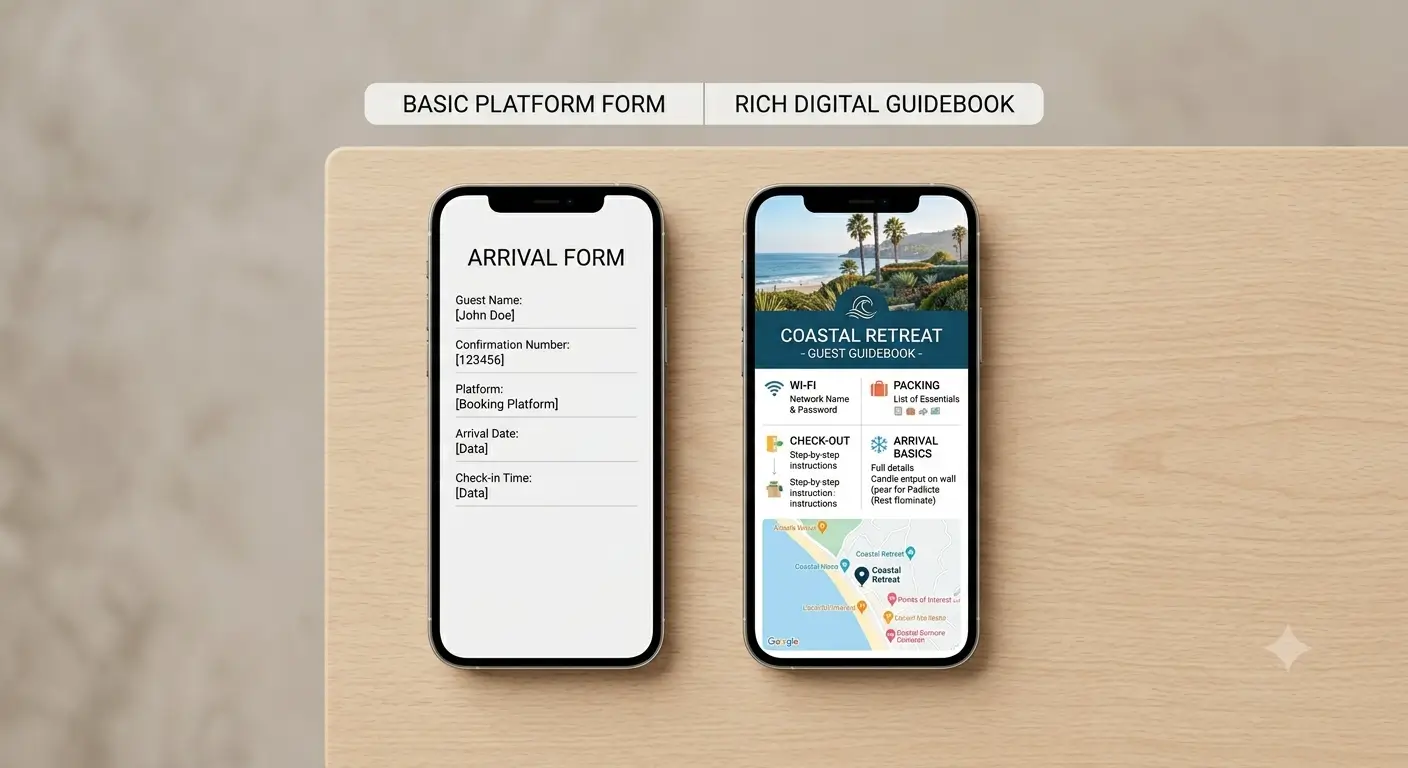
Here's the split, side by side.
What the guest needs | Vrbo Welcome Guide | Digital guidebook |
|---|---|---|
Directions, parking, door code | Yes, delivered automatically | Yes |
Wifi and appliance basics | Yes | Yes, with photos, video and slideshows |
Local recommendations and maps | No | Yes |
Your branding and personality | No | Yes |
Available whenever the guest wants it | Only during the booking window | Anytime, by link or QR code |
Works after checkout | No | Yes |
Answers a guest's question live | No | Yes, via an AI concierge trained on your content |
Guest's own language | Yes, the language you wrote it in | Yes, auto-translated per guest |
Works across Airbnb, Booking, and direct | No, Vrbo only | Yes, one guidebook for every channel |
The pattern is easy to read. The native guide owns the platform-delivered arrival basics. A digital guidebook owns the actual in-stay experience and everything that happens after the guest is through the door.
How to run both together
You don't pick one. You let each do its job.
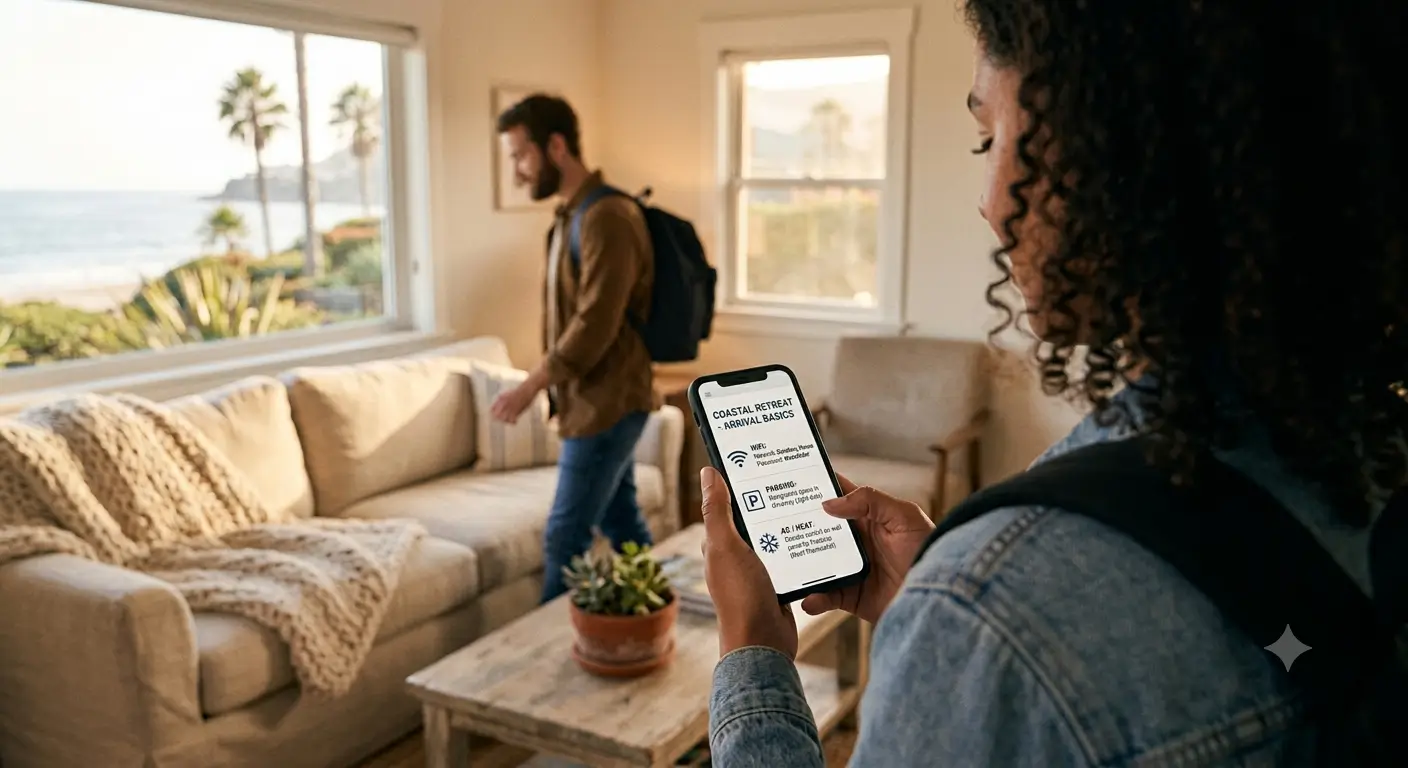
Keep the Vrbo Welcome Guide filled out for the arrival essentials, because it lands in the guest's trip automatically and there's no reason to leave that free channel empty. Then put the real guest experience in a standalone digital guidebook you share by link and QR code, so the guest can open it before they book, during the stay, and after they've left.
That's where the things the native guide can't hold finally have a home: the neighborhood list, the video of how the pool heater actually works, the checkout steps with photos instead of a wall of text. And when a guest has a question at 11pm that the guidebook didn't quite answer, an AI concierge that reads from your own content can answer it in the moment, in the guest's language, without waking you up.
We get quite a few Vrbo families at our Washington, DC house, and the questions that used to eat our evenings were never "how do I get in." Those the Welcome Guide handled. It was "can we park outside the garage," "at what time should we take out the trash”, "how do we work the sound system." Putting those in the guidebook, with the oven note as a short video, is what actually quieted the phone.
For guests arriving somewhere with patchy signal, the move is simple: tell them to open the guidebook while they still have data, and leave a small printed card with the wifi and door code as a backup. A digital guidebook usually needs a connection to load, so that one card covers the dead-zone arrival without pretending otherwise. We made the fuller case for keeping both formats in our take on paper versus digital guest guides.
For hosts who list on more than one channel
This is where a standalone guidebook pulls ahead by a lot. If your property is on Vrbo and Airbnb and maybe a direct site, the native tools force you to maintain a separate arrival guide inside each platform, none of which talk to each other. One guidebook, shared by link and QR, serves every guest on every channel from a single source you update once. Change the checkout time in one place and every guest sees the new version, whichever platform they booked on.
It also travels with the guest instead of the booking. Auto-translation means a guest from Mexico City and a guest from Munich each read it in their own language without you writing a word of it twice, which the multilingual side of a good guidebook handles on its own. And because it's your surface, not the platform's, you get to keep it honest with channel rules; a guidebook shown to a Vrbo guest shouldn't be waving direct-booking offers at them, and a good one lets you hold that line automatically.
If you run the Airbnb side of your portfolio too, the same logic applies there, and we wrote the companion playbook in our Airbnb guidebook cornerstone. The point across both: use each platform's native guide for what it delivers for free, and put your real guest experience somewhere that isn't locked to one channel. If you're starting from a blank page, our guide to building a welcome book that scales across properties covers the structure.
FAQ
Does Vrbo have a welcome guide?
Yes. It's a native feature you fill out per property under Property, then Welcome guide. It collects contact info, directions, parking, access and check-in/out instructions, and amenity details, then Vrbo delivers it to confirmed guests before arrival.
When do guests get the Vrbo welcome guide?
Vrbo emails it three days before check-in, in the language you wrote it in. Guests with a confirmed booking can also find it in the Vrbo app or on the web by opening My Trips and logging in.
Can guests see the Vrbo welcome guide after checkout?
No. The details stop being available once the guest checks out, and they also disappear if the booking is cancelled. If you want guests to reach your recommendations or house info after they leave, that has to live somewhere outside the native guide, like a shareable digital guidebook.
What should I include in my Vrbo welcome guide?
Stick to arrival and setup essentials: how to find and get into the property, where to park, the door or access method, wifi, and how the main appliances work. Save local recommendations, maps, and the richer experience content for a digital guidebook, which the native guide isn't built to hold.
Can I add photos to the Vrbo welcome guide?
You can attach a photo to an individual amenity when you add its instructions, which is useful for a confusing appliance. There's no full photo or video walkthrough, property map, or branded layout, though; for that you need a separate guidebook.
Is the Vrbo welcome guide the same as a digital guidebook?
No. The Welcome Guide is a platform arrival form that's only available during the booking window and only to Vrbo guests. A digital guidebook is a standalone, branded experience with recommendations, photos and video, an AI concierge, and one link that works across every channel and after checkout. They complement each other; they don't replace each other.
Set the native guide up, then give guests the rest
The Vrbo Welcome Guide is a free head start on arrival, and every host on the platform should have it filled out. Just be clear about what it is: the door, not the stay. The recommendations, the visuals, the answers to questions at odd hours, the version that follows the guest across channels and stays reachable after they check out, all of that lives in a proper guidebook. If you'd rather not build one from scratch, you can stand up a digital guidebook, and even generate a first draft from your existing listing, in about an hour, and point every guest to it no matter where they booked.
Last updated: September 1, 2026. Vrbo Welcome Guide mechanics re-verified against the Vrbo Help Center on this date; native features can change, so re-check help.vrbo.com before relying on specific timing or access details.
Latest articles

How to Automate Check-In Instructions for Short-Term Rental Guests
Automate check-in instructions for short-term rental guests: the four-send sequence, what goes in a message versus a guidebook, and a copy-ready sample.

Vrbo Premier Host in 2026: Every Listing Now Stands on Its Own Record
Vrbo Premier Host requirements changed in 2026: per-listing scoring, tighter thresholds, quarterly checks. What each one means, and how it compares to Superhost.
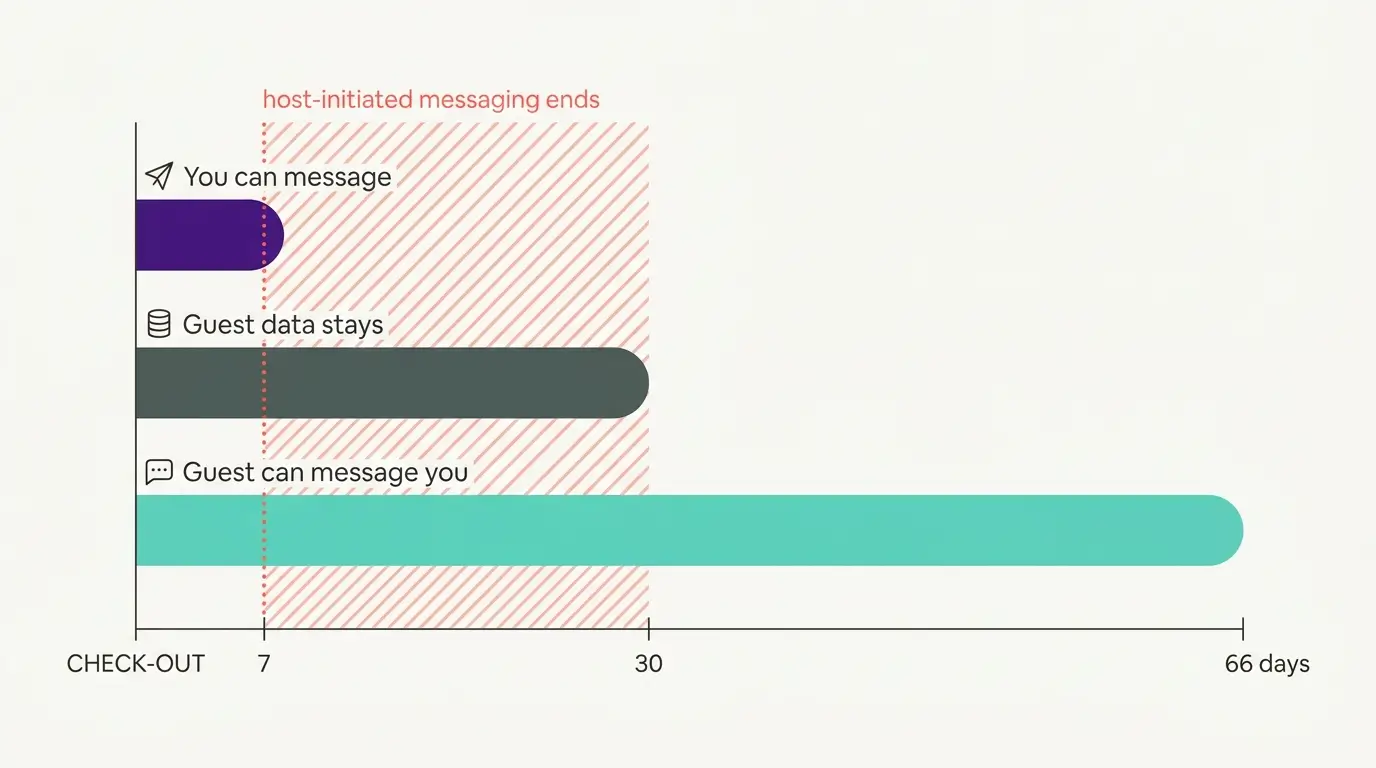
Booking.com Guest Messaging Rules: What Hosts Can Send, When, and Why Links Get Removed
Booking.com guest messaging rules, verified at source: how long you can message a guest, why your links get removed, and what the partner terms say.
Vrbo's New Features for Fall 2026: What's Live, What's Gated, and What's US-Only
We sorted Vrbo's new features for fall 2026: what is live globally, what is gated behind eligibility, and what is US-only. Verified against Vrbo's own pages.