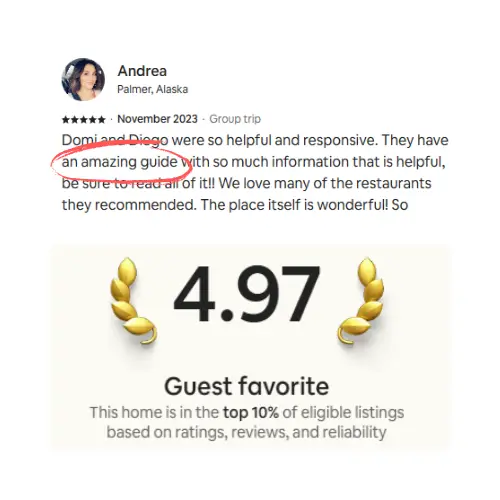

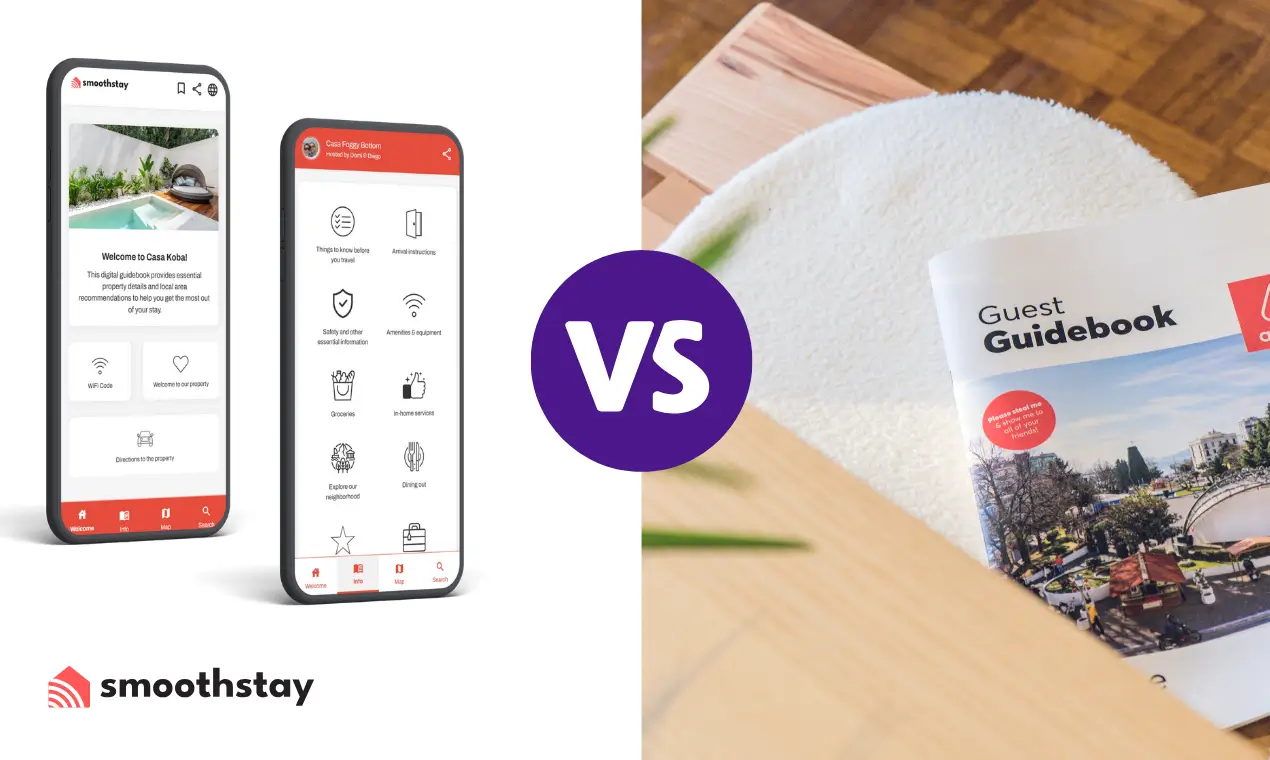
Paper guest guides offer a tactile, low‑tech option that works well for remote or tech‑averse guests but require costly, time‑consuming updates, while digital guides provide instant, interactive, eco‑friendly information that cuts guest inquiries by up to 70% and scales easily across multiple properties. Choosing the right format depends on the property’s connectivity, guest preferences, and the host’s need for flexibility and cost efficiency.
We've run properties in Washington DC and the Riviera Maya for more than a decade, and over the years we've kept guest information both ways: a printed binder on the kitchen counter, and a digital guidebook guests open on their phones. Both can work. They just work very different ways, and the right pick comes down to your property, your guests, and how often your information changes.
Paper or digital guest guide: which should you use?
Go digital if your details change often, you run more than one place, or you host international and last-minute guests. Stick with paper, or run it alongside digital, if your rental sits somewhere with weak internet, your guests skew older or low-tech, or you want a tactile keepsake on the counter. Most hosts we know land on digital as the main guide and keep a slim printed sheet for the essentials.
Here's the short version before we get into the details:
Feature | Paper guides | Digital guides |
|---|---|---|
Where it works | On-site, no signal needed | Anywhere the guest has internet |
Updates | Reprint and replace | Edit once, live instantly |
Cost over time | Recurring printing | Low monthly subscription, free tiers exist |
Languages | A separate version each | Built-in translation |
What guests expect | Simple, static | Maps, video, search, instant answers |
Where paper guides still earn their place
A printed guide doesn't care about Wi-Fi, phone batteries, or whether your guest knows how to scan a QR code. For a remote cabin with one bar of signal, a beachfront place where the router cuts out in storms, or a rustic retreat where the whole point is to unplug, that matters. Paper just works the moment someone walks in.
It also lands well with guests who'd rather not fiddle with their phone on vacation. Older travelers, families handing the binder around the table, anyone who likes flipping through pages instead of tapping a screen. There's a tactile, welcoming quality to a well-made binder that a phone screen doesn't quite match, and a nicely designed one can feel like a keepsake.
Paper is at its best for information that doesn't move. House rules, the emergency contact sheet, where the trash and recycling go, how the quirky shower works. Print that once and it stays true for a long time.
The catch with paper
Information goes stale. Restaurants close, numbers change, the farmers market shifts its hours, and your binder still cheerfully points guests at a place that shut down last spring. Every fix means reprinting a page, or the whole thing, and for a remote host that's a trip or a shipment you'd rather not deal with.
Space is the other problem. Once you add appliance instructions, local tips, and emergency procedures, a simple guide balloons into a booklet nobody reads to the end. Guests skim, miss the part about the temperamental thermostat, and message you anyway.
And paper can't do the things travelers now reach for by reflex: tap an address to open directions, watch a 20-second clip of how the gas stove lights, pull up a menu, or get an answer at 11pm without texting you. For guests planning their days on the fly, a static page feels a step behind.
Where digital guides pull ahead
The biggest win is updates. Change the Wi-Fi password, swap an emergency contact, flag that the pool's being serviced, and every guest sees it the moment they open the guide. No reprint, no version of the truth sitting in a drawer contradicting the current one. For hosts running more than one place, you fix something once instead of in five binders.
Digital also matches how guests actually behave. Clickable maps and directions, photos and short videos for the things that are easier shown than written, a search box, and built-in translation so an international guest reads everything in their own language without you keeping parallel versions. A good digital guide is visual-first, the kind of thing a guest opens and gets, not a wall of text they abandon.
You also learn what's working. Because a digital guide can show you which sections guests actually open, you find out the check-out instructions get read forty times and the neighborhood history gets read twice, then adjust accordingly. A paper binder tells you nothing.
There's a smaller, real environmental angle too. Tourism is responsible for about 8% of global greenhouse gas emissions, so skipping the reprints is a minor but genuine way to trim waste.
What digital guides can't do (let's be fair)
A digital guide has to load, and loading needs a connection. If your property has no signal, the honest move is to send the guide when guests have a chance to open the guide while they're still on strong Wi-Fi or data, and to keep a one-page printed backup for the things that can't wait: the address, the door code, your number, and the Wi-Fi details. We do exactly that at our places. Digital as the main event, a small printed sheet as the safety net.
There's also a little setup work up front, and you're assuming your guest has a charged phone. Neither is a dealbreaker, but pretending digital is flawless is how you end up with a guest locked out at midnight with no signal and no plan.
Paper vs digital: the full comparison
Feature | Paper guides | Digital guides |
|---|---|---|
Accessibility | On-site only | Anywhere with internet |
Updates | Requires reprinting | Edited in real time |
Ongoing cost | Recurring printing | No cost to update; free and paid tiers |
Guest communication | One-way | Interactive, plus instant answers |
Visual content | Static photos | Photos, video, maps |
Languages | Separate versions needed | Built-in translation |
Sharing | Physical handoff | QR code, link, or email |
Wear and tear | Gets damaged, lost | Nothing to replace |
Analytics | None | Shows what guests actually open |
Works offline | Always | Needs a connection to load |
Best for | Stable info, low-signal spots | Changing info, multiple properties |
When to choose paper
Paper still makes sense in a few clear cases. If your rental is somewhere with unreliable internet, a printed guide is the dependable option rather than the nice-to-have. If your guests lean older or traditional, a binder meets them where they are. And if you run just one place that barely changes, the upkeep is low enough that paper's charm can outweigh its hassle.
Keep it to the stable stuff. Emergency contacts, house rules, the basic layout, the trash routine. Just know that the day you change the Wi-Fi password, you're back at the printer.
When to choose digital
Digital is the better fit the moment your information moves or your portfolio grows. Changing details, seasonal swaps, a new lockbox code, a restaurant that closed: you update once and you're done. For anyone managing several listings, or managing from another city, that alone usually settles it.
It also shines for urban properties, places with solid internet, and guests who already run their whole trip from their phone. Multi-language support opens the door to international travelers without extra work on your end, and giving guests a fast way to find answers themselves cuts down the repetitive "what's the Wi-Fi password" messages that eat your evenings.
How SmoothStay fits in
We built SmoothStay because we wanted this for our own properties: a digital guide that's quick to set up, easy for guests, and one place to manage everything. It's made by hosts who actually run rentals in DC and the Riviera Maya, not a software team guessing at what hosting feels like.
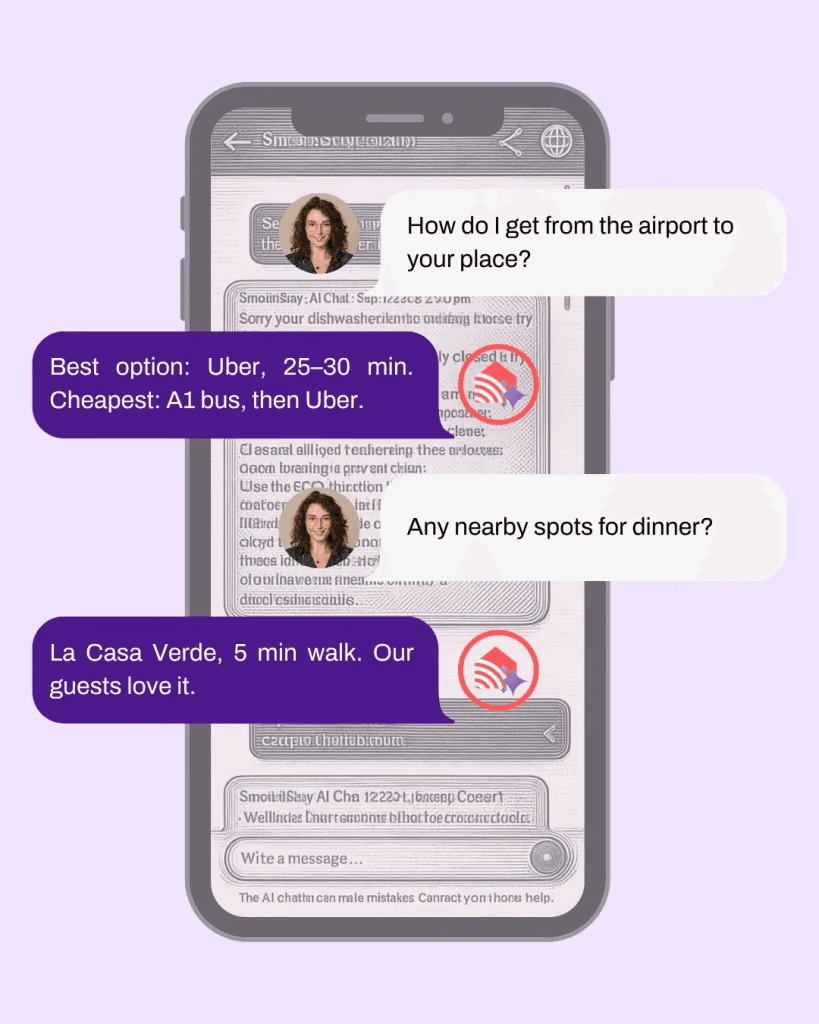
Guests reach the guide by scanning a QR code on a welcome sign or key card, no app to install. Everything's visual-first, so people find what they need fast, and when they can't, the built-in AI concierge answers their question straight from your guidebook content. Update an emergency contact or a house rule once and it's live across every property at the same time. You get multi-language translation, your own branding, and analytics that show which sections guests actually use.
Our DC row house ran on a printed binder for years back in 2016. The Wi-Fi page got crossed out and rewritten several times it was barely legible, and that's one of the reasons that eventually pushed us to move everything digital.
Pricing is built to not punish you for growing: there's a free tier to test with one guidebook, no card needed, and paid plans stay simple as you add properties. We're also rolling out an AI setup wizard soon that builds a starter guidebook from your existing listing, so going digital will take minutes instead of an afternoon. And for anyone worried about the platform-rule side of things, OTA compliance is built in, so what guests can see lines up with where they booked.
If you'd rather not format all of this yourself, you can have a free guidebook running in about an hour. If you're still weighing the move, our guides on how to build a guidebook guests actually use and picking a digital guidebook worth the switch go deeper, and if you're coming from a binder, here's when to keep it and when to go digital.
FAQ
Are digital guest guides worth it?
For most hosts, yes. If your information changes or you run more than one property, the time you save on updates and repeat questions pays for a digital guide quickly. The exception is a single, rarely-changing rental in a low-signal area, where paper can still hold its own. Many hosts run both: digital as the main guide, a printed sheet for the essentials. See our alternative to Airbnb's guidebook limitations for a fuller breakdown.
Do digital guest guides work without internet?
Not fully. Most digital guides need a connection to load, so it's not a fit on its own for places with no signal at all. The workaround is simple: have guests open the guide on strong Wi-Fi or data when they arrive, and keep a one-page printed backup for the address, door code, your number, and Wi-Fi. That covers the moments where a dead zone would otherwise leave a guest stuck.
Is a paper guest book still a good idea?
It can be, for the right property and guests. Paper is great for stable information and for guests who'd rather not use their phone, and a nicely made binder adds a personal touch. The trade-off is upkeep: every change means a reprint, and the information goes stale faster than you'd think.
How much does a digital guidebook cost?
It varies by platform, but most run on low monthly subscriptions, and several offer a free tier for a single property. Compared with reprinting paper guides over a year, digital is usually cheaper once your information changes more than a couple of times.
Can I use both paper and digital?
Absolutely, and plenty of hosts do. Run a digital guide as your main, always-current resource, and keep a short printed sheet for the few things a guest needs the second they walk in. You get the flexibility of digital with a paper safety net for dead zones and low-tech guests.
The bottom line
Paper guides still work for small, stable properties, low-signal locations, and guests who prefer to stay off their phones. Digital wins everywhere else: instant updates, interactive maps and video, built-in translation, and real insight into what guests read. For most hosts, the smart setup is digital first with a slim printed backup. The real question isn't whether you'll move to digital. It's how soon.
Latest articles

How to Automate Check-In Instructions for Short-Term Rental Guests
Automate check-in instructions for short-term rental guests: the four-send sequence, what goes in a message versus a guidebook, and a copy-ready sample.

Vrbo Premier Host in 2026: Every Listing Now Stands on Its Own Record
Vrbo Premier Host requirements changed in 2026: per-listing scoring, tighter thresholds, quarterly checks. What each one means, and how it compares to Superhost.
Booking.com Guest Messaging Rules: What Hosts Can Send, When, and Why Links Get Removed
Booking.com guest messaging rules, verified at source: how long you can message a guest, why your links get removed, and what the partner terms say.
Vrbo's New Features for Fall 2026: What's Live, What's Gated, and What's US-Only
We sorted Vrbo's new features for fall 2026: what is live globally, what is gated behind eligibility, and what is US-only. Verified against Vrbo's own pages.