
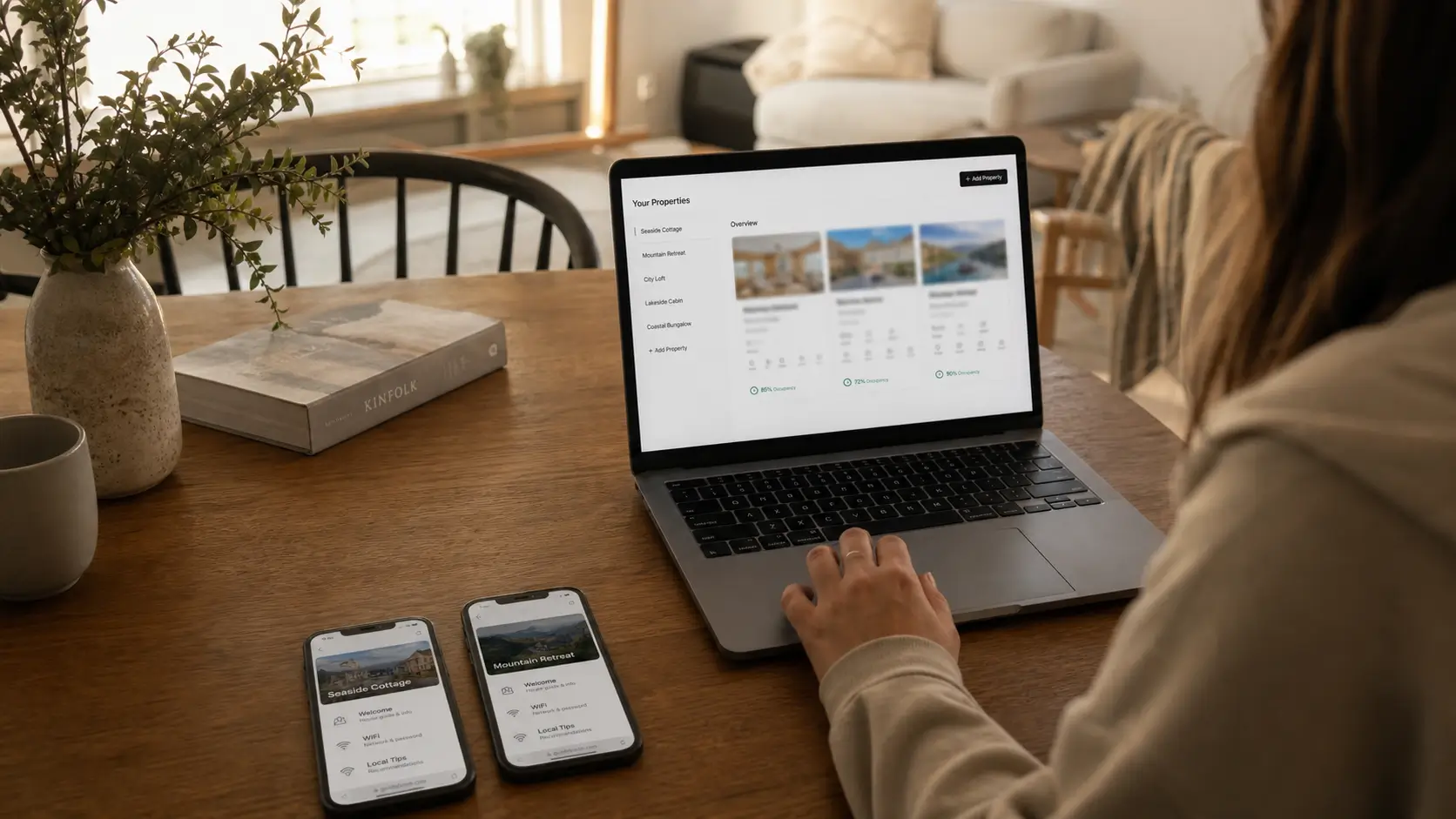
Creating a scalable, digital welcome book that reuses shared brand content while allowing property‑specific details solves the time‑draining problem of rewriting a new guide for each rental. SmoothStay’s multi‑property dashboard lets operators manage these templates effortlessly across all units, keeping the guest experience consistent and up‑to‑date.
The first welcome book we wrote took a weekend. The second one, for a property we had just taken on for another owner in the Riviera Maya, we tried to build from scratch the same way. Halfway through retyping the checkout steps for the third time that month, it was clear the approach didn't survive a second address.
We co-host two properties for other owners now, on top of our own places in Washington DC, Playa del Carmen and Tulum. The welcome book is the document that either scales with you or quietly eats your evenings. This is how to build one that holds up when you go from one rental to several.
What should a vacation rental welcome book include?
A vacation rental welcome book should cover seven things: a short branded welcome, arrival and access, the WiFi and entry details, how the property works, your local recommendations, the house rules, and checkout. The job is to answer the questions a guest would otherwise message you about, in the order they come up during a stay. Most of what gets added past those seven sections is padding.
At minimum, include:
A short welcome in a consistent brand voice
Arrival and access: address, parking, entry code
WiFi name and password in a copyable block
How the property works: appliances, climate control, trash
Local recommendations, kept to a tight shortlist
House rules, stated plainly
Checkout steps as a short checklist
Get those right across every property and most of your guest messages disappear. The rest of this post is about doing it once and reusing it well, instead of rewriting it for every new address.
Why a welcome book for one property breaks when you add a second
A single welcome book is a document. A welcome book across four properties is a system, and most operators don't feel the difference until the cracks show.
The cracks are version drift. You update the checkout time at one property and forget the other three. A guest follows the parking note from property B while standing at property A. Another guest using the wrong property's instructions because two welcome books had drifted out of sync. The guidebook for the unit you opened most recently is current, and the older ones slowly fill with details that used to be true.
At two properties you can hold the differences in your head. At five you can't, and the welcome book stops being an asset and turns into a maintenance task you have to remember.
The template, section by section
Here is the structure we run across every property. The order matches how guests actually use it, not how it is tidy to write.
The welcome and your brand voice
Two or three sentences in a voice that sounds like a person, not a form letter. Skip "Dear valued guest." For an operator, this is the part you write once and carry across the whole portfolio, so your three rentals feel like they came from the same considered host instead of three different templates.
Arrival and access
The only section a guest reads while still standing outside. Give the exact address and references for hard to find places, parking with what not to do, the entry code in plain steps, and the WiFi in a copyable block with a photo of the router as backup. This is the most property-specific section you have, and the one guests punish you for getting wrong.
How the property works
The section guests come back to all week. Cover appliances with a photo for anything mechanical, climate control, and trash and recycling with the day and the right bins. Our DC row house is a winter-heating story. Our Playa del Carmen house is the opposite, an AC and humidity story where the dehumidify button needs a photo and a sentence pointing right at it. Whatever each property's quirks are, write them down once and you stop answering them forever.
Local recommendations
The section guests quote in reviews. Three to five places, picked tightly, each with one line on why you would send a friend there. Curation is the value. A list of twenty restaurants is a search result, not a recommendation. For an operator, this is the most reusable content when two properties sit in the same neighborhood, and the least reusable when they are across the country from each other.
House rules
Short and human. "No smoking inside, and quiet on the patio after 10pm because neighbors share the wall" gets followed. A wall of "guests are required to" gets skipped. Keep the rules in, but don't let them be the first thing a guest feels.
Checkout
A short checklist: time, keys, dishwasher, towels, trash. Four or five lines, not a paragraph. This tends to be the most shareable section across a portfolio, because checkout is close to identical from one property to the next.
What's shared and what's property-specific
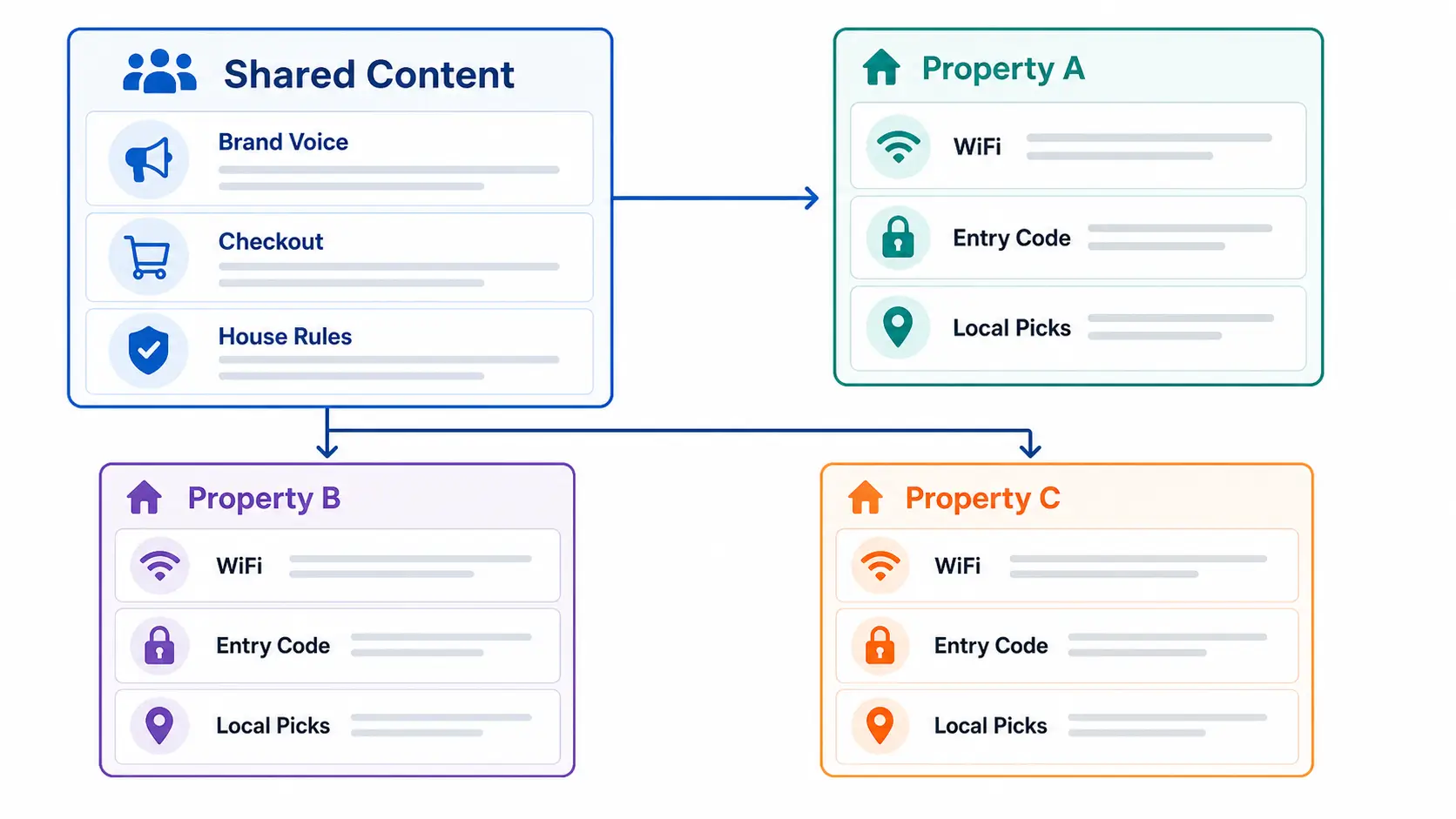
The whole trick to scaling is sorting your content into what you write once and what each property overrides. Get this split right and adding a fifth property costs an hour, not a weekend.
Content | Shared across properties | Property-specific |
|---|---|---|
Brand welcome and voice | Yes | Light tweaks only |
Checkout steps | Mostly | The odd exception |
House rules | Mostly | Local noise and parking rules |
Appliance basics | Sometimes | Model-specific instructions |
WiFi and entry codes | No | Always |
Local recommendations | Only if same area | Usually |
Keep the shared content in one place you edit once. Override only the rows that change per property. The wrong setup has you maintaining the same checkout instructions in four separate documents and updating one of them.
Why physical welcome books fall apart at scale
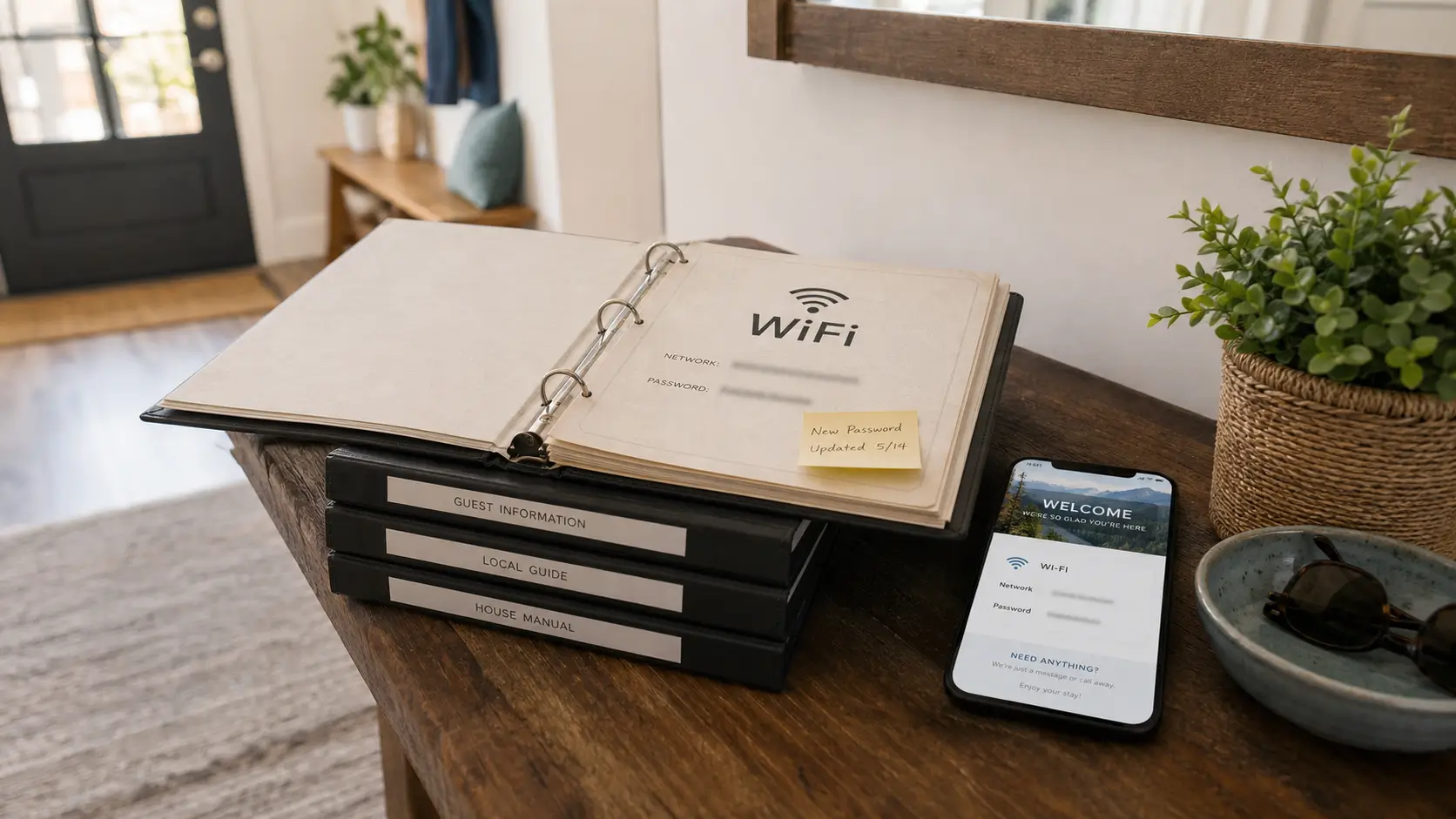
A printed welcome book is a fine object at one property. At several, it becomes a recurring print job nobody has time for. Change the WiFi at one place and you are reprinting a page and driving it over, or you forget. We loved our binders until we counted how many were quietly out of date. We laid out the full trade-off in our piece on paper versus digital guest guides, and the case only gets stronger with each property you add.
A digital welcome book changes the math. You edit one place and every future guest sees it, across whichever channel they booked. Guests open it from a link or a QR code, so it loads in a browser and needs a connection. Have guests open the link while they still have signal on arrival, and leave a small printed card with the WiFi, entry code, and your number as a backup. We made the longer argument for occasional and multi-property owners in why a digital welcome book is a must-have for vacation rental owners.
Collecting guest contacts without risking a listing
Here is where operators leave money on the table. Every guest is a potential repeat stay or direct booking, but only if you can reach them later, and only if you collect their details the right way.
A guest registration step captures names and emails with explicit consent at arrival. The catch is that what you are allowed to put in front of a guest depends on the channel they booked through. A guest who came through Airbnb can't be nudged toward your direct site the way a guest who booked with you directly can, and getting that wrong can flag a listing.
The fix is to handle it by booking source, automatically. OTA Compliance Mode hides the direct-booking calls to action for guests who arrived through a channel that bans them, and shows that same content to guests who booked direct. The decision rides on where the reservation came from, not when the guest checks in. Across a portfolio, that is the difference between a clean contact list and a delisting risk multiplied by every property you run.
Where SmoothStay fits for multi-property operators
We built SmoothStay to run our own properties and the two we co-host in the Riviera Maya, so the multi-property parts come from managing welcome content across several owners' places at once. The multi-property dashboard is where the shared-versus-specific split lives: write the brand voice and checkout once, override the WiFi and local picks per property, and push a change to the shared content in a single edit. It works alongside whatever PMS you already use, or none at all, so the welcome book travels with every reservation regardless of channel.
The economics are the part operators feel most. The same simple price whether you run one rental or fifty, and unlimited contacts on every plan, so growing your portfolio doesn't cost you more per door or cap the guest list you have built. If the writing is the bottleneck, an AI content assistant turns the rough notes you would text a friend into a clean section without flattening your voice. It was built by two hosts who still host, which is the only reason it knows what a checkout section should look like.
FAQ
What's the difference between a welcome book and a guidebook for a vacation rental?
They overlap. A welcome book leads with hospitality, the warm intro and the local picks, while a guidebook usually covers everything including the operational detail. Most operators run them as one document with several sections, which is easier to keep current across properties than two separate files.
How do I keep welcome books consistent across multiple properties?
Split your content into shared and property-specific. Write the brand voice, house rules, and checkout once, then override only the rows that change per property, like WiFi, codes, and local picks. A tool that supports shared content makes this a single edit instead of four.
Should a vacation rental welcome book be printed or digital?
For more than one property, digital wins on maintenance. You edit once and every guest sees the update. Keep a slim printed card at each property with the WiFi, entry code, and your number as a backup, since a digital book needs a connection to load.
How long should a vacation rental welcome book be?
Long enough to answer the real questions, short enough that a tired guest doesn't scroll past the recommendations. Six to eight short sections, two to four paragraphs each, plus the lists. If it runs longer than that, you have started writing for yourself instead of the guest.
Can I collect guest emails through a welcome book?
Yes, through a consent-based registration step. Just make sure contact capture and any book-direct messaging follow the rules of the channel the guest booked through, since the OTAs restrict how you market to guests they sent you.
What should I include for guests who don't speak English?
Across some portfolios more than half of guests don't read English first. Use a tool that translates on the fly, or duplicate the key sections in the languages your guests actually speak. Start with arrival and checkout, the two sections where a misread costs you a message or a bad morning.
If you would rather not rebuild a welcome book for every property by hand, you can have a SmoothStay welcome book running in under an hour and reuse the shared parts across your whole portfolio. No card needed.
Latest articles

How to Automate Check-In Instructions for Short-Term Rental Guests
Automate check-in instructions for short-term rental guests: the four-send sequence, what goes in a message versus a guidebook, and a copy-ready sample.

Vrbo Premier Host in 2026: Every Listing Now Stands on Its Own Record
Vrbo Premier Host requirements changed in 2026: per-listing scoring, tighter thresholds, quarterly checks. What each one means, and how it compares to Superhost.
Booking.com Guest Messaging Rules: What Hosts Can Send, When, and Why Links Get Removed
Booking.com guest messaging rules, verified at source: how long you can message a guest, why your links get removed, and what the partner terms say.
Vrbo's New Features for Fall 2026: What's Live, What's Gated, and What's US-Only
We sorted Vrbo's new features for fall 2026: what is live globally, what is gated behind eligibility, and what is US-only. Verified against Vrbo's own pages.