The Hotel Guest Directory: What to Put in It (and Why the Binder in the Drawer Isn't Working)

Published
Last updated
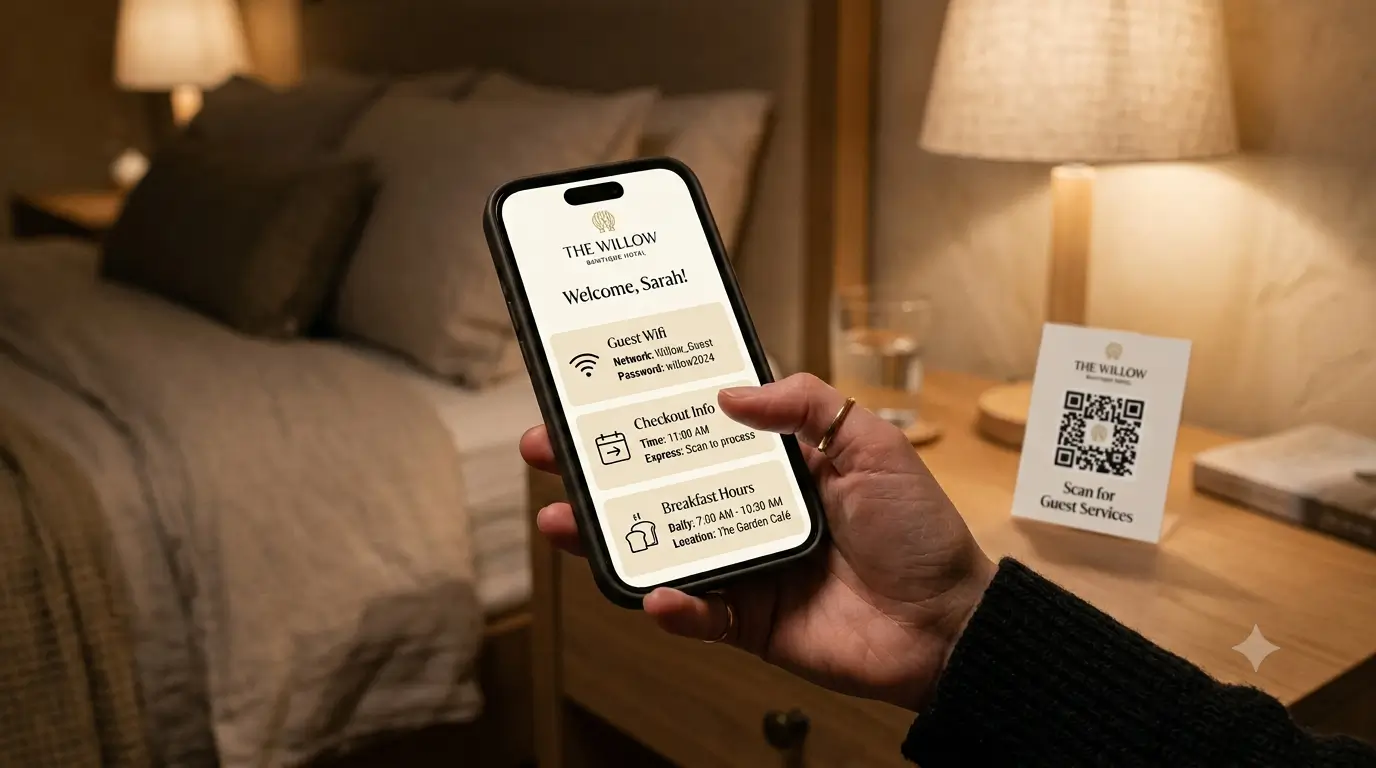
A digital hotel guest directory replaces outdated printed binders by offering instantly updatable, multilingual information—such as wifi, checkout, amenities, and local recommendations—accessible via a QR code on guests’ phones. This solution reduces staff workload, eliminates reprinting costs, and improves guest satisfaction by delivering reliable answers in real time.
Every small hotel has one. The leather or vinyl folder on the desk, or tucked in the nightstand drawer, with laminated pages inside. Breakfast hours, a spa menu for a spa that closed some months ago, a checkout time crossed out and rewritten in pen. Guests flip through it once, if at all, then pick up their phone to look up the thing you already answered on page four.
That folder is the guest directory. Much of what's inside is genuinely useful. The trouble is that the format makes it hard to keep current, so the good information and the out-of-date information end up sitting side by side, and the guest can't tell which is which.
What is a hotel guest directory?
A hotel guest directory is the single reference that tells a guest how your property works and what's around it: wifi, breakfast and dining hours, checkout, how to reach the front desk, what the amenities are and how to use them, house policies, and local recommendations. For decades it lived in a printed binder or compendium in each room. Now it increasingly lives on the guest's phone, opened by a QR code at the desk or on the nightstand, because that is where guests already look for answers. What a guest needs from it is the same as it was twenty years ago; the way they want to read it is what moved.
What a guest directory should include
Think about the questions your front desk fields on repeat, and the ones that come in after the desk is quiet. A good directory answers them before they get asked. Group the content by what a guest needs and when they need it.
Arrival and the basics
Wifi network and password, front and center. This is the single most-requested piece of information in any property, so it should be the easiest thing to find.
Checkout time and how checkout works. Do they drop the key, does the door lock behind them, is late checkout an option and who to ask.
How to reach the front desk or on-call staff, with the actual number to call or text.
Parking, entry, and elevator or floor details if they aren't obvious.
During the stay
Breakfast and dining hours, room service if you offer it, and where the coffee is.
How the room works: thermostat, safe, blackout shades, the TV, the quirky shower valve every older building seems to have.
Amenities and their hours: pool, gym, rooftop, laundry, business center.
How to request things. Extra towels, more coffee, a late checkout, a toothbrush someone forgot. Tell guests exactly who to contact and how, so a small ask doesn't turn into a wandering trip to the lobby.
Policies and safety
Quiet hours, smoking policy, pet policy, and anything guests genuinely need to know to avoid a fee or an awkward conversation.
Emergency information: nearest exit, what to do if the fire alarm sounds, a number that reaches a real person at 2 a.m.
The local layer
Where to eat, where to get coffee, the pharmacy, the grocery store, and how to get around.
A short list of what's worth doing nearby, with a one-line reason for each. Guests trust a staff pick with a "go early, it fills up by ten" far more than a generic top-ten list.
That last category is where a small hotel quietly out-hosts the chains. Nobody at a 200-room property is telling you which taco stand is actually the good one. You are, and that is worth putting in writing.
Why the printed binder fails
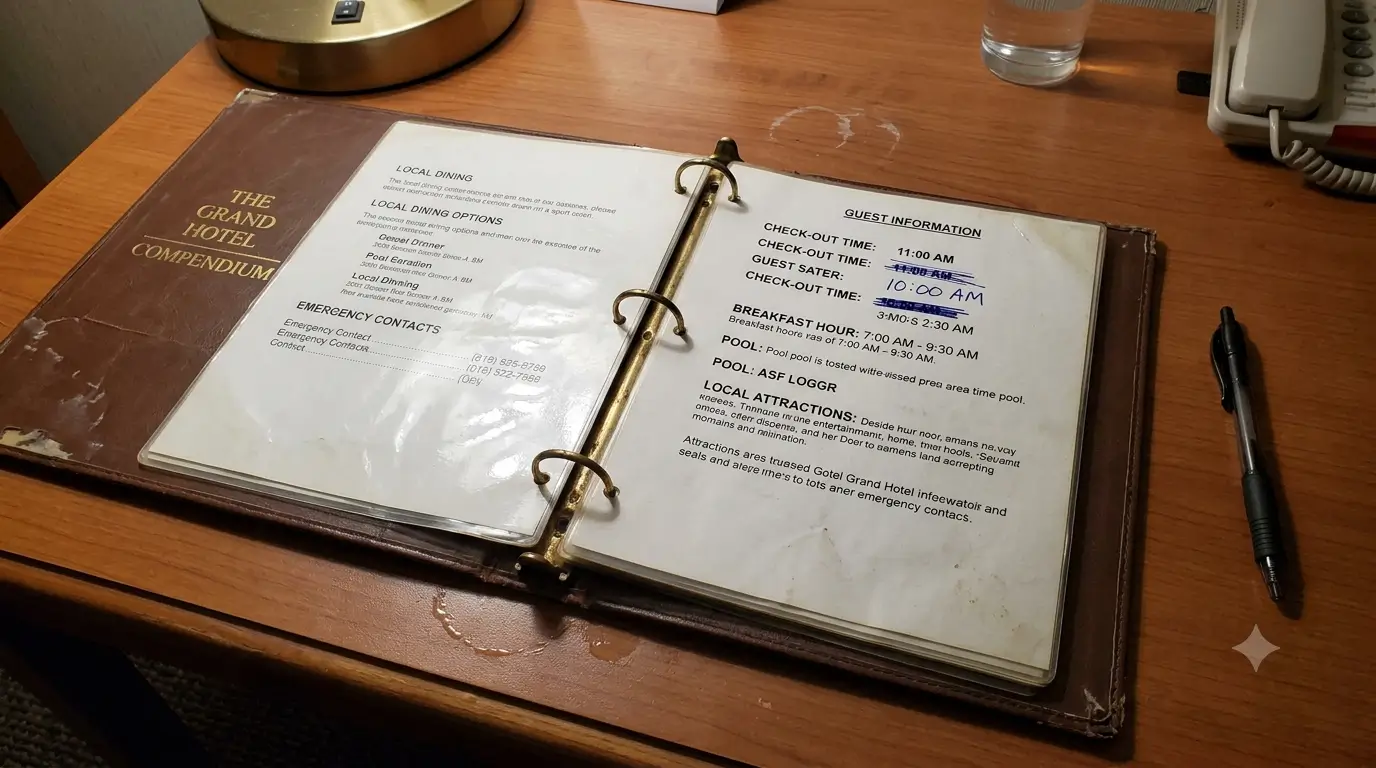
The content above is a lot to keep accurate in a folder that has to be physically updated, one copy at a time, in every room. Here is where the printed compendium falls down.
It goes stale the day something changes. Breakfast moves to 7 a.m., the pool closes for maintenance, a new restaurant opens down the block. The binder still says what it said last spring, and now it's actively wrong. A directory guests can't trust is worse than no directory, because it sends them to a closed spa and a wrong checkout time.
There's one per room, so every fix is a chore. Correcting a single detail means reprinting and swapping pages in every room by hand. Most operators just don't, which is how the crossed-out pen edits start.
It only speaks one language. A guest who reads Portuguese or Japanese or German gets a folder in English and a shrug. For a boutique hotel that draws international travelers, that is a real gap in the welcome.
Most guests reach for their phone first. Not all of them. Plenty of older and luxury travelers still like a printed folder, and a well-kept compendium has its place. But the trend is clear: Oracle Hospitality and Skift's Hospitality in 2025 study found 73% of travelers want to manage their stay from their phone, from checking in to ordering food. A folder in a drawer is competing with the device that already holds every other answer in a guest's life.
What going digital actually solves
A digital guest directory is the same information delivered the way guests already behave. The gains are the direct inverse of the binder's problems.
Printed compendium | Digital guest directory | |
|---|---|---|
Updating a detail | Reprint and swap pages in every room | Change it once, live in every room instantly |
Languages | One, whatever you printed | Translates automatically for each guest |
Cost to add a room | Another printed folder | No extra directory to print or maintain |
After-hours questions | Guest calls, or waits, or guesses | Guest reads it on their phone |
What guests actually do | Skim once, then Google it | Scan a QR and get the answer |
You update the information in one place and it is correct in every room at once. Guests scan a QR code on a nightstand card, the back of the door, or the front desk, and the directory opens on the phone they were already holding. Each guest can read it in their own language. And many of the routine questions that used to land at the desk at odd hours get answered without a call to anyone.
If you want the deeper case for why digital beats print in a hotel setting, we made it in digital guidebook for hotels: what to include and why it beats the binder. This post is about the directory specifically; that one covers the full guidebook.
What a digital directory is actually worth
Easier maintenance is the obvious win, but it isn't the whole return. For a small operator, a directory guests actually use changes a few things at once.
Fewer repeat questions at the desk. When wifi, checkout, and breakfast hours are one scan away, staff field fewer of the same three questions all day and after hours.
No more reprinting. Updating a detail becomes an edit instead of a print run, so the recurring cost of keeping compendiums current goes away.
Consistency across every room. One source means room 12 and room 34 never show two different checkout times, which is where a lot of guest disputes start.
Faster answers, better reviews. A guest who finds the answer in ten seconds is a guest who isn't frustrated writing the review later.
None of this needs a big system behind it. It comes from moving the information you already have into a format guests will actually open.
How to move your directory from binder to phone
You don't need a project plan. You need an afternoon and a willingness to cut.
Empty the current binder onto a table and remove anything outdated or no longer useful. The closed spa, the old checkout time, the restaurant that changed hands. If it isn't true today, it doesn't move forward.
Group what's left by when a guest needs it: arrival, during the stay, checkout, local. That grouping is the structure of your digital directory.
Put the high-friction items first. Wifi, checkout, breakfast hours, and how to reach a human. These are what guests hunt for, so make them the first things they see.
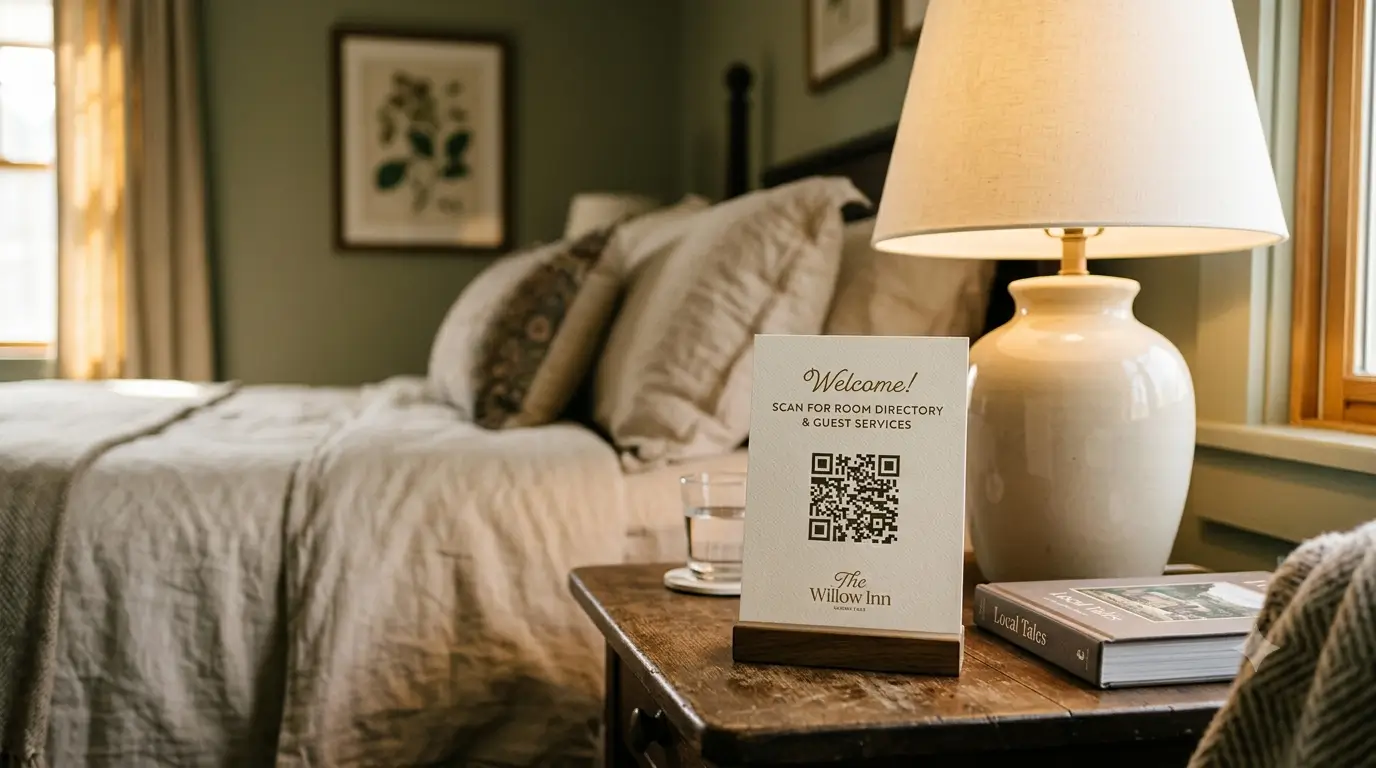
Generate a QR code and place it where guests already look: a nightstand card, the back of the room door, the desk at check-in. One code, and the guest is in.
Give it an owner. The whole point is that it stays current, so assign one person to update it when something changes. Because the change happens in one place, this takes minutes, not a reprint run.
The reason to go digital isn't novelty. It's that a directory only earns its keep when guests trust it, and guests only trust it when it's right. With print, keeping it accurate means a reprint every time something moves. Digital drops that to a two-minute edit.
Where SmoothStay fits
This is the exact job our digital guidebook for hotels does. It is your in-room directory, built once and live in every room, so when breakfast moves or the pool closes you change it in one place and every guest sees the update. It translates automatically into more than 100 languages, so the German family and the couple from São Paulo each read the same directory in their own language without you printing a thing.
And because no directory can anticipate every question, the AI Concierge, working only from the information you've published to it, answers the ones the page didn't cover. A guest asking "is the gym open right now?" or "where's the closest pharmacy?" at 11 p.m. gets an answer instead of a call to the desk. It was built by hosts who got tired of watching good information die in a drawer, and it does not touch your PMS or your booking flow. It is the guest-facing layer, and nothing more.
If you're weighing whether a directory is enough or whether you need something bigger, we wrote honestly about that in does your small hotel need a guest app. For the arrival piece specifically, hotel check-in instructions that still work after the desk closes and the hotel welcome letter pair well with a good directory.
FAQ
What is the difference between a guest directory and a guidebook?
Not much, and the terms overlap. "Guest directory" or "compendium" is the traditional hotel word for the in-room folder of property and local information. "Guidebook" is the term short-term rentals tend to use for the same thing. A digital version does both jobs: property details, policies, and local recommendations in one place.
What should be first in a hotel guest directory?
Wifi and checkout. Those are the two things nearly every guest looks for, so putting them at the top saves the most friction. After that, breakfast hours and how to reach the front desk.
Do guests actually use a digital guest directory?
They use it far more than the printed one, because it opens on the phone they're already holding. A QR code at check-in or on the nightstand meets guests where they look for answers. The printed binder competes with their phone and loses.
How do I keep a guest directory up to date?
That is the main reason to go digital. With a printed binder you reprint and swap pages in every room. With a digital directory you change the detail once and it's correct in every room instantly, which makes keeping it current a two-minute task instead of a reprint run.
Can a digital guest directory work in multiple languages?
Yes. A digital directory can translate automatically so each guest reads it in their own language, which a single printed folder can't do. For a hotel with international guests, that closes a real gap in the welcome.
Do I need special hardware or an app guests download?
No. A good digital directory opens in the phone's browser from a QR code or link, so guests don't download anything. That's usually the right call for a small hotel, since guests won't install an app for a stay of a few nights.
Try it on one room first
If your compendium is due for a reprint anyway, that's the moment to skip it. Move the directory to your phone instead, start with a single room and a QR card on the nightstand, and watch how many routine questions stop reaching the desk. If you'd rather not build it from scratch, you can have a digital guest directory live and running in an afternoon, in every language your guests speak, without reprinting a single page.
Latest articles

How to Automate Check-In Instructions for Short-Term Rental Guests
Automate check-in instructions for short-term rental guests: the four-send sequence, what goes in a message versus a guidebook, and a copy-ready sample.

Vrbo Premier Host in 2026: Every Listing Now Stands on Its Own Record
Vrbo Premier Host requirements changed in 2026: per-listing scoring, tighter thresholds, quarterly checks. What each one means, and how it compares to Superhost.
Booking.com Guest Messaging Rules: What Hosts Can Send, When, and Why Links Get Removed
Booking.com guest messaging rules, verified at source: how long you can message a guest, why your links get removed, and what the partner terms say.
Vrbo's New Features for Fall 2026: What's Live, What's Gated, and What's US-Only
We sorted Vrbo's new features for fall 2026: what is live globally, what is gated behind eligibility, and what is US-only. Verified against Vrbo's own pages.