
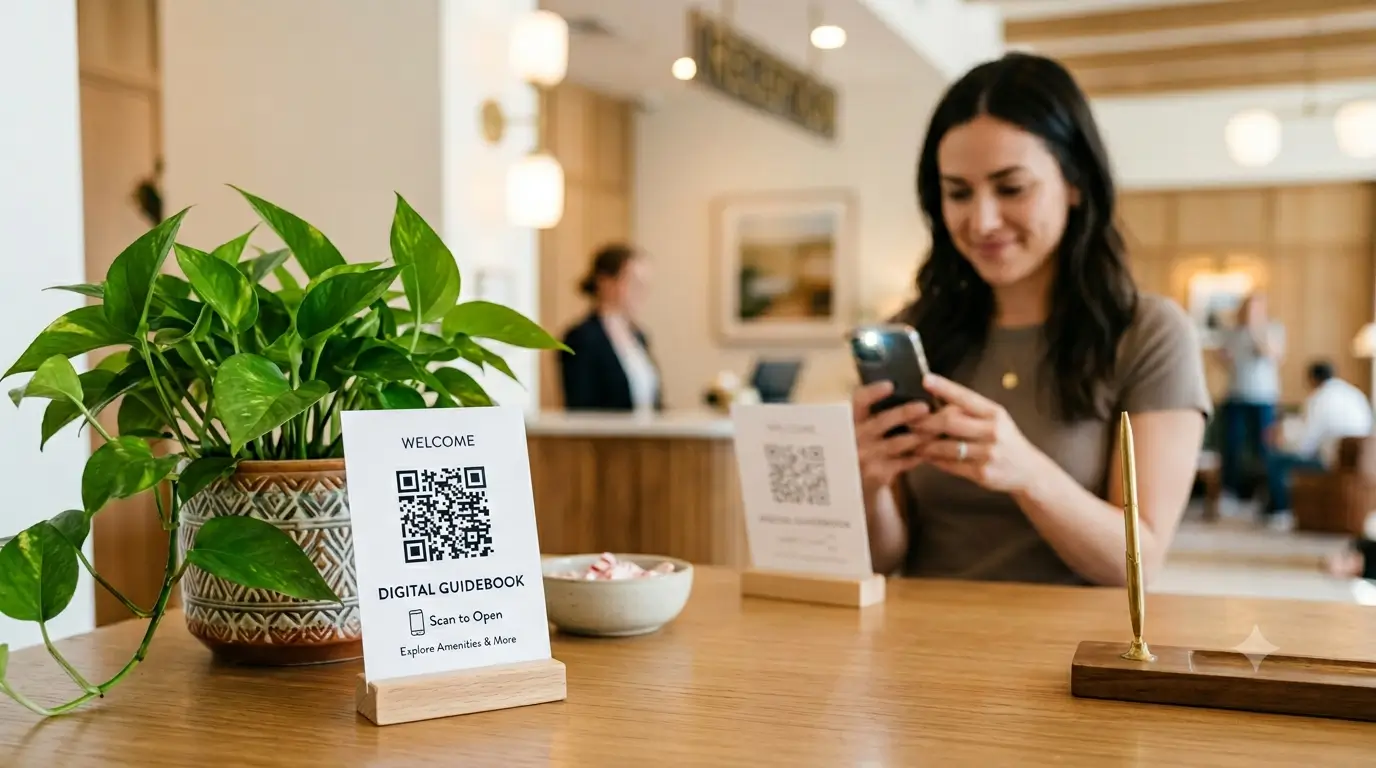
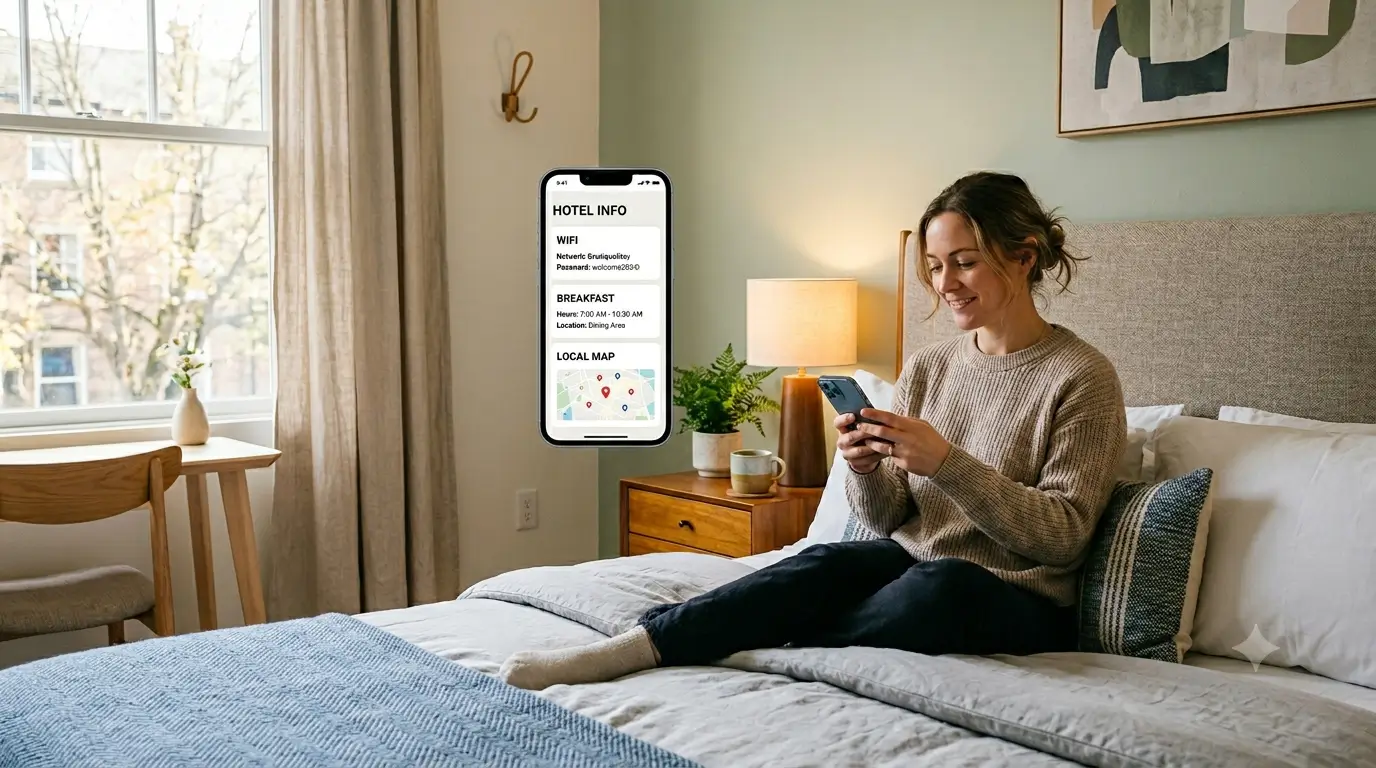
A digital guidebook for hotels replaces outdated binders and limited PMS guest features by providing guests with instant, mobile‑friendly access to essential information like Wi‑Fi, amenities, local tips, and multilingual support. It works as a lightweight layer on top of any PMS, streamlining guest self‑service and reducing repetitive front‑desk inquiries.
What is a digital guidebook for hotels?
A digital guidebook for hotels is a mobile-friendly guide your guests open from their phone instead of digging through a printed binder on the nightstand. It holds the things a guest actually needs mid-stay: the wifi password, breakfast hours, checkout time, how to work the AC, where the gym and the ice machine are, and what's worth walking to nearby. No app to download, no waiting at the front desk. You share a link or print a QR code for the room, and the whole property fits in the guest's pocket.
That's the short answer. The longer one is that a hotel guidebook done right quietly absorbs the small questions that would otherwise turn into front-desk calls, and it does it in whatever language the guest reads. For a 10-to-60-room property running a lean team, that's the difference between a calm evening shift and a phone that won't stop.
A quick note on who's writing this. SmoothStay started as a guidebook for vacation rentals, and hotels found us because the problem turned out to be the same shape: the guest's in-stay experience is nobody's job until a guest is standing at the desk asking about it. So take the hotelier specifics with that grain of salt, and take the structural argument seriously, because it plays out the same on both sides of the fence.
Why the binder and your PMS leave the same gap
Most small hotels already have two tools that look like they should cover guest information. Neither really does.
The in-room binder is the old standard, and it has the obvious problems. It goes out of date the week the breakfast hours change. Only one guest can read it at a time, and it stays in the room when the guest walks out to find dinner. Nobody updates twenty binders by hand, so they drift, and a wrong checkout time printed in a binder is worse than no binder at all.
The PMS is the other half. Mews, Cloudbeds, Hospitable for smaller properties, whatever you run, it's built around the reservation. It handles the booking, the rate, the folio, the housekeeping board. That's its job and it does it well. But the guest-facing side is an afterthought bolted on the edge: a confirmation email, maybe a bare web check-in screen. The PMS knows everything about the reservation and almost nothing about the stay. When a guest wants to know whether the rooftop bar is open on a Tuesday, the PMS has no answer, because that was never what it was built for.
So the gap isn't operations. Your PMS has operations covered. The gap is the guest-facing layer, the thing the guest actually opens and reads during the two or three nights they're with you. That's the part both the binder and the PMS leave on the floor.
This hits independent and boutique hotels harder than it hits the chains. A big brand has an app, a 24-hour desk, and a marketing team to keep the in-room collateral current. A 30-room independent has a front desk that closes at night, a printer, and a manager wearing four hats. The information a guest wants is usually in someone's head or in a binder that was accurate last spring, and the moment that person is off shift, the guest has nowhere to go but the phone. Closing that gap is where a small property quietly out-hospitalities a chain, and it costs far less than people assume.
Here's how the three stack up:
What you're comparing | In-room binder | PMS guest features | Dedicated digital guidebook |
|---|---|---|---|
Stays current | Manual, drifts fast | Reservation data only | Edit once, live everywhere |
Serves every guest at once | No, one copy per room | Yes, but thin | Yes |
Available before and after check-in | No | At booking | Anytime, any device |
Local recommendations | If someone updates it | Rarely | Built in |
Languages | One | Usually one | Auto-translated |
Answers questions on its own | No | No | Yes, with an AI concierge |
What to put in a hotel digital guidebook
The mistake is treating it like a brochure. A brochure sells the stay. A guidebook runs it. Everything in it should answer a question a guest would otherwise have to ask, so group it the way a guest's day actually goes. If you want the long version of this thinking, our guide to building a guidebook guests actually use goes deep on the structure; the short version for hotels is below.
The room. Wifi network and password up top, because it's the first thing every guest looks for. How the AC and heat work, especially if the controls aren't obvious. TV and streaming logins. Where to find extra towels, blankets, the hair dryer, the safe. The little stuff generates the most calls.
The property. Breakfast hours and where it's served. Pool, gym, rooftop, and spa hours. Parking, and whether it costs anything. Elevator location. The ice machine, the vending floor, the business center if you still have one. Front-desk hours and how to reach a person after they close.
Arrival and checkout. Check-in time and what to do if a guest lands early. Late-checkout policy. Exactly how checkout works on the last morning: drop the key where, leave the towels how, anything you actually want them to do. Vague checkout instructions are a reliable way to end up with confused guests in the lobby at 11am.
The front-desk FAQ. This is the section that pays for itself. Every question your desk answers ten times a week belongs here. Is there a shuttle. Can I get a late checkout. Where's the nearest pharmacy. Do you hold luggage after checkout. Write the answers once and stop repeating them out loud.
The neighborhood. The recommendations only a local team has. The coffee place that's actually good, not the chain on the corner. The restaurant worth booking ahead. The walk that's nicer than the one the map suggests. This is where a small hotel beats a chain, and most properties either bury it or skip it.
One thing to leave out: anything that's a security risk in the wrong hands. Door codes, master-access details, alarm instructions, safe override steps. A guidebook is a convenience layer, not a place to store the keys to the building.
The guidebook is the layer on top of your PMS
This is the part worth being clear about, because it's where small hotels get the framing wrong.
You don't replace your PMS with a guidebook, and you'd never want to. The PMS is the system of record for the reservation, and the guidebook has no business there. What the guidebook does is sit on top of whatever PMS you run and own the one thing the PMS treats as an afterthought: the guest's experience during the stay.
Think of it as a division of labor. The PMS handles the booking and the back office. The guidebook handles the guest's phone. The two don't compete; they cover different halves of the same guest. That's why "rip out your PMS" is the wrong pitch and "add the layer your PMS is missing" is the right one. SmoothStay is built to be that layer, and deeper PMS connections are on the way so the two halves talk to each other more directly over time.
How a small hotel actually sets one up
The fear is that this is a six-week IT project. It isn't, mostly because the rooms in a hotel are far more alike than rooms in a vacation-rental portfolio.
Build the first room. Point the AI Guidebook Builder at a description of the property and it drafts a starting guidebook: the wifi section, the amenity list, the local-info scaffolding. You're editing a draft, not staring at a blank page.
Write the shared articles once. Breakfast hours, pool rules, parking, the neighborhood guide, the front-desk FAQ, none of that changes room to room. Write it at the property level and it shows up everywhere.
Clone the rest. From the dashboard, the other room types copy from the first. A king and a double share most of their content, so you're tweaking the part that differs, not rebuilding from scratch.
Put it where guests will find it. A QR code on the desk or the back of the door, a deep link in your confirmation email, a link at web check-in. Deep links matter more than they sound: you can drop a guest straight onto the wifi page or the checkout page instead of making them hunt for it.
Edit in one place. When the breakfast hour moves, you change it once and every room is current. No binder rounds. That single habit is what keeps the whole thing from drifting the way binders always do.
A small thing that earns its keep: the AI concierge. The guidebook is what most guests open and skim, but a few will type a question instead of scrolling, "is there a late checkout," "where's the closest ATM." The concierge answers from your guidebook, so it only ever says what you put in there. It's the fallback for the question the guidebook didn't surface, not a separate thing to maintain.
International guests and the language problem
If your guests fly in from more than one country, language is the quiet tax on your front desk. A binder is printed in one language. A guidebook isn't.
SmoothStay auto-translates the guidebook, so a guest reads the wifi instructions and the breakfast hours in their own language without you keeping six versions in sync. For a boutique hotel that draws an international crowd, this is often the single feature that moves the needle most, because it turns the guests who are hardest to serve, the ones you don't share a language with, into the ones who never need to come to the desk at all.
What changes when guests can self-serve
You don't measure a guidebook by how pretty it is. You measure it by what stops happening.
The calls thin out first. The repeat questions, wifi, checkout, breakfast, parking, move from the phone to the guest's screen. That frees the desk to do the work that actually needs a person: the early arrival, the special request, the guest who's genuinely stuck. The team stops being a human FAQ and gets to be hospitable again.
The reviews shift next, more slowly. Guests rarely write "great guidebook." They write "everything we needed was easy to find" and "we never had to chase anyone down for an answer." That's the guidebook doing its job invisibly, which is the only way it should do it.
There's a quieter benefit too, which is consistency. When the answers live in one place, every guest gets the same correct version, and so does every staff member. A new hire on their first weekend can point a guest to the guidebook instead of guessing at the late-checkout policy. The property stops depending on whoever happens to be at the desk knowing the answer, and that is exactly the kind of thing that frays first when a small team is busy.
We had a stretch where two different guests in one week messaged asking the same thing about the A/C, and that was the week we stopped answering it by hand and put it where they'd see it first.
FAQ
Do guests need to download an app?
No. A hotel digital guidebook opens in the phone's browser from a link or a QR code. There's nothing to install and nothing to log into, which matters, because a guest who has to download an app simply won't, and you're back to answering the question at the desk.
How is this different from the guest features my PMS already has?
Your PMS is built around the reservation: booking, billing, housekeeping, check-in status. Its guest-facing side is thin by design. A digital guidebook is built around the stay itself, the amenities, the local recommendations, the front-desk FAQ, in multiple languages. It sits on top of the PMS rather than replacing it.
Can one guidebook handle different room types?
Yes. Property-wide information, breakfast, parking, the neighborhood, is written once and shared across every room. Room-specific details live on each room type, and new rooms clone from an existing one, so you're editing differences instead of rebuilding from scratch.
Does a digital guidebook replace the front desk?
No, and it shouldn't try to. It absorbs the repetitive questions so your team can spend their attention on the guests who actually need a person. The goal isn't fewer staff, it's a desk that isn't drowning in "what's the wifi password."
How much does a digital guidebook for a hotel cost?
It varies by provider and by how many rooms you run. The thing to watch is whether the pricing punishes you for growing; some tools charge per room or per contact in a way that gets ugly at scale. Look for structural pricing that stays sane whether you run twelve rooms or fifty, and start on a free tier if one is offered before you commit.
If you'd rather not build it from scratch
You can put all of this together yourself, and plenty of operators do. If you'd rather not format every room and every article by hand, SmoothStay can stand up a hotel guidebook fast: the AI builder drafts the first room, shared articles fill in across the property, and the rest clone from the dashboard. It runs on top of whatever PMS you already use, in your guests' languages, with a QR code ready for the desk. Built by people who run properties for a living, for the half of the stay your PMS was never meant to cover.
Latest articles

How to Automate Check-In Instructions for Short-Term Rental Guests
Automate check-in instructions for short-term rental guests: the four-send sequence, what goes in a message versus a guidebook, and a copy-ready sample.

Vrbo Premier Host in 2026: Every Listing Now Stands on Its Own Record
Vrbo Premier Host requirements changed in 2026: per-listing scoring, tighter thresholds, quarterly checks. What each one means, and how it compares to Superhost.
Booking.com Guest Messaging Rules: What Hosts Can Send, When, and Why Links Get Removed
Booking.com guest messaging rules, verified at source: how long you can message a guest, why your links get removed, and what the partner terms say.
Vrbo's New Features for Fall 2026: What's Live, What's Gated, and What's US-Only
We sorted Vrbo's new features for fall 2026: what is live globally, what is gated behind eligibility, and what is US-only. Verified against Vrbo's own pages.