
The post explains why hosts are moving from printed or native Airbnb guidebooks to a digital, phone‑friendly guidebook that updates instantly and travels with guests throughout their stay. It outlines what to include at each stage, highlights the visual‑first approach and real benefits of digital guidebooks, and compares top tools, emphasizing SmoothStay’s advantages.
We stopped printing our welcome book some years ago, and we stopped leaning on Airbnb's built-in guidebook the day we listed our Washington, DC house on VRBO too. The native guidebook only lives on one channel. Our VRBO guests never saw it, and the arrival questions we thought we had answered came back through a different inbox.
That was the moment a digital guidebook stopped being optional for us. We have hosted in Washington DC and the Riviera Maya for about ten years, across a row house, a four-bedroom, and a studio. Here is what goes in a digital guidebook guests open, how they actually use it, and how the main tools stack up.
What is an Airbnb digital guidebook?
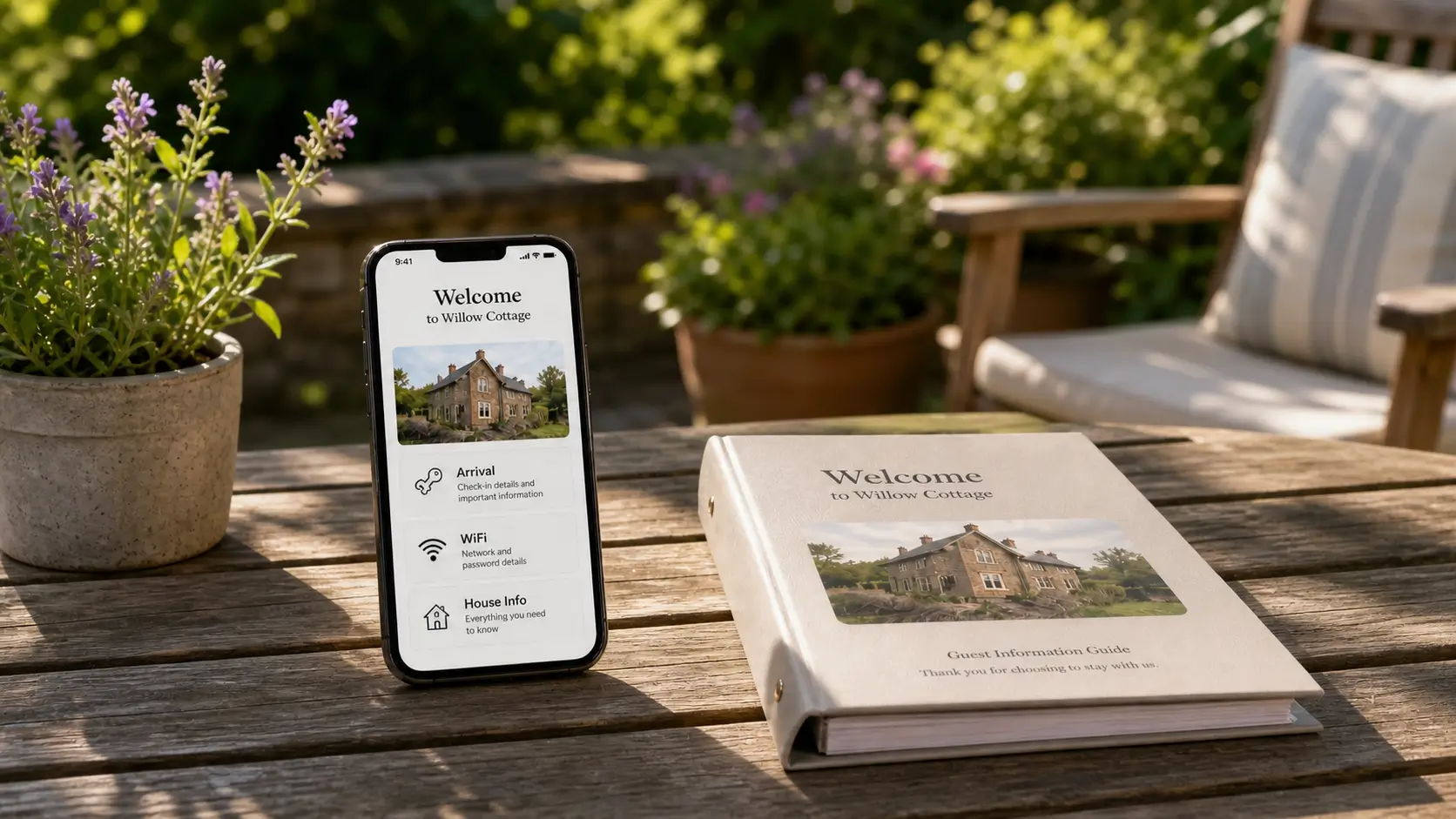
An Airbnb digital guidebook is the phone-friendly version of your property guide that updates instantly and travels with the guest before, during, and after the stay. It lives at a link or behind a QR code, opens in any browser with no app to install, and shows the same current information to every guest who books.
The difference from a printed binder is reach and freshness. A binder sits on the counter and slowly goes out of date. A digital guidebook reaches a guest on the way to the airport and at the front door, and when you change the WiFi password once, every future guest sees the new one.
What to include, by stage of the stay
The easiest way to build a guidebook guests actually use is to follow the arc of their trip. Put each piece of information where they will reach for it, in the order the stay unfolds.
Before arrival
This is the part guests read while they are still packing or driving in, so it answers the "how do I get in" questions before they turn into messages.
The full address, with the unit or floor and a landmark they will actually see
Parking, including what not to do, like the spot out front that is a fire lane
The door code or key location, written as plain steps
The WiFi name and password in a block they can copy
A realistic check-in time and what to do if they arrive early
During the stay
This is the section guests come back to all week, so it carries the operational detail that otherwise lands in your inbox at night.
How the appliances work, with a photo or short video for anything mechanical
Heating and cooling, since that is where homes differ most
Trash and recycling, with the day and the right bins
The quirks: the drawer that sticks, the burner that runs hot, the shower that takes a second to warm up
A short, curated list of local places you would actually send a friend to
Our DC row house is a winter-heating story: the thermostat schedule, the window that sticks in the cold. Our Playa del Carmen house is the opposite, an AC and humidity story where the dehumidify button needs a photo and a sentence pointing right at it. Write each property's version once and you stop answering it forever.
The local list is the part guests quote in their reviews, so keep it short and specific. Two or three places to eat, one coffee shop you actually go to, and one thing to do that is not the first result on a search. A single line on why you would send a friend there does more than a paragraph of description, and a photo does more than both.
Before checkout
Keep this to a short checklist a tired guest can follow on the morning out.
Checkout time, stated plainly
Where to leave the keys
Whether to start the dishwasher or strip the beds
What to do with the towels and the trash
How to lock up
A checklist gets done. A paragraph gets skimmed.
Why digital wins on the things that change
Most of a guidebook is stable. The part that is not is the part that causes problems: the WiFi password, the door code, the restaurant that closed last spring, the trash day that moved after a service swap. On paper, every one of those is a reprint and a drive. We changed the WiFi at our DC house one year and did not reprint the page for two months. The WiFi page that stayed wrong for two months after a router change.
Digital changes that math. You edit in one place and every future guest sees it, across whichever channel they booked. We laid out the full trade-off in our piece on paper versus digital guest guides, and the short version is that paper is a lovely object and a poor record of the house.
One honest caveat. A digital guidebook does not require downloading apps, but it does load in a browser, so it needs a connection to open. Have guests open the link while they are arriving and still have signal, and leave a small printed card by the door with the WiFi, the entry code, and your number as a backup.
How guests actually use a digital guidebook
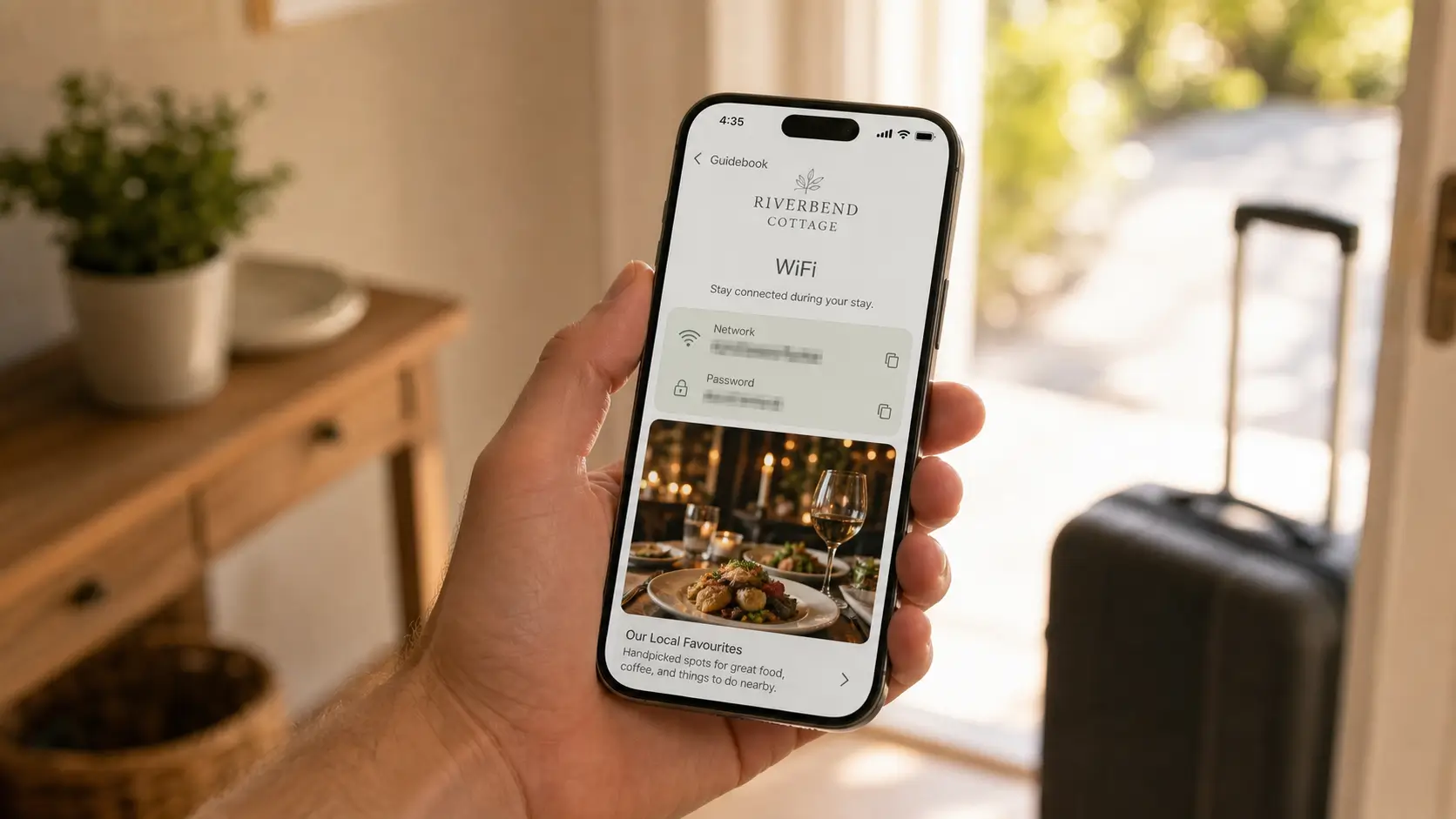
Guests do not read a guidebook the way they would read a book. They tap. They scan. They look at the photo of the restaurant before they read a word about it, and they search "WiFi" the second they walk in.
That is the visual-first idea, and it is the reason design matters more than word count. A home screen with clear tiles for arrival, WiFi, and the house beats a wall of text every time. Your own colors, your icons, and a photo of the actual property at the top tell a guest this guide came from a real host who cares, not a generic template, and that first screen sets the tone for the whole stay. A fifteen-second video of the dishwasher latch beats a paragraph. If you want a fuller worked example of the structure, our guide on building a guidebook your guests use walks through each section.
The guidebook does the heavy lifting. The smaller, useful companion is an AI chatbot that answers from your guidebook, so when a guest asks "which bin goes out tonight" at 9pm and cannot find it, they get the answer you already wrote instead of texting you. It catches what the guidebook did not already surface. That is a real role, just a quieter one than most tools pitch.
How the main digital guidebook tools compare
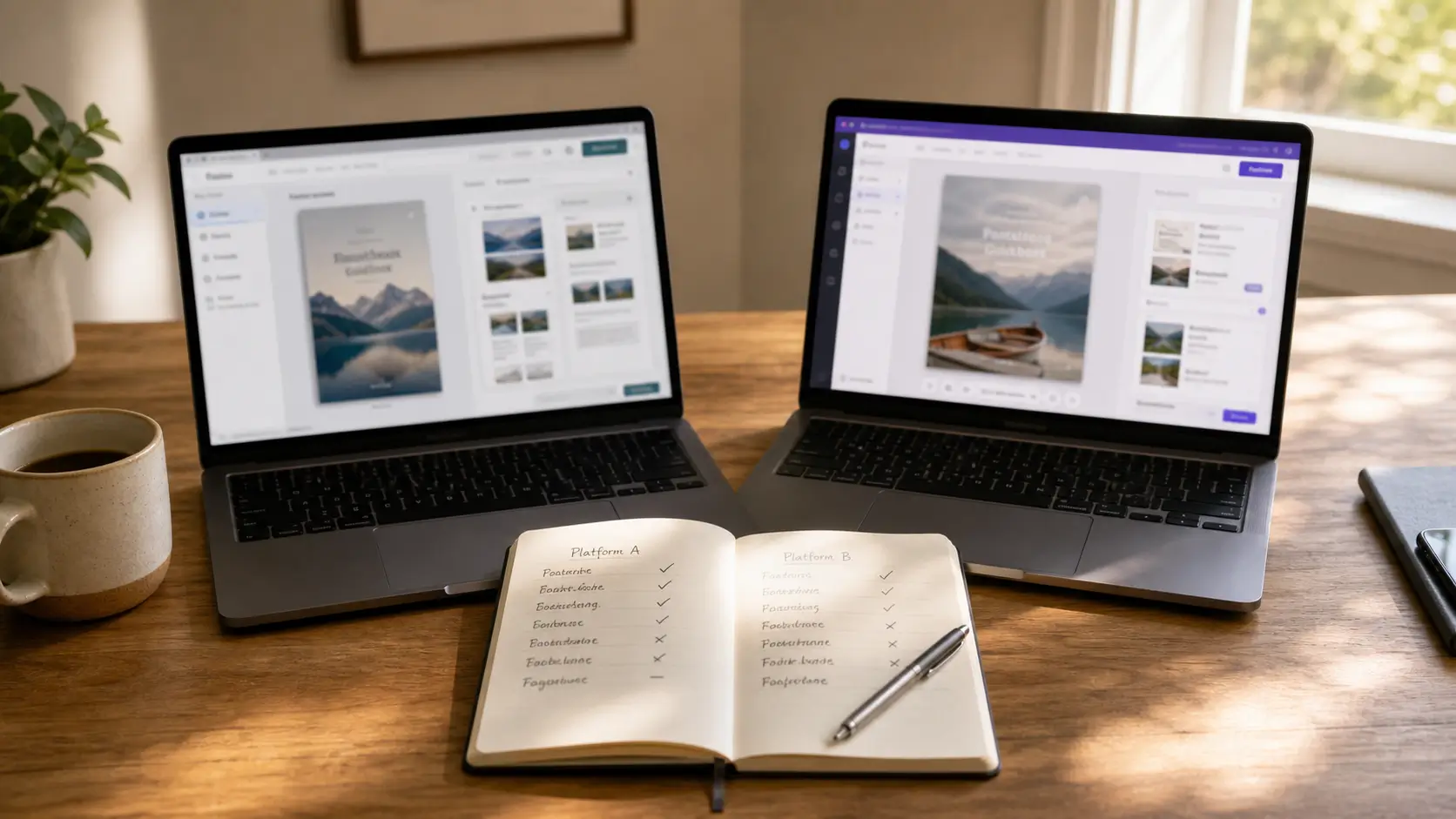
Four tools come up most often when hosts ask us what to try. Here is an honest read on each.
Tool | Strengths | Where it falls short |
|---|---|---|
TouchStay | Long-running reputation, mature product, a solid editor | Per-property pricing climbs with additional features + number of units; the visual layer has not moved much in years |
Hostfully | Bundled with the Hostfully PMS, no extra cost if you already use it | Built around the reservation, not the guest, with an outdated look and feel |
Hospitable Knowledge Hub | Tight fit with Hospitable's PMS messaging; great if you already run Hospitable | Designed mainly to feed Hospitable's AI; guest-facing visual and polish is not the point |
SmoothStay | Visual-first guest experience, OTA compliance built in, one simple per-unit price at any scale, unlimited contacts on every plan, built by active hosts | Newer product; some integrations are still on the roadmap |
We run Hospitable on our own properties and like it. The Knowledge Hub does a specific job inside Hospitable's AI flow, and it does it well. It just was not built as a visual guest experience, and should not be judged as one. Our longer head-to-heads cover the detail honestly, including what each competitor does well: SmoothStay vs TouchStay and SmoothStay vs Hostfully.
The honest way to choose is to pick the two things that matter most for how you actually operate, then weigh the tools against those instead of the full feature list. If you run a single property and rarely change anything, the native guidebook or even a PDF might be enough. If you run more than one place, or you list across Airbnb, VRBO, and your own site, the gap shows up fast in version drift and in compliance, and that is where a purpose-built guidebook earns its keep.
Two structural points are worth naming because they are easy to miss in a trial. The first is pricing: the same simple per-unit price whether you run one Airbnb or fifty, with unlimited contacts on every plan, so growing your portfolio does not cost you the guest list you built. The second is OTA Compliance Mode. Airbnb and other channels limit how you can point a guest toward your own direct-booking channel, and a single guidebook link that shows everyone the same page is a delisting risk. Compliance handling decides what to show by where the booking came from, not by when the guest checks in: it hides the direct-booking calls to action for a guest who arrived through a channel that bans them, and shows that same content to a guest who booked direct.
FAQ
Is Airbnb's built-in guidebook enough?
For some hosts, yes. For most, no. The native guidebook is mostly a list of recommendations, it does not handle arrival logistics well, and it only shows on Airbnb. The moment you list the same place on VRBO or take a direct booking, those guests never see it. A dedicated digital guidebook works across every channel.
Do guests need to download an app?
No. A good digital guidebook opens in the phone's browser from a link or a QR code. The tools that ask guests to install an app lose half their audience at the first prompt. No app means no friction on arrival.
What should I do about weak signal at the property?
Most digital guidebooks need a connection to load, so get it onto the guest's phone early. Put the link in the booking confirmation so they open it on the way in, add a QR code where signal is strongest, and leave a small printed card with the WiFi, door code, and your number for anywhere the bars run thin.
How long should a digital guidebook be?
Long enough to answer the real questions, short enough that a tired guest does not scroll past the part they need. Six to eight short sections, two to four paragraphs each, plus the lists and photos. Comprehensiveness beats length.
What is the difference between a digital guidebook, a welcome book, and a house manual?
They overlap, and people use the terms loosely. A welcome book leads with hospitality, the warm intro and the local picks. A house manual leads with operations, how things work and what to do when something breaks. A digital guidebook is the format that can hold all of it in one place a guest can search on their phone. Most hosts end up running them as a single document with clear sections.
How often should I update it?
Whenever something changes, plus a quick read-through every month or so. Open it on your own phone, walk it like a first-night guest, and fix the one thing you spot. That habit is most of what keeps a guidebook honest.
Can a digital guidebook help me get direct bookings?
It can, carefully. A consent-based registration step lets you collect guest contacts you own, and you can invite the right guests to book direct next time. Just make sure what you show follows the rules of the channel each guest booked through, which is what compliance handling is for.
Get started
If you would rather not build all of this from a blank page, you can set up a working digital guidebook for your Airbnb in about an hour, then edit it once whenever something changes. SmoothStay was built by two hosts who still run properties in DC and the Riviera Maya, for hosts who would like their evenings back.
Latest articles

How to Automate Check-In Instructions for Short-Term Rental Guests
Automate check-in instructions for short-term rental guests: the four-send sequence, what goes in a message versus a guidebook, and a copy-ready sample.

Vrbo Premier Host in 2026: Every Listing Now Stands on Its Own Record
Vrbo Premier Host requirements changed in 2026: per-listing scoring, tighter thresholds, quarterly checks. What each one means, and how it compares to Superhost.
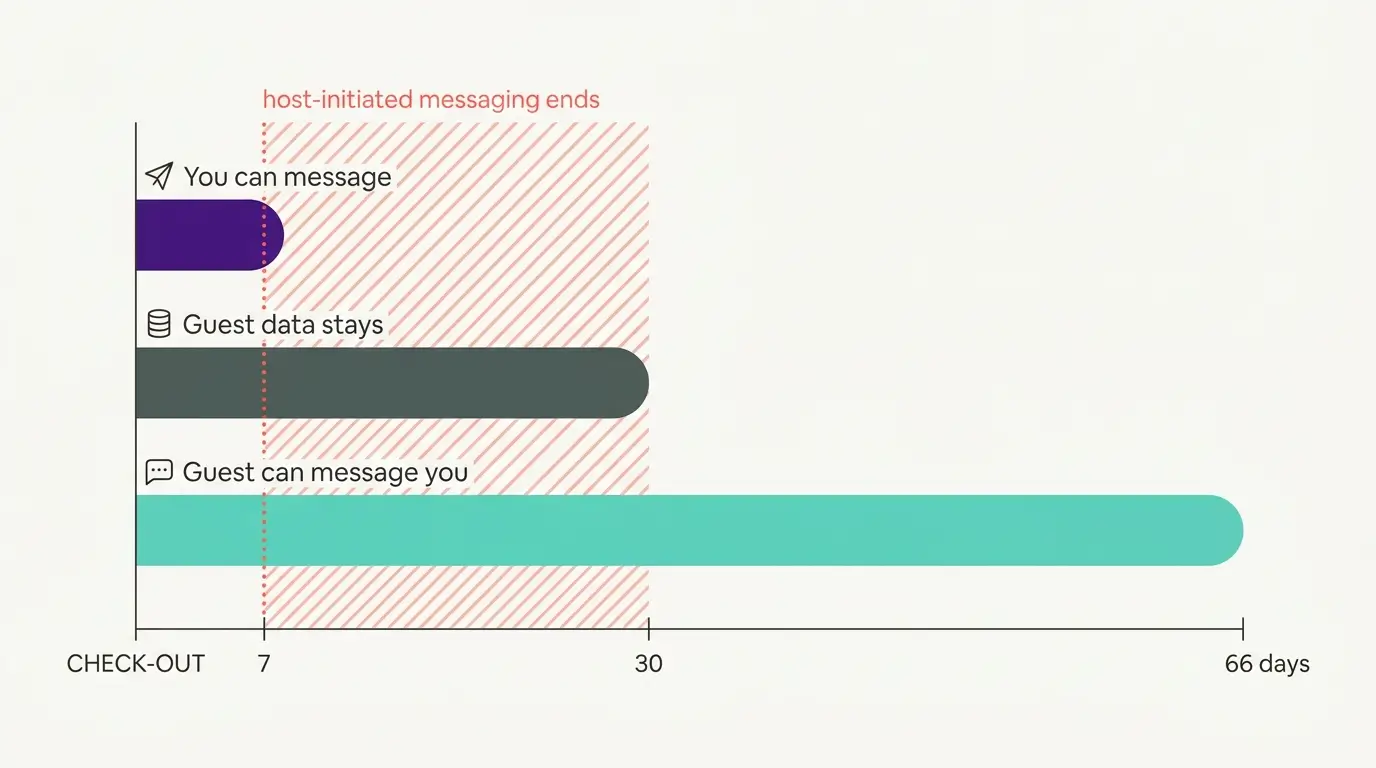
Booking.com Guest Messaging Rules: What Hosts Can Send, When, and Why Links Get Removed
Booking.com guest messaging rules, verified at source: how long you can message a guest, why your links get removed, and what the partner terms say.
Vrbo's New Features for Fall 2026: What's Live, What's Gated, and What's US-Only
We sorted Vrbo's new features for fall 2026: what is live globally, what is gated behind eligibility, and what is US-only. Verified against Vrbo's own pages.