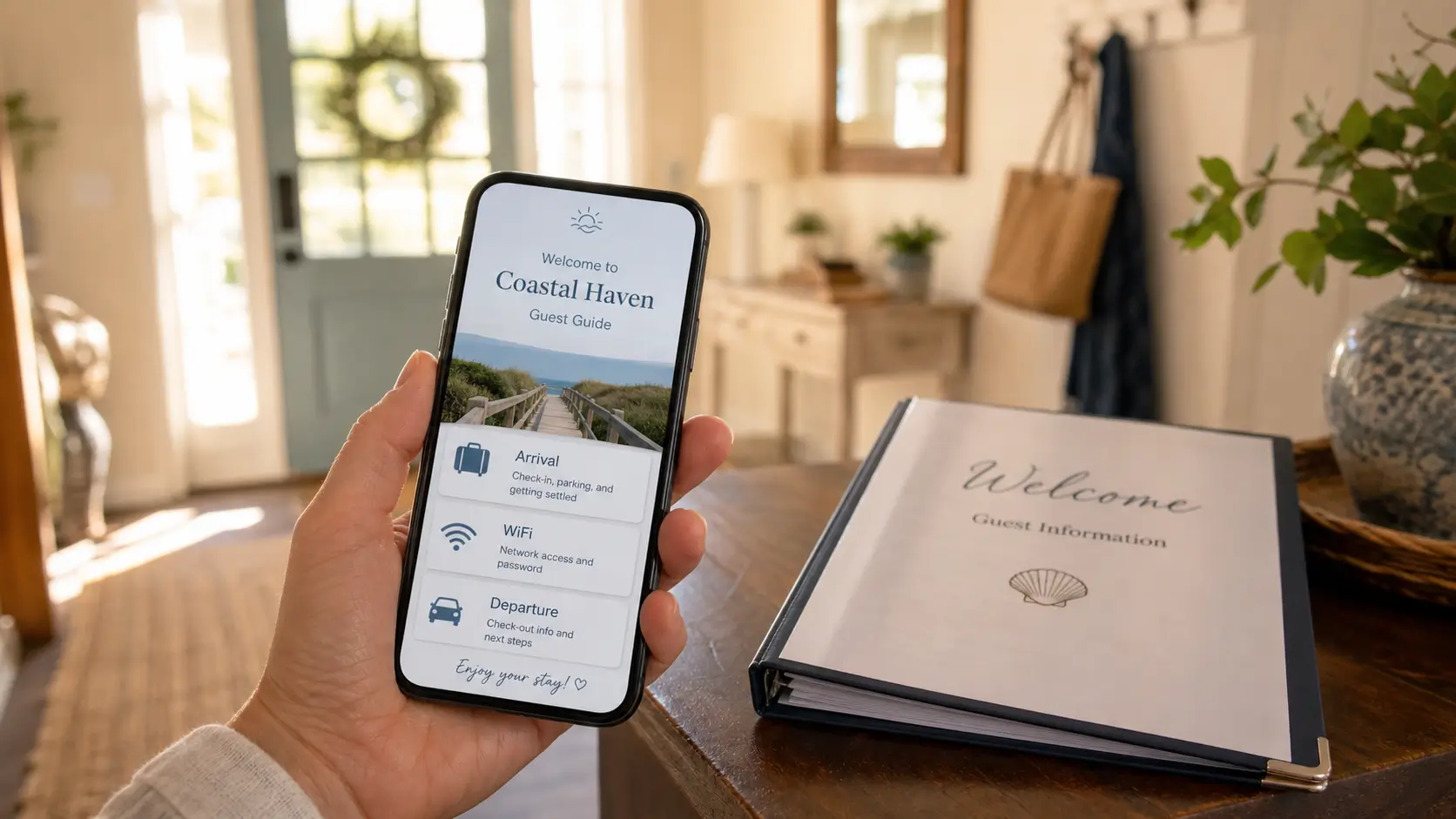
Electronic guidebooks let hosts replace printed binders with a simple, searchable digital resource that guests can access via QR codes, email links, or a dedicated app, making information always up‑to‑date and easy to find. The post walks through how to set one up step‑by‑step, highlighting benefits like lower barriers for non‑tech‑savvy hosts and the support offered by SmoothStay’s AI Content Assistant.
Our row house in Foggy Bottom had a printed binder on the table in the foyer for the first few years we rented it. We were proud of it. The binder lasted until it didn't. The WiFi page picked up a coffee ring. A guest crossed out our parking note when the city repainted the curb. We changed trash day after a service swap and forgot to reprint the page for almost two months.
A friend who rents a small cabin in Virginia called last year asking what we use instead of paper. She has never opened a tool like this. She wanted something she could update from her phone without learning a new vocabulary. That conversation is most of this post.
What is an electronic guidebook, and how is it different from a printed one?
An electronic guidebook is the same information your printed binder holds, kept online instead of on paper. Arrival, WiFi, house quirks, local picks, departure. Guests open it on their phone through a link or a QR code. You update it from your laptop or your phone, and every future guest sees the new version automatically. No reprinting, no folded pages, no coffee rings.
The shift is smaller than it sounds. The content does not change. Only the format does. If you already have a binder, you have most of an electronic guidebook. You just need to move it.
Why hosts move on from a printed binder
Three problems show up for almost every host who keeps a printed guide for more than a year.
The first is decay. WiFi passwords change. Trash day moves. A favorite restaurant closes. The binder needs a printer, a stapler, and a Sunday afternoon every time. Most hosts reprint once, then stop.
The second is reach. A guest with a binder open in the kitchen can't also have the parking instructions with them in the car. A guest with a guidebook on their phone can.
The third is multi-property hosts. If you have two homes, you have two binders. Every change costs you twice the effort. By the time you have four, you give up on paper entirely.
We wrote a fuller account of that trade-off in our paper vs. digital guides piece if you want the long read. Short version: paper is a beautiful object and a poor record of the house.
The three ways guests open an electronic guidebook

You do not need to make your guests download an app. Most apps die on contact with a tired guest who just landed. The methods that work are simpler.
1. A link in the booking confirmation
The boring one, and the most useful. The guidebook link goes into the message you send when a reservation is confirmed. Guests read it on the train to the airport. They show up knowing the door code.
2. A QR code at the property
A small card by the front door or on the kitchen counter, with a QR code printed at the top. Guests point a camera at it, the guidebook opens on their phone. No typing. No app. The card is one piece of paper. You only have to print it once.
3. A dedicated app - skip it
Some platforms offer an app guests install. Most guests do not install it. Skip this format unless you have a specific reason to want one.
The QR code and the link cover almost everyone. They work on iPhones and Android phones equally. They work whether or not a guest has cellular signal once the page has loaded.
What goes inside an electronic guidebook
The structure doesn't change from a paper guide. Cover five things and you have a complete guidebook.
Arrival and access: address, door code, parking, WiFi, where the thermostat is
House operations: how appliances work, heating and cooling, trash and recycling, the bedroom door that sticks in humid weather
Local picks: a short list of restaurants, one coffee shop, one bar that's good but not loud, one walk worth doing
Departure: checkout time, what to do with keys and towels, four short lines
Emergency info: the local emergency number, the nearest hospital, your phone for things only a host can fix
If your binder has these sections, you're most of the way there. For a fuller worked example, our piece on building a guidebook your guests use walks each section in detail.
Printed binder, PDF, or electronic guidebook
A quick comparison, written honestly. We used all three before settling.
Format | Always current | Works on a phone | Cost over time |
|---|---|---|---|
Printed binder | No | No | Reprints every time something changes |
PDF or Google Doc | Only if you remember to resend | Yes | Free, but you resend manually |
Electronic guidebook | Yes, instantly | Yes | Small monthly fee, free tier usually available |
PDFs are an honest middle step. They work on a phone. They go out of date the moment you edit one sentence, because every guest who already received the PDF still has the old copy. An electronic guidebook lives at one link that always shows the current version.
How to set one up if you've never used a tool like this

The first time can feel like more work than it is. A reasonable order for someone starting cold:
Pick a tool with a free tier. You can change tools later if you outgrow it. Most hosts don't.
Type out your five sections. Use the headings above. Two to four short paragraphs per section. Write like you're showing a friend around your house.
Add photos for anything mechanical. The thermostat, the AC remote, the kitchen tap with the hot side that isn't where you'd expect. Photos do half the work.
Make the WiFi password copy-paste friendly. Big text. One field. Most tools have a one-tap copy button. Use it.
Print a small card with a QR code for the entryway or the kitchen counter. The card is the only physical object you keep.
Put the link in your booking confirmation. Add a short line: "everything you need is here, including the door code."
Walk through your own guidebook on your phone after you finish. You'll find one or two things to fix. That's normal.
If writing is the part that intimidates you, an AI writing assistant trained in hospitality can turn the rough notes you'd send a friend in a text into a clean section. You stay in charge of the voice. The tool handles the polish.
What it costs and what to expect
Most electronic guidebook tools charge per property, per month. The pricing range is wide enough that the right answer depends on how many properties you run.
A single property usually costs less than a takeaway dinner per month. Some platforms scale linearly with each new property. Others stay flat per property no matter how many you add. If you rent your home a few weekends a year, look for a tool with a free tier so you can try one before you pay for anything.
The time investment is the same as it would be to build a thorough binder. A couple of evenings if you start from nothing. Less than an hour if you're moving an existing binder over.
Where SmoothStay fits
We built SmoothStay for hosts who wanted to move off paper without picking up a second job in software. The free tier doesn't ask for a card. The setup walks you through the five sections above. The AI writing assistant takes the writing pressure off if your binder content was a few bullet points instead of full paragraphs. We use it on our own properties in Washington DC and the Riviera Maya. If you want to try the digital version of your binder without committing to anything, that is the cleanest path we know.
FAQ
Do guests actually use an electronic guidebook?
More than they used the binder. They scan the QR code on arrival because it's in front of them. They search for "WiFi" the moment they walk in. They tap the photo of the restaurant before they read the description. The format suits how guests already use their phone.
Do my guests need to download an app?
No. The guidebook opens in their phone's web browser. They tap the link or scan the QR code, and it loads like any other webpage. No app, no account.
What happens if the WiFi is bad or the guest has no signal?
Most electronic guidebooks load once and stay visible if the signal drops. Guests who scan the QR code in the entryway will have the full guidebook in their phone's memory before they reach the bedroom. If your property has consistently weak signal, leave a small printed card with the door code and the WiFi password as a backup.
How long does it take to set up?
If you have a binder already, an hour. If you're starting from scratch, two evenings. The tool you choose matters less than the work of writing the five sections.
What if I'm not a confident writer?
Voice-memo it. Walk around your house and record yourself explaining things to an imaginary guest. Paste the transcript into the tool and clean it up. The result sounds like a real person because it was one. Most platforms now include an AI writing assistant that will polish a paragraph for you without changing its meaning.
How often do I need to update an electronic guidebook?
Whenever something changes. Treat it like a kitchen drawer you tidy every month. Open it on your own phone, walk through it like a first-time guest, fix the one thing you spot. That's enough.
If you'd rather not format any of this yourself, you can have the digital version of your binder running in under an hour. Free tier, no card needed.
Latest articles

How to Automate Check-In Instructions for Short-Term Rental Guests
Automate check-in instructions for short-term rental guests: the four-send sequence, what goes in a message versus a guidebook, and a copy-ready sample.

Vrbo Premier Host in 2026: Every Listing Now Stands on Its Own Record
Vrbo Premier Host requirements changed in 2026: per-listing scoring, tighter thresholds, quarterly checks. What each one means, and how it compares to Superhost.
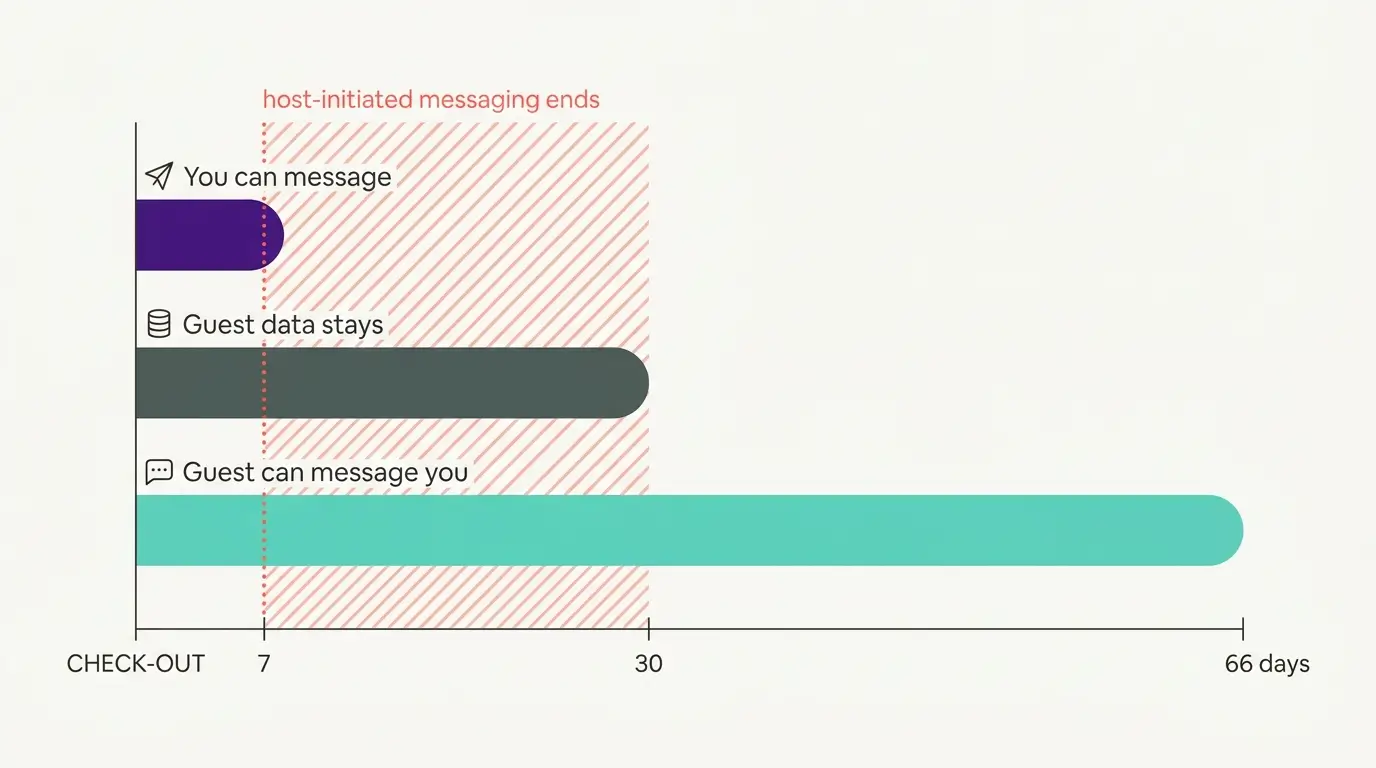
Booking.com Guest Messaging Rules: What Hosts Can Send, When, and Why Links Get Removed
Booking.com guest messaging rules, verified at source: how long you can message a guest, why your links get removed, and what the partner terms say.
Vrbo's New Features for Fall 2026: What's Live, What's Gated, and What's US-Only
We sorted Vrbo's new features for fall 2026: what is live globally, what is gated behind eligibility, and what is US-only. Verified against Vrbo's own pages.