How Do You Set Up an Airbnb? A Superhost's Guide
Wondering how do you set up an Airbnb? Our Superhost guide walks you through the entire process, from market research to welcoming your first guest.
Disclosure: Some links in this article are affiliate links. If you make a purchase, we may earn a commission at no extra cost to you. This helps support our content.
Ready to jump into the world of Airbnb hosting? It's about so much more than just putting a spare room online. Think of it as launching a small hospitality brand from scratch—where the planning you do upfront is just as crucial as the listing you create later.
Building Your Foundation for a Profitable Airbnb
Before you even touch a camera or write a single word of your listing description, we need to talk about the groundwork. This is what separates the rentals that thrive from the ones that just limp along. Over the years, we've managed everything from our own 4-bedroom house in Washington, D.C., to beachfront condos in Tulum, and we’ve learned one thing for sure: success comes from doing your homework first. Too many new hosts skip this part, and they almost always pay for it down the line.
Think of this as the business plan for your rental. It's the essential first step to ensure you're building a sustainable, profitable hosting business—not just a side hobby that ends up being a massive headache.
Get the Lay of the Land: Regulations and Market Demand
First things first: you have to make sure you're even allowed to host. Short-term rental laws can be a tangled mess, varying wildly from one city or county to the next. Your first stop should be your local government's website to check for rules on permits, licenses, taxes, and any zoning restrictions. Trust us, trying to fly under the radar can lead to some seriously hefty fines.
Once you’ve cleared the legal hurdles, it’s time to play detective in your own market. Is there actually demand for a place like yours? A great way to start is by simply browsing the existing Airbnb listings in your area. Take a peek at their calendars. Are they booked solid or sitting empty? What are they charging per night?
And don't just limit your search to the downtown core. Recent data shows a massive shift in how people travel. Supply growth for short-term rentals has exploded by 18% in suburban areas and a staggering 23% in rural destinations, while urban centers actually saw a 4% drop. This trend is a golden opportunity for hosts located outside the usual tourist traps.
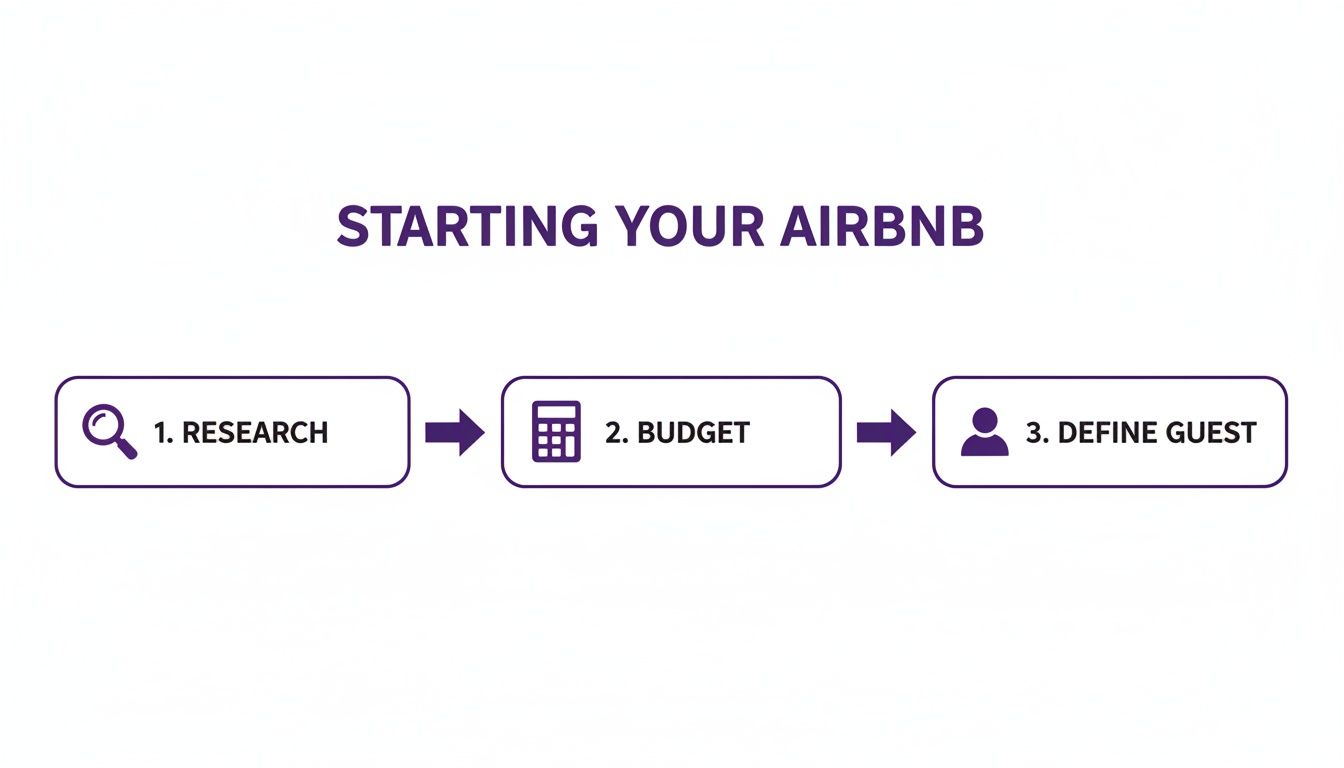
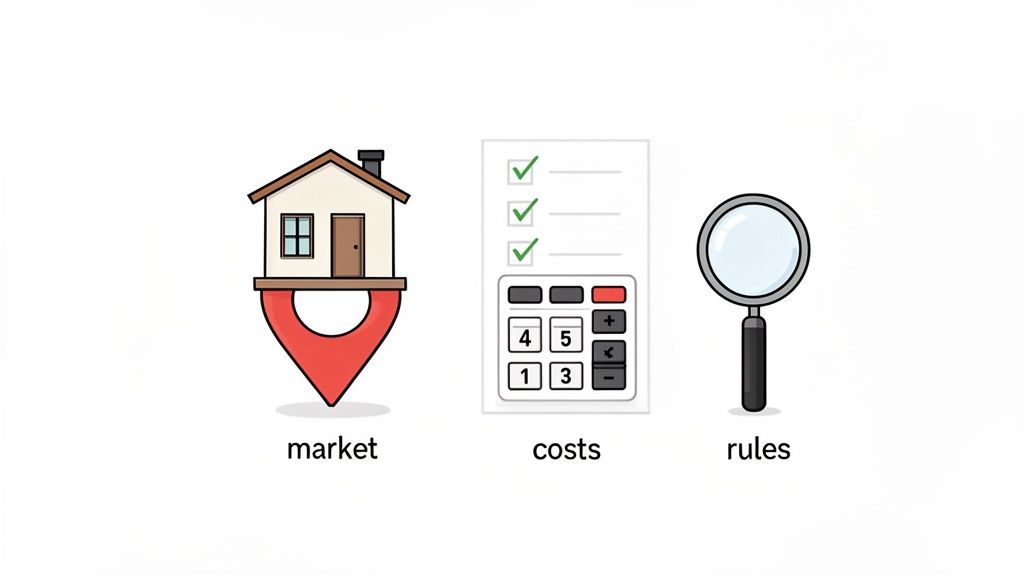
This simple, three-step process—research, budget, and defining your ideal guest—is the exact framework we've used for every single property we've launched. Following it in order gives you a clear and confident path forward.
Tally Up Your Startup Costs—Accurately
One of the biggest mistakes new hosts make is underestimating how much it costs to get started. Your budget needs to account for way more than just a new sofa and bed. We've learned the hard way to create a detailed spreadsheet for every new property to keep surprises at bay.
Here’s a quick rundown of the expenses you need to factor in:
Furnishings: This is everything from the big-ticket items down to the salt and pepper shakers. Investing in quality bedroom furniture is a must—a good night's sleep is one of the top things guests look for.
Linens and Towels: Don't skimp here. You'll want at least three full sets of sheets per bed and plenty of plush, high-quality towels.
Kitchen Supplies: Assume your guests will want to cook a real meal. That means having pots, pans, sharp knives, a coffee maker, and basic pantry staples ready to go.
Professional Photography: This isn't optional; it's an investment. Amazing photos can single-handedly determine whether a guest clicks on your listing or scrolls right past it.
Safety Gear: Make sure you have smoke and carbon monoxide detectors, a fire extinguisher, and a well-stocked first-aid kit.
Permits and Fees: Don't forget to budget for any costs associated with local licenses or registrations.
To help you stay organized, we've put together a quick checklist that summarizes these essential pre-listing tasks.
Your Pre-Listing Host Checklist
Focus Area | Key Actions | Why It Matters |
|---|---|---|
Legal & Compliance | Research local STR laws, apply for necessary permits/licenses. | Avoids fines and legal trouble, ensuring your business is legitimate from day one. |
Market Analysis | Analyze competitor pricing, occupancy rates, and amenities. | Helps you set competitive rates and identify gaps in the market you can fill. |
Budgeting | Create a detailed spreadsheet of all startup costs (furniture, supplies, fees). | Provides a realistic financial picture and prevents you from running out of cash. |
Guest Persona | Define your ideal guest (e.g., families, business travelers, couples). | Guides your design choices, amenity offerings, and marketing language. |
Safety | Install smoke/CO detectors, fire extinguisher, and first-aid kit. | Protects your guests and your property, and is often required by law and Airbnb. |
Following this checklist ensures you’re not just guessing. You’re building a solid, well-planned foundation for a business that’s set up for success from the get-go.
We treat every new property launch like its own small business. That means creating a clear budget from the start and understanding that the initial investment directly fuels your future revenue and guest satisfaction. You can learn more in our detailed guide on how to start your Airbnb business.
By meticulously planning out your expenses, you'll have a much clearer picture of your path to profitability and avoid the stress of surprise costs later. This is the prep work that truly sets the stage for a five-star hosting experience.
Crafting a Listing That Attracts and Converts
Once your property is prepped and ready, it’s time to create its digital storefront. Your Airbnb listing is the single most important piece of marketing you have—it’s where potential guests decide whether to scroll past or click "Book." Crafting a listing that truly stands out is both an art and a science, and over the years, we've learned that the smallest details often make the biggest difference.
Think of it this way: your listing needs to do more than just show off your space. It needs to sell an experience, build trust, and answer questions before they're even asked. This is your chance to connect with future guests and show them exactly why your property is the perfect choice for their trip.
Write a Headline That Stops the Scroll
Your listing title is your first impression. It has to be punchy, descriptive, and memorable. A generic title like "2 Bedroom Apartment" just gets lost in a sea of similar listings. Instead, you need to zero in on what makes your property unique.
What has worked for us is capturing the vibe and a key benefit in every title. For our Playa del Carmen house, we don’t just say it’s near the beach; we might use a title like, "Boho Beach House Oasis 🌴 5-Min Walk to Sand & 5th Ave." This immediately tells guests about the style, the top amenity (the beach), and its prime location.
Consider these approaches for your own title:
Highlight a unique feature: "Cozy Cabin with Private Hot Tub Under the Stars"
Mention a key landmark: "Modern Downtown Loft Steps from the Convention Center"
Focus on the ideal guest: "Family-Friendly Retreat w/ Game Room & Pool"
The goal is simple: give guests a reason to click on your listing over the one right next to it.
Tell a Story with Your Description
Your description is where you bring your property to life. This isn't the place for a dry list of features; it's where you paint a picture of the experience guests will have. We've found that structuring the description like a story works wonders.
Start with a compelling opening paragraph that summarizes the best parts of your property. Then, take them on a virtual tour, room by room. Describe the morning light in the kitchen, the comfortable sofa perfect for movie nights, or the quiet balcony where they can enjoy their coffee.
The most effective descriptions help guests imagine themselves in the space. Use sensory details—mention the "plush bath towels," the "fully-stocked coffee bar," or the "breezy patio"—to create a vivid mental image that builds desire and trust.
When writing, it’s crucial to be both enticing and honest. If your apartment is on the fourth floor with no elevator, mention it positively ("Enjoy the city views from your top-floor walk-up retreat!"). Transparency now prevents bad reviews later. For more tips, check out our guide on how to write a killer Airbnb description.
Invest in Professional Photography
If there is one non-negotiable investment you make when setting up an Airbnb, it's professional photography. Your photos are the most critical element of your listing. Guests spend more time looking at images than reading your text, so they need to be absolutely outstanding.
Poorly lit, blurry phone pictures scream "amateur" and can kill your booking potential before it even begins. We learned this early on with our DC house; once we hired a professional, our booking rate and nightly price both increased significantly. Research shows that listings with high-quality, professional photos can receive up to 40% more bookings.
A good photographer knows how to use lighting and angles to make your space look bright, spacious, and inviting. Before the shoot, stage every room meticulously. Fluff the pillows, put fresh towels in the bathroom, and set the dining table. It’s these small details that create a polished, professional look that sells.
Strategically Showcase Your Amenities
The amenities section is more than just a checklist; it's a powerful tool for getting your listing seen. Many guests use filters when searching, so the more amenities you can accurately check off, the more searches you'll appear in.
Go through the list carefully and include everything you offer, no matter how small it seems.
Kitchen: Don't just check "Kitchen." Do you have a coffee maker, a blender, an air fryer, wine glasses, or baking sheets? List them all.
Work-from-home: A dedicated workspace with fast Wi-Fi is a huge draw. If you have it, make sure it’s highlighted in your photos and description.
Family-friendly: Items like a travel crib, high chair, and kids' dinnerware can make you the top choice for families.
Think about your target guest and cater your amenities directly to them. For our beach properties, we always provide beach towels, chairs, and a cooler. It’s a small touch that adds immense value and helps us stand out from the competition.
Setting Your Rates, Availability, and House Rules
Okay, let's get into the nitty-gritty: pricing, your calendar, and the all-important house rules. Getting these three right is where you shift from just having a property to running a real business. It's the balance beam between making good money and keeping your hosting life sane and headache-free.
Pricing can feel like a total guessing game when you're starting out. The biggest mistake we see new hosts make is setting a single nightly rate and forgetting about it. A fixed price leaves so much money on the table. This is what we learned over the years, and now we lean into dynamic pricing to maximize our revenue, whether it's for our DC house during a big conference or our Riviera Maya properties during the winter high season.
Mastering Your Pricing Strategy
Static pricing is dead. If you want to stay competitive, you have to adjust your rates based on demand. Simple as that. This is where dynamic pricing tools become your best friend.
Airbnb’s own Smart Pricing is a decent place to start. It crunches data on seasonality, local demand, and even how far out a guest is booking. But here's our take: use it as a guide, not gospel. Always, always set your own minimum nightly price. This ensures you never get a booking for less than you're comfortable with.
Here’s our simple, hands-on approach:
Set a solid base rate. This is your everyday price for a standard night.
Identify your peak seasons. For our beach places, it’s winter. For DC, it's spring and fall. We bump up the rates accordingly.
Keep an eye on the local calendar. Is there a huge festival, a major convention, or a three-day holiday weekend coming up? These are goldmines for adjusting your prices for those high-demand dates.
This hybrid approach—letting automation do the heavy lifting but keeping your hands on the wheel—gives you the best of both worlds. Seriously, hosts who fully embrace dynamic pricing can see their revenue jump by up to 20%. When you pair that with clear house rules, you can also slash potential disputes by as much as 30%. You can dig into more of these market trends with recent industry analysis.
Configuring Your Calendar and Booking Settings
Think of your availability settings as your property's gatekeeper. They control who can book and when, putting you in charge of what works for your property and your life.
Minimum Stay Requirements
Setting a minimum stay—like 2 or 3 nights—is one of the best things you can do to cut down on turnover costs and your own workload. We typically use a two-night minimum for our city property but stretch it to four or five nights for our vacation homes, especially during peak season. It tends to attract guests who are planning a real trip, not just a quick overnighter.
Instant Book
We are huge fans of Instant Book. It lets guests who meet your requirements book immediately without needing your manual approval. This convenience is a massive plus for guests and gives your listing a nice boost in search results. You can (and should) add safeguards, like requiring guests to have positive reviews or a government-issued ID on file. This is what worked for us and we recommend it.
Your calendar is a strategic tool, not just a grid of dates. Block off days for maintenance or personal getaways well in advance. And definitely use settings like "preparation time" to automatically block a night before or after a booking. It gives your cleaning team plenty of breathing room without you having to do it manually every time.
Crafting House Rules That Protect Everyone
House rules aren't about being a drill sergeant; they're about setting clear, fair expectations from the start. This is your single best tool for preventing misunderstandings and making sure guests treat your home with respect. Good rules attract responsible guests and give you a leg to stand on if something goes wrong.
Keep them simple and clear. Nobody wants to read long, legalistic paragraphs. A straightforward list works best.
Here are the non-negotiables we use for all our properties:
No parties or events. This is a hard line for us.
No smoking of any kind inside. Be specific here.
Quiet hours. We usually set ours from 10 PM to 8 AM to be good neighbors.
Guest limits. State the maximum number of guests allowed, period.
Pets. Be crystal clear on whether pets are allowed, and if so, any restrictions or extra fees.
Try to frame your rules positively when you can. Instead of "Don't leave a mess," a better approach is, "Please leave the property tidy, similar to how you found it." It's a subtle shift in tone, but it helps create a sense of mutual respect and partnership with your guests.
Automating Operations for a 5-Star Experience
Being a great host doesn't mean being on call 24/7. In fact, if you want to scale your hosting business and avoid burnout, you have to build smart systems that work for you behind the scenes. When we started managing properties beyond our own home in DC, we learned a hard lesson fast: manual operations just don't scale.
This is where automation becomes your secret weapon for delivering a consistent, 5-star experience every single time. It's not about being less personal—it's about being more efficient so you can focus on the moments that truly matter. It’s about setting up systems to handle the repetitive stuff, like sending check-in instructions or coordinating with cleaners, so you have the freedom to be a more responsive and thoughtful host.
Streamline Guest Communication with Automated Messaging
One of the first and easiest wins in automation is your core guest messaging. Airbnb has a built-in "Scheduled Messages" feature that is a fantastic place to start. You can create templates for key moments in the guest journey, which ensures no one ever feels left in the dark.
This is the basic sequence we recommend setting up for every single property:
Booking Confirmation: A warm "thank you for booking" message that goes out immediately after a reservation is confirmed. This sets a positive, welcoming tone right from the start.
Pre-Arrival Info: A message sent 3-5 days before check-in. We usually include a reminder of the address and a link to our digital guidebook.
Check-In Instructions: This is the most critical one. Send it the morning of arrival with the door code and any final instructions they'll need.
Mid-Stay Check-In: A quick, friendly message on the second day asking if everything is going well. This proactive touch can stop small issues from turning into negative reviews.
Check-Out Reminder: Sent the evening before departure, this message is a gentle reminder of the check-out time and any simple departure tasks.
These automated messages make sure every guest gets the essential information exactly when they need it. This builds their confidence and reduces anxiety—and it dramatically cuts down your workload.
The Digital Guidebook: Your Ultimate Hosting Tool
If there’s one piece of tech that has completely transformed our hosting, it’s the digital guidebook. Think of it as the central hub for everything a guest could possibly need to know, all accessible right on their phone. This single tool has massively reduced the number of repetitive questions we have to answer.
Instead of texting you for the Wi-Fi password or asking for a restaurant recommendation, guests can find it all in one beautifully organized place. A high-quality digital guidebook from a platform like SmoothStay can centralize things like:
Arrival & Access: Detailed check-in steps, door codes, and parking info.
House Info: Wi-Fi details, appliance instructions (QR codes are great here), and trash/recycling rules.
Local Recommendations: Your hand-picked list of the best coffee shops, restaurants, and activities.
Check-Out Procedures: A simple checklist to make departure smooth and easy.
The impact is huge. Hosts who use digital guidebooks with AI-powered features can slash repetitive guest inquiries by up to 80% and seriously boost their chances of getting those coveted 5-star reviews. These tools empower guests to be self-sufficient, making them feel more in control and comfortable in your space. Recent industry analysis highlights just how powerful these tools have become, as you can see if you explore more about recent hosting market trends.
A digital guidebook isn't just a document; it's a dynamic guest service tool. It anticipates guest needs, answers questions instantly with AI, and provides a polished, professional experience that reflects the quality of your property.
Build a Reliable Cleaning and Maintenance System
Finally, you need a rock-solid system for turnovers. There's no way around it: consistent cleanliness is non-negotiable for getting good reviews. Finding a great cleaning partner is absolutely crucial. To deliver consistent cleanliness and a top-notch guest experience, it's essential to understand how to find the best cleaning company that truly gets the demands of short-term rentals.
Once you have your team in place, use software to automate the scheduling. Many property management systems can connect to your booking calendar and automatically notify your cleaners of new bookings and check-out dates. This completely eliminates manual coordination and the risk of a missed cleaning.
Automation lets you build a more resilient operation, especially if you plan to grow. It’s how you set up an Airbnb that not only succeeds but also scales without completely overwhelming you. For a deeper dive, check out our complete guide to vacation rental automation.
Many hosts wonder if the investment in automation is really worth it. Let's break down how it changes your day-to-day operations.
Comparing Manual vs Automated Hosting
Task | The Manual Approach | The Automated Approach |
|---|---|---|
Guest Messaging | Manually typing and sending booking confirmations, check-in instructions, and checkout reminders for every guest. | Pre-written message templates are sent automatically at key points in the guest journey (booking, pre-arrival, checkout). |
Answering Questions | Responding to the same questions over and over via text or email (Wi-Fi password, how to use the TV, etc.). | A digital guidebook with an AI chatbot instantly answers common questions, freeing up your time. |
Cleaning Scheduling | Texting or calling your cleaner for every new booking, cancellation, or alteration to confirm their availability. | The booking calendar syncs directly with cleaning software, automatically scheduling turnovers and notifying cleaners. |
Access Management | Coordinating key handoffs in person, using a lockbox, or dealing with lost keys and late-night lockouts. | Smart locks generate a unique, time-sensitive code for each guest, which activates at check-in and expires at checkout. |
Maintenance | Relying on guests to report issues, often leading to reactive fixes and potential negative reviews. | Smart sensors for leaks and noise provide instant alerts, allowing for proactive maintenance before problems escalate. |
As you can see, automation isn't about replacing the human touch; it's about handling the predictable, repetitive tasks so you can dedicate your energy to being a truly exceptional host.
Launching and Optimizing Your New Listing
You did it. You hit "publish." While that’s a huge milestone, the real work starts now. Your next mission is to get those first critical bookings and positive reviews rolling in. This initial phase is everything—it sets the tone for your listing's long-term success, and a smart launch can build momentum that lasts.
Think of your new listing like a restaurant on opening night. Nobody knows you exist yet, so you need to create some buzz. The best way we've found to do this is with a savvy introductory price. For your first two or three guests, we recommend setting your price 15-20% lower than your target rate. This isn't about undervaluing your place; it's a strategic move to get people in the door.
Why does this work so well? An empty calendar can feel like a red flag to potential guests. A lower price reduces their risk, making them more likely to take a chance on a property with zero reviews. Once you have a few glowing reviews, you can slowly raise your price to its true market value.
Encouraging Reviews and Responding to Feedback
Let's be clear: reviews are the lifeblood of your Airbnb business. They build social proof and are often the deciding factor for a guest. After checkout, Airbnb prompts both of you to leave a review. While you can't offer incentives for good reviews (that's a big no-no), you can definitely give a friendly nudge.
We always send a checkout message that ends with something like, "We hope you had a wonderful stay! We'd be grateful if you could share your experience by leaving a review." It’s a simple, low-pressure ask that really works.
But getting reviews is only half the battle. Responding to every single one is just as important.
For positive reviews: A quick, personalized "thank you" shows you're an engaged host. Future guests see that and feel more confident booking with you.
For negative reviews: This is your moment to shine. Address the issue calmly and professionally. State what you've done to fix it. Never, ever get defensive.
Honestly, a thoughtful response to a bad review can sometimes be more powerful than a string of five-star ratings. It shows you’re a proactive host who genuinely cares.
Using Data to Constantly Improve
Your Airbnb dashboard is a goldmine. Don't just set your listing and forget it—get into the habit of checking your metrics to see what’s working and what’s not.
These are the numbers we live by:
Impressions: How many times your listing popped up in search.
Click-Through Rate (CTR): The percentage of people who see your listing and actually click on it. If your CTR is low, your main photo or title probably needs some work.
Booking Conversion Rate: The percentage of viewers who end up booking. If this number is weak, it could be your description, photos, or pricing.
Booking Lead Time: How far in advance guests are booking. This helps you understand demand and adjust prices for last-minute gaps or far-off dates.
Your dashboard tells the story of your business. Looking at these numbers regularly helps you shift from being a reactive host to a proactive manager. It’s how you spot trends, fix problems, and make smart decisions that boost your income.
This cycle of analyzing and tweaking is what separates the pros from the amateurs. In fact, research shows that hosts managing 3-10 units with optimized systems often see 15-20% higher occupancy and revenue than single-property hosts. You can discover more insights about these market statistics and see just how powerful a data-backed approach can be.
Optimizing your listing isn't a one-time task. It’s an ongoing process of learning and improving that will guide you on your journey to becoming a Superhost.
Frequently Asked Questions for New Hosts
Diving into the world of hosting always brings up a ton of questions. After more than a decade in this business, we've pretty much heard them all. Here are some straightforward answers to the queries we get most often from folks just starting their Airbnb journey.
How Much Does It Really Cost to Set Up an Airbnb?
This is always the first question, and the honest answer is: it varies wildly. But one thing is for sure—it’s always more than just the furniture. Beyond the big-ticket items, you have to budget for all the little things that create a comfortable, hotel-like experience for your guests.
We always create a detailed spreadsheet to track every single expense. Trust me, it prevents a lot of surprises down the line. For a new, unfurnished one or two-bedroom property, you're realistically looking at a budget somewhere between $5,000 and $10,000.
Here’s a quick breakdown of costs you should anticipate:
Quality Linens & Towels: Don't skimp here. You'll need at least three sets of sheets per bed and plenty of plush towels.
Kitchen Supplies: Stock it with everything someone would need to cook a real meal, from pots and pans right down to the olive oil.
Professional Photography: This is a non-negotiable expense. Expect to pay between $200 and $500 for photos that will make your listing pop.
Smart Home Tech: A smart lock for self-check-in has become the industry standard. It's a must-have for convenience and security.
Initial Supplies: Think cleaning products, coffee, tea, and other small consumables that make a guest feel welcome.
Do I Need a Special Permit to Run an Airbnb?
Almost certainly, yes. Regulations differ dramatically by city, county, and sometimes even neighborhood. Never just assume you can operate without approval. The fines for non-compliance can be severe and could easily shut down your business before it even gets off the ground.
Most areas require some form of a business license, a short-term rental permit, or registration. There are often specific safety rules and tax obligations as well. Your first stop should always be your city’s official government website. Airbnb's "Responsible Hosting" pages for major cities are also a great secondary resource.
We treat local regulations as the absolute first step in our due diligence for any new property. It’s far better to know the rules and limitations upfront than to invest time and money into a property you can’t legally operate.
How Do I Handle My First Guest Check-In?
Your goal for that first check-in is to make it absolutely seamless and welcoming. The moment a booking is confirmed, send a warm, personalized "thank you" message. This small touch immediately sets a positive and professional tone.
Self-check-in with a smart lock or a secure lockbox is what most guests expect now, and it’s what we highly recommend. About 24-48 hours before their arrival, send over a detailed message with the full address, clear access instructions, and a link to your digital guidebook. For your very first guests, adding a small personal touch—like a handwritten welcome note or a local snack—can go a long way in securing that crucial first five-star review.
Is Using Instant Book a Good Idea for New Hosts?
Yes, we absolutely recommend new hosts turn on Instant Book from day one. It significantly boosts your listing’s visibility in search results, and many guests specifically filter for it. The convenience factor alone can help you lock in those critical first bookings much faster than you would otherwise.
To protect yourself, Airbnb allows you to set requirements for guests who want to use it. You can require them to have positive reviews from other hosts or a government ID on file. In our experience, the benefits of building that early momentum far outweigh the potential risks, as long as your house rules are crystal clear.
At SmoothStay, we're building tools designed by hosts, for hosts, to make every guest's stay exceptional. Our AI-powered digital guidebooks reduce repetitive questions and help you deliver a guest-first experience, every time. Learn more at https://www.smoothstay.io.