Our Ultimate 10-Point Client Onboarding Checklist for Vacation Rentals
Master host success with our ultimate onboarding client checklist. This step-by-step guide helps property managers streamline operations and delight guests.
Disclosure: Some links in this article are affiliate links. If you make a purchase, we may earn a commission at no extra cost to you. This helps support our content.
Bringing a new property into your portfolio is a big win. But as we all know, the real work starts the moment the contract is signed. Moving from a new client to a flawlessly managed rental can be full of hidden snags—missed booking details, confusing directions, or late-night calls about a tricky coffee maker. A disorganized onboarding process doesn't just create stress for you; it can directly impact your reputation and bottom line. It's the difference between constantly putting out fires and confidently hosting.
After managing properties for over a decade, from our own 4-bedroom house in Washington, D.C., to beach properties in the Riviera Maya, we've learned that a structured onboarding process is essential. It's about building a foundation for 5-star reviews, happy owners, and a business that can grow without the constant headaches. A thorough client onboarding checklist ensures nothing falls through the cracks, setting clear expectations and establishing trust from day one. It’s the blueprint that prevents small oversights from becoming big guest problems.
This article shares the ten most important steps we've refined over years of hands-on management. It's the system we use to set up every new property for success. We’ll walk you through everything from verifying property details and setting up seamless check-ins to integrating booking systems and creating a professional digital guidebook. This checklist is designed to be practical, actionable, and focused on what truly matters: creating an exceptional experience for both owners and guests.
1. Verify Property Details and Create a Property Profile
The first, non-negotiable step in any effective client onboarding checklist is to create a detailed and accurate property profile. This isn't just about listing the address; it's about building the foundational data for every guest communication, from the booking confirmation to check-out instructions. A comprehensive profile ensures consistency and prevents the frustrating back-and-forth that happens when crucial details are missing.
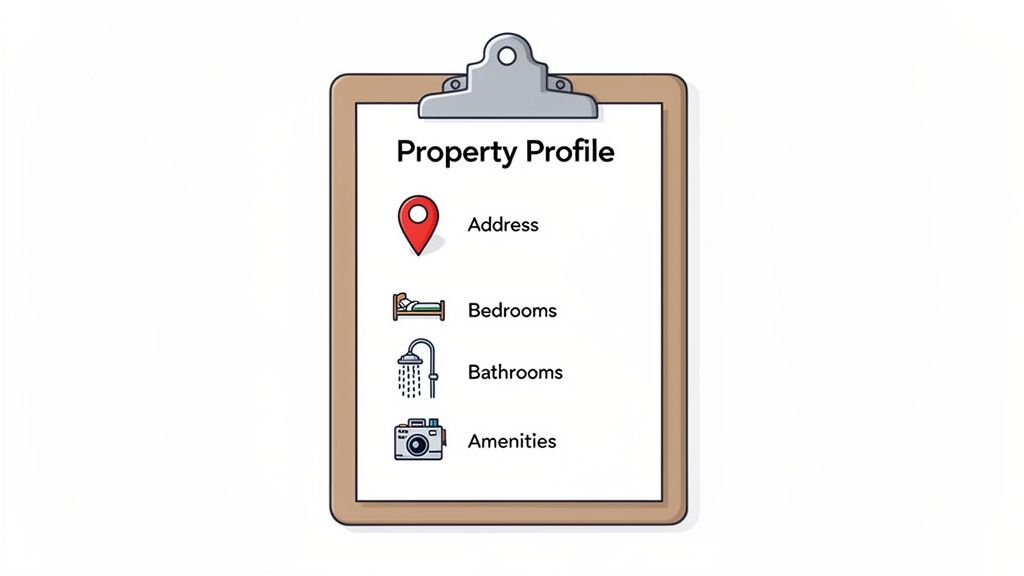
This profile acts as your single source of truth. It includes everything from basics like the number of bedrooms and bathrooms to the nuances of specific amenities, appliance models, and categorized house rules (e.g., parking, noise, trash disposal). Beyond just listing features, a complete property profile is a critical step in understanding how to list your property on Airbnb for rent effectively and attracting the right guests.
Actionable Tips for Implementation:
Do a "Guest-Eye View" Walk-through: Before entering any data, walk through the property as if you were a guest. Document every amenity, from the brand of coffee maker to the location of extra towels.
Organize Rules by Category: Instead of a long list of "don'ts," group rules logically. Create sections for check-in/out, parking, Wi-Fi, safety, and common areas. This structure is easier for guests to read and remember.
Use a Standardized Checklist: Create a master property detail checklist for every new property. This ensures no detail is overlooked, whether you're onboarding one villa or twenty condos. For SmoothStay users, this initial data entry is what populates dynamic tags, which then automatically personalize guest guidebooks and communications.
2. Set Up Check-In and Access Instructions
Once the property profile is set, the next critical step in any client onboarding checklist is to establish a seamless, guest-friendly check-in process. This isn't just about sharing a door code; it's about crafting a step-by-step guide that eliminates arrival anxiety and reduces the flood of last-minute questions. A clear, detailed access plan helps guests feel welcomed and confident from the moment they arrive, setting a positive tone for their entire stay.
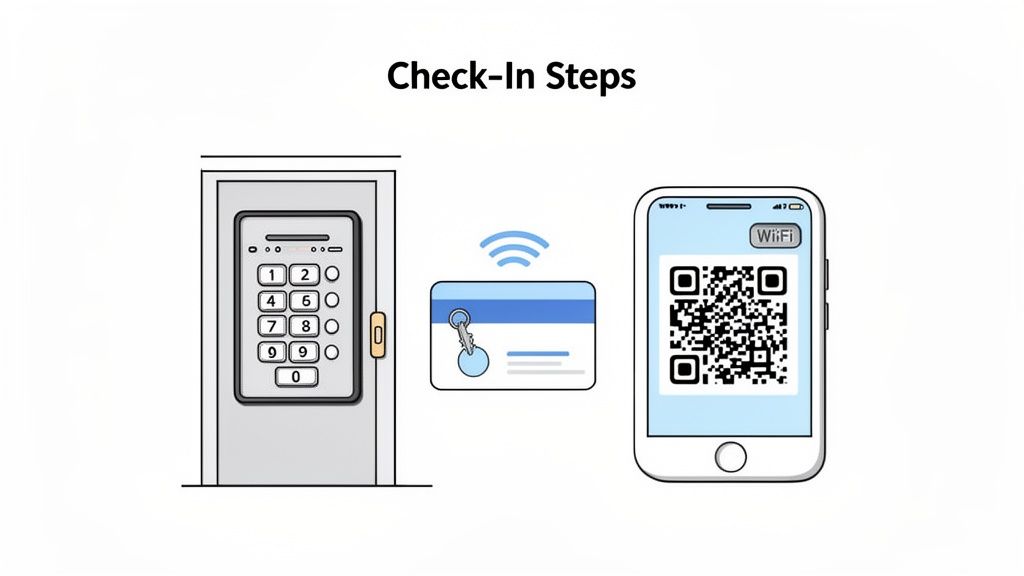
This process is the guest's first physical interaction with the property, so it needs to be foolproof. Your instructions should cover everything from where to park and how to disarm a security system to the exact sequence for using a smart lock. From our experience, we've found that embedding video tutorials or interactive instructions is a game-changer for the guest experience. This is where tools that support a QR code check-in system can really elevate the arrival process by providing instant, visual guidance right at the door.
Actionable Tips for Implementation:
Create Visual Aids: Record short, simple videos demonstrating how to use the keyless entry, insert a physical key, or operate the lockbox. Visual learners, which many of us are, appreciate this far more than text-only instructions.
Use Numbered, Step-by-Step Instructions: Break down the process into a simple, numbered list. Use clear, concise language and avoid jargon. For instance, instead of "disarm the alarm," say "Enter code 1234 on the keypad by the door, then press 'Off'."
Provide Backup Access: Technology can fail. Always have a backup plan, like a hidden lockbox with a physical key or a secondary contact person who can help if a smart lock battery dies.
Test Everything Yourself: Before sending instructions to a single guest, run through the entire process yourself, from parking to unlocking the door. This simple step catches confusing language or logistical gaps before they become a guest's problem. For SmoothStay users, you can embed these videos directly into the guest guidebook, accessible via a simple link or QR code.
3. Create Appliance and Equipment Operation Guides
Few things frustrate a guest more than not being able to figure out the coffee maker or connect to the smart TV. A key part of any good client onboarding checklist is developing clear, accessible guides for every appliance and piece of equipment on the property. This proactive step prevents late-night calls about the HVAC system and empowers guests to feel comfortable and in control.
These guides are more than just text-based instructions; they're a key part of the guest experience. For everything from the Nespresso machine and washer/dryer to complex pool equipment and security systems, a simple guide can make all the difference. This preparation is a foundational element in building a seamless stay that guests will remember and recommend.
Having managed properties with unique tech, from smart thermostats in D.C. to specialized pool heaters in the Riviera Maya, we’ve learned that guests really appreciate visual aids. For hosts using SmoothStay, this becomes even easier, as you can embed video tutorials, diagrams, and interactive guides directly into the digital guidebook, making them available 24/7 on any device.
Actionable Tips for Implementation:
Create Short Video Tutorials: Instead of lengthy written manuals, film short (1-3 minute) videos for each key appliance. Film from the guest's perspective, showing exactly what buttons to press and what the display looks like.
Add Text Overlays and Subtitles: Enhance your videos with text overlays highlighting crucial steps. This makes the guides accessible for guests who may be watching without sound or have hearing impairments.
Develop a "Common Issues" Section: For each appliance, think about the top one or two problems guests might encounter. Create a quick troubleshooting guide, such as "What to do if the Wi-Fi connected TV is buffering" or "How to reset the coffee maker."
Leverage AI for Written Guides: Don't have time to write everything from scratch? Use an AI assistant, like the one built into SmoothStay, to auto-generate clear, concise written instructions for your appliances based on their make and model. This saves hours of work during the client onboarding process.
4. Develop House Rules and Property Policies
Establishing clear and comprehensive house rules is a critical component of a successful client onboarding checklist. This step moves beyond basic property features to define the guest experience, manage expectations, and protect the owner's investment. Clearly articulated policies on everything from noise levels and occupancy to pets and parking prevent misunderstandings, reduce the risk of disputes, and empower guests to be respectful visitors from the moment they book.
Well-defined rules are the backbone of a smoothly run rental. They provide a framework for guest conduct and give you a documented standard to refer back to if any issues arise. For those of us managing diverse portfolios, creating standardized templates that can be quickly customized for each new property is a massive time-saver. For instance, an urban apartment's rules will emphasize quiet hours, while a luxury villa's policies might focus on specific amenity usage and security protocols.
Actionable Tips for Implementation:
Use Clear, Friendly Language: Swap out rigid, legal-sounding jargon for a welcoming and direct tone. Instead of "Violation of noise ordinance will result in immediate termination of the rental agreement," try "To ensure a peaceful stay for everyone, we observe quiet hours from 10 PM to 8 AM."
Organize Rules by Category: Group policies logically under headings like Parking, Guests & Visitors, Safety, and Amenities. This makes the information much easier for guests to find and digest, especially when referencing them in a digital guidebook.
Frame Rules Positively: Whenever possible, explain the "why" behind a rule to foster cooperation. For example, instead of "Don't leave the back door open," you could say, "Please keep the back door closed to help keep our beautiful home bug-free and the AC running efficiently!" For more guidance on this, check out these excellent house rules templates that help set a positive tone.
Require Acknowledgment: Implement a system where guests must actively acknowledge they have read and agreed to the house rules before their check-in details are released. In SmoothStay, this can be an interactive step within the digital guidebook, creating a clear record of agreement.
5. Build Local Recommendations and a Dining Guide
Going beyond a clean property and clear instructions is what separates a good host from a great one. A key part of any comprehensive client onboarding checklist is curating a local guide filled with authentic recommendations. This isn’t just about listing the nearest Starbucks; it’s about providing insider knowledge that helps guests live like a local, creating a more memorable and immersive experience. A thoughtful guide positions you as a knowledgeable host and significantly enhances the guest's trip.
This guide becomes an invaluable resource, reducing the time guests spend deciding where to eat, what to see, or how to spend their afternoon. Instead of endlessly scrolling through generic online reviews, they can turn to a trusted source: you. For hosts in Colorado, this might mean a curated list of seasonal hiking trails and ski resort comparisons. For those with coastal properties, it could be a guide to the best sunset viewing spots and local water activity providers. This personal touch is a powerful tool for earning five-star reviews.
Actionable Tips for Implementation:
Organize by Category and Proximity: Structure your guide logically. Create sections for categories like "Best Coffee Shops," "Family-Friendly Dining," "Rainy Day Activities," or "Romantic Restaurants." Within each, list options by their distance from the property to help guests plan their travel time.
Add a Personal Touch: Don't just list a name and address. Add a short, personal note about why you recommend a place. For example, "This is our go-to spot for authentic tacos—try the al pastor!" This genuine endorsement builds trust and credibility.
Leverage AI for a Head Start: Manually building a guide from scratch can be time-consuming. For SmoothStay users, our AI assistant can generate location-specific recommendations instantly. You can then use this as a strong foundation, personalizing it with your unique insights and local favorites. This accelerates the process while ensuring the final product is authentic to your hosting style.
6. Set Up Guest Communication Channels and a Response Protocol
Once the property is physically and digitally prepared, the next critical element in your client onboarding checklist is establishing a rock-solid guest communication strategy. This isn't just about answering questions; it's about proactively managing the guest experience from booking to check-out. A clear protocol prevents misunderstandings, ensures timely responses, and ultimately drives positive reviews by making guests feel supported and valued.
Defining your communication channels and response expectations is the blueprint for excellent service. Whether you designate the booking platform's messenger as the primary channel or offer a dedicated support line, guests must know how to reach you and when to expect a reply. For property managers handling a large volume of inquiries, this step is essential for maintaining quality control and operational efficiency. It’s where tools like AI chatbots can transform your workflow, handling the bulk of routine questions so you can focus on more complex guest needs.
Actionable Tips for Implementation:
Define and Communicate Your Channels: Clearly state your preferred communication method (e.g., Airbnb messenger, WhatsApp) in the booking confirmation and welcome message. Set and share your response time commitment, such as "We typically respond within 1-2 hours between 9 AM and 9 PM."
Create Response Templates: Draft pre-written answers for the 15-20 most common questions you receive, covering topics like Wi-Fi passwords, check-in instructions, and appliance usage. This ensures consistency and dramatically speeds up your response time.
Establish an Escalation Path: Create a simple protocol for your team. For example, routine questions are handled by the primary agent, but maintenance issues are immediately escalated to a specific contact. This clarity prevents delays and guest frustration. For SmoothStay users, the AI chatbot can be configured to handle initial queries 24/7 and automatically flag conversations that require human intervention, seamlessly integrating into this escalation process.
7. Integrate Booking Systems, Time-Based Access Links, and Pre-Arrival Communication
Once your property profile is built, the next crucial step in an effective client onboarding checklist is to automate the guest journey. This involves integrating your booking platforms (like Airbnb or VRBO) with your communication and access systems. The goal is to create a seamless, hands-off process where guest data automatically triggers personalized, time-sensitive information, eliminating manual outreach and reducing the risk of human error.
This integration is the engine of a modern hosting operation. It pulls guest data directly from a reservation, which then fuels automated pre-arrival emails, generates secure, time-based links to your digital guidebook, and ensures every guest receives the right information at the right time. This system not only saves you countless hours but also enhances security by restricting access to property information strictly to the reservation window.
Actionable Tips for Implementation:
Set a Pre-Arrival Access Window: Configure your system to grant guests access to the guidebook 48-72 hours before check-in. This timing is a sweet spot we’ve found that prevents information overload too far in advance but gives guests ample time to review details, which has dramatically cut down on last-minute arrival questions.
Test with a Live Booking: Before going live, run a test reservation through your integrated system. Verify that the guest's name and reservation dates populate correctly, the automated welcome email is sent, and the time-based access link functions as expected.
Create a Manual Backup Plan: Technology can fail. Always have a simple, manual backup process ready. This could be a saved email template with a direct link to the guidebook that you can send if you notice a sync failure or an integration issue. For SmoothStay users, the platform’s direct integration with major booking channels automates this entire workflow, from syncing guest data to sending customized guidebook links.
8. Design a Branded Guidebook and QR Code Strategy
Moving beyond basic information delivery, the next step in a professional client onboarding checklist is to create a seamless, branded guest experience. This involves customizing your digital guidebook to reflect the property's unique identity and implementing a smart QR code strategy to give guests instant access to the information they need, right when they need it. This elevates the stay from a simple transaction to a polished, memorable experience.
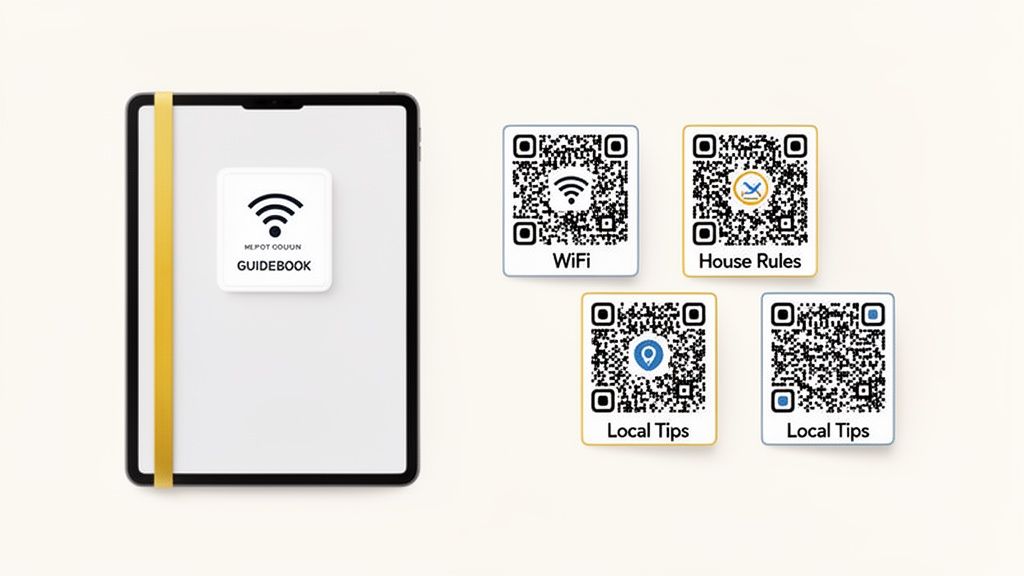
A branded guidebook with a consistent logo, color scheme, and professional imagery reinforces quality and builds trust. When paired with strategically placed QR codes, you eliminate friction for guests. Instead of searching through a binder or app, they can simply scan a code on the coffee machine to learn how to use it or scan one by the router for immediate Wi-Fi access. This proactive approach significantly reduces questions and enhances guest independence.
Actionable Tips for Implementation:
Align Branding with Property Aesthetics: Use the property’s interior design or a client’s existing brand identity to inform your guidebook’s color palette and fonts. This creates a cohesive and immersive guest experience from the moment they check in.
Implement a Strategic QR Code Plan: Don't just place one QR code at the entrance. Create specific codes linking to relevant sections: one on the smart TV remote for streaming instructions, another in the kitchen for appliance guides, and one on the bedside table for check-out procedures.
Test and Label Everything: Before printing, test every QR code with multiple devices (iOS and Android) to ensure they scan correctly. Label each code clearly (e.g., "Scan for Wi-Fi Details") so guests know exactly what information they will get. With SmoothStay, you can generate unique QR codes that link directly to specific sections of the guidebook, making this process incredibly efficient.
9. Establish a Feedback and Review Collection System
Once a property is live, the work shifts from setup to optimization. A crucial part of any long-term success strategy is establishing a systematic process for gathering guest feedback and generating positive reviews. This isn't about passively waiting for reviews to trickle in; it's about creating a proactive loop that identifies improvement opportunities, addresses issues before they escalate, and consistently builds your online reputation.
This system becomes your engine for continuous improvement. It allows you to catch minor issues, like confusing appliance instructions or a missing kitchen utensil, before they turn into a negative review. For vacation rental hosts, understanding how to effectively manage and respond to guest feedback is crucial, as detailed in this guide on mastering Airbnb guest reviews. A solid feedback process is a cornerstone of a comprehensive client onboarding checklist because it ensures the property's quality and reputation are maintained from the very first guest.
Actionable Tips for Implementation:
Time Your Requests Strategically: Send an initial feedback request via SMS or email within 24 hours of checkout. We’ve found response rates are highest during this window while the experience is still fresh in the guest's mind.
Keep Surveys Short and Specific: To maximize completion rates, limit surveys to 3-5 essential questions. Instead of generic queries, ask pointed questions like, "Was there anything missing from the kitchen that would have made your stay better?" or "Did our local recommendations help you discover something new?"
Leverage Engagement Analytics: Use tools to identify guests who may have struggled. For instance, if a guest viewed the Wi-Fi instructions page ten times, it’s a clear signal to reach out proactively and ask if everything was okay. This simple act can turn a potentially negative experience into a positive one.
Respond to All Reviews: Publicly thank guests for positive reviews to show appreciation and encourage future guests. Address negative reviews professionally and promptly, typically within 48 hours, outlining the steps you’ve taken to resolve the issue. This demonstrates accountability and a commitment to guest satisfaction.
10. Set Up Multi-Language Support and Accessibility Standards
In today's global travel market, providing a welcoming experience for every guest is a business necessity, not just a nice-to-have. Setting up multi-language support and ensuring your digital materials meet accessibility standards is a key final step in your client onboarding checklist. This process involves making your guest guidebook and communications understandable and usable for international travelers and those with disabilities.
This proactive step broadens your property’s appeal and minimizes communication barriers that can lead to confusion or negative reviews. For hosts in diverse destinations like coastal Europe or major international hubs, providing guidebooks in multiple languages is key to securing bookings from a wider audience. It shows a level of care and professionalism that sets your property apart and makes guests feel truly valued from the moment they book.
Actionable Tips for Implementation:
Prioritize Key Languages: Use your booking platform's analytics to identify the most common nationalities among your guests. Focus your translation efforts on the top three to five languages to maximize impact without overwhelming your resources.
Leverage Technology and Expertise: Use tools with auto-translation features, like SmoothStay, for a quick first pass. However, for critical information like safety rules and emergency contacts, we recommend investing in a professional translator to ensure accuracy. You can explore some of the best multi-language tools for rental hosts to find the right fit.
Design for Accessibility: Implement web accessibility best practices in your digital guidebook. Use clear, sans-serif fonts (like Arial or Helvetica) at a minimum size of 14pt. Ensure high contrast between text and background colors (e.g., black text on a white background). All images should include descriptive alt text, which allows screen readers to describe the visual content to vision-impaired guests.
Test Across Devices: Before finalizing, test your guidebook's readability on various devices, including different smartphones, tablets, and older models. This ensures a consistent and user-friendly experience for everyone, regardless of the technology they use.
10-Point Client Onboarding Checklist Comparison
Item | 🔄 Implementation Complexity | ⚡ Resource Requirements | ⭐ Expected Outcomes | 💡 Ideal Use Cases | 📊 Key Advantages |
|---|---|---|---|---|---|
Verify Property Details and Create Property Profile | Medium–High — detailed data collection and periodic updates | Time for walkthroughs, high‑quality photos, integration setup | ⭐⭐⭐ — consistent data, accurate dynamic tags, scalable onboarding | New listings, multi‑property managers, hosts scaling inventory | Foundation for personalization, reduces manual errors, enables AI suggestions |
Set Up Check-In and Access Instructions | Medium — create stepwise guides, videos and backup flows | Smart locks or key systems, video recording, QR code assets | ⭐⭐⭐⭐ — fewer arrival issues, smoother guest onboarding | Remote hosts, high turnover properties, keyless-entry setups | Lowers support requests, enables self‑service access, instant updates |
Create Appliance and Equipment Operation Guides | Medium–High — video production and brand‑specific content | Video production or outsourcing, manuals, time for testing | ⭐⭐⭐ — reduced misuse, fewer support calls, lower damage claims | Luxury homes, complex appliances, smart‑home properties | Protects equipment, scalable reusable guides, improves guest satisfaction |
Develop House Rules and Property Policies | Low–Medium — drafting, categorization, possible legal review | Time to write, optional legal consultation, periodic updates | ⭐⭐⭐ — fewer disputes, clearer expectations, enforceable records | Urban stays, shared spaces, properties with strict policies | Prevents misunderstandings, protects property, aids enforcement |
Build Local Recommendations and Dining Guide | Medium — research and periodic maintenance | Local research, mapping links, seasonal updates | ⭐⭐⭐⭐ — higher guest satisfaction, more positive reviews | Destination rentals, experiential stays, hosts offering insider tips | Enhances guest experience, drives reviews and repeat bookings |
Set Up Guest Communication Channels and Response Protocol | Medium — channel setup, templates, chatbot training | Messaging platforms, AI chatbot, staff training, monitoring | ⭐⭐⭐⭐ — faster responses, scalable guest support | High‑volume managers, international guest bases, 24/7 operations | Reduces host workload, improves response consistency and ratings |
Integrate Booking Systems & Time‑Based Access Links | High — API integrations and testing required | Technical integration, platform credentials, QA testing | ⭐⭐⭐⭐ — automation, security, significant time savings | Property managers with many bookings, automation-focused ops | Automates pre‑arrival flow, personalizes communications, limits access windows |
Design Branded Guidebook Customization & QR Strategy | Medium — design and QR placement, print considerations | Design assets, QR generation, print materials for signage | ⭐⭐⭐ — cohesive brand experience, mobile access convenience | Branded portfolios, luxury rentals, properties emphasizing aesthetics | Professional presentation, reduces printed clutter, improves discoverability |
Establish Feedback and Review Collection System | Medium — survey flows, analytics, escalation paths | Survey tools, analytics dashboard, follow‑up workflows | ⭐⭐⭐ — more reviews, actionable insights, issue detection | Hosts prioritizing reputation, operators using data to improve stays | Increases positive reviews, reveals content gaps, drives improvements |
Set Up Multi‑Language Support & Accessibility Standards | Medium–High — translation and WCAG compliance work | Translation services (auto/manual), accessibility testing | ⭐⭐⭐ — broader market reach, inclusivity, legal compliance | Properties with international guests, accessibility‑required listings | Expands guest base, reduces language barriers, improves accessibility compliance |
Your Blueprint for Scalable, Stress-Free Hosting
Moving from a list of tasks to a repeatable system is what separates amateur hosting from a professional, scalable hospitality business. The comprehensive client onboarding checklist we’ve shared isn't just about ticking boxes; it's a strategic framework designed to build a foundation of efficiency, consistency, and excellence for every property you manage. By methodically moving through each phase, you eliminate the guesswork and reactive problem-solving that drains your time and energy.
This systematic approach transforms your operations. Instead of scrambling to find Wi-Fi passwords or answer last-minute questions about the coffee maker, you're proactively delivering a seamless experience. The true power of a robust client onboarding checklist lies in its ability to create a domino effect of positive outcomes: property owners feel confident and informed, guests feel cared for and well-hosted, and you reclaim your time to focus on growth rather than on putting out fires.
The Shift from Reactive to Proactive Hospitality
The most important takeaway is the shift in mindset. A great guest stay doesn’t begin when they walk through the door; it begins the moment you decide to manage a new property. Every step in your onboarding process, from creating detailed appliance guides to setting up automated pre-arrival communication, is an investment in future five-star reviews. It’s about anticipating needs before they arise.
Think of it this way:
A detailed property profile prevents booking errors and misaligned expectations.
Clear access instructions and QR codes eliminate check-in anxiety for guests.
A well-crafted digital guidebook reduces repetitive questions by up to 80%, freeing up your team.
An automated feedback system ensures you capture valuable reviews while the experience is still fresh.
Mastering this process is what allows you to add a second, fifth, or tenth property to your portfolio without a proportional increase in your workload or stress levels. It’s the engine of scalability. As hosts ourselves, we’ve learned that the systems you build behind the scenes are directly reflected in the quality of the guest experience.
Your Actionable Next Steps
Feeling overwhelmed? Don't be. Start small and build momentum. Your immediate next step is not to implement all ten checklist items at once, but to refine the one that causes you the most friction today.
Audit Your Current Process: Pick one recently onboarded property. Where did you spend the most unexpected time? Was it answering owner questions, dealing with guest confusion, or fixing inaccurate listing details? Start there.
Create Your "Master Template": Use the checklist in this article to build your own standardized template in a tool like Google Docs, Asana, or Monday.com. Create a reusable project with every task, document, and communication point laid out.
Implement One Tech Solution: Identify your biggest communication bottleneck. Is it sending check-in details? Or providing local recommendations? Look into a tool specifically designed to solve that one problem. A digital guidebook platform, for example, can consolidate house rules, access info, and local tips in one place, instantly professionalizing your guest communication.
Ultimately, a refined client onboarding checklist is your promise of quality and consistency to both property owners and guests. It demonstrates professionalism, builds trust, and establishes your brand as a reliable, top-tier operator. By investing the effort upfront to systematize your onboarding, you’re not just setting up another property; you’re building an asset for your business that will pay dividends in positive reviews, repeat bookings, and sustainable growth for years to come.
Ready to automate and elevate your guest experience? The SmoothStay platform was built by hosts to solve these exact challenges, helping you create beautiful, guest-first digital guidebooks that integrate seamlessly into your client onboarding checklist. Start building your professional guidebook in minutes and see how simple it can be.