Automated Airbnb Messages to Boost 5-Star Reviews
Learn how automated Airbnb messages save time, improve the guest experience, and boost your 5-star reviews. Get proven strategies and templates from hosts.
Disclosure: Some links in this article are affiliate links. If you make a purchase, we may earn a commission at no extra cost to you. This helps support our content.
Automated Airbnb messages are pre-written communications you set up to send to guests at specific times—like after booking confirmation, a few days before check-in, or the morning of checkout. When done right, they save you hours of repetitive work and ensure every guest gets critical information consistently and on time. This is a huge boost for your response rate, a key metric for keeping that coveted Superhost status.
From our experience, a thoughtful automation strategy doesn't make your hosting feel robotic; it just makes it consistently excellent.
Why Automated Messaging Is a Hosting Game Changer

When we first started hosting over a decade ago with our house in Washington, D.C., guest communication was easily our biggest time sink. Juggling that property plus a few beach houses in the Riviera Maya meant we were constantly typing out the same answers about Wi-Fi codes, directions, and check-in times. It was exhausting and an inefficient way to run a business.
Switching to an automated messaging system was a genuine turning point for us. Think of it as your silent partner, handling the routine back-and-forth so you can step in for the personal touches and unexpected issues that truly define great hospitality.
The Real Benefits We've Seen
Through our own trial and error, we've found that a well-planned automated message strategy delivers some clear wins that go way beyond just saving a few minutes.
A Better Guest Experience: Automation guarantees every guest gets the right information exactly when they need it. This simple act reduces guest anxiety and heads off small frustrations that can quietly snowball into a negative review.
A More Professional Vibe: Timely, well-written messages make you look like an organized and attentive host from the moment a booking is confirmed. This builds trust right away and sets a positive tone for the entire stay.
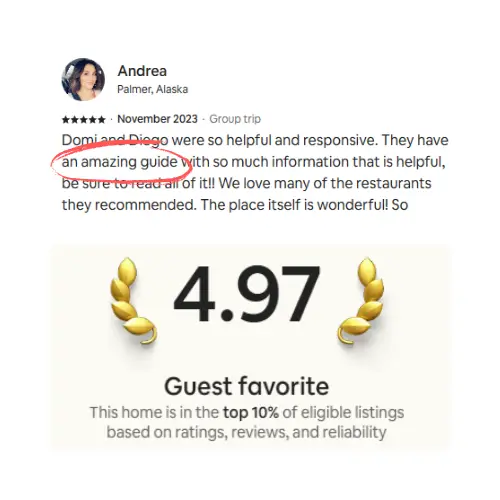
Improved Reviews and Rankings: High response rates and happy guests directly impact your Airbnb ranking. We saw a noticeable uptick in 5-star reviews mentioning our communication right after getting our system dialed in.
Based on what worked for us, great automation isn't about replacing the host; it's about empowering the host. It handles the 80% of repetitive communication so you can dedicate your energy to the 20% that really needs a human touch.
This idea is part of a much wider trend in home management. If you're curious about the bigger picture, exploring open-source home automation principles offers some valuable insights. The core concept is the same: use technology to handle predictable tasks reliably so you don't have to.
For any host looking to scale their operations or simply get some of their time back, this is more than a convenience—it's a foundational strategy. In the next sections, we'll break down the essential messages that form the bedrock of a solid automation strategy.
Crafting Your Perfect Welcome Message
That first automated message after a booking confirmation is a golden opportunity. It’s more than a simple receipt; it’s your first handshake, your chance to make a guest feel genuinely welcomed and confident they made the right choice. Moving beyond a generic “Thanks for booking!” sets an immediate tone of professionalism and care.
Over the years, we’ve found that a well-crafted welcome message accomplishes two critical things: it builds immediate trust and preemptively answers a guest's initial questions. Automating this ensures every guest gets the same warm, reassuring welcome, whether they book at 2 PM or 2 AM.
What to Include for Immediate Impact
We’ve refined our welcome message down to a few core components that have worked wonders for us. The goal is to be friendly, informative, and concise—reassuring without overwhelming.
Here’s our checklist for what goes into that first automated Airbnb message:
A Genuine Thank You: Start with a warm, personal-sounding thank you. Using a shortcode like
[Guest_Name]makes it feel specific to them.Confirmation of Key Details: Briefly restate the property name and the confirmed dates. This small step provides peace of mind and shows you’re organized.
A Nod to What’s Next: Let them know what to expect. A simple line like, “I’ll send over check-in details a few days before your arrival,” manages expectations perfectly.
Introduce Your Digital Guidebook: This is your secret weapon. Mentioning your guidebook early positions it as their go-to resource for everything from the Wi-Fi password to local restaurant recommendations.
What worked for us: We always include a line like, "We’ve put together a digital guidebook with all our local favorites and house info to help you plan your trip. You can check it out here: [Link]." This simple introduction has dramatically cut down on repetitive questions.
An Example from Our Playa del Carmen Property
To give you a real-world look, here’s a simplified version of the automated welcome message we use for our beach house. It’s professional yet has a touch of our personality.
“Hi [Guest_Name],
Thanks so much for booking your stay at Casa Koba! We’re excited to host you from [Check-In_Date] to [Check-Out_Date].
We'll send a detailed message with directions and your unique door code three days before you arrive. In the meantime, we’ve created a digital welcome book with our favorite taco spots, beach clubs, and all the house details. You can get a head start on planning by looking through our Airbnb welcome book template.
Let us know if any questions come up. Talk soon!
Best,
[Your_Name]”
This template is simple, effective, and automatable. It confirms, reassures, and gently directs the guest to a resource that empowers them, saving both of you time down the road.
Automating Pre-Arrival and Check-In Details
The period just before a guest’s arrival is where automation truly becomes your best friend. In those final days, you can bet guest anxiety about logistics is starting to build. This is your moment to step in—proactively and automatically—to provide clarity and reassurance.
A perfectly timed pre-arrival message is one of the most powerful tools in any host’s arsenal. From our experience, it single-handedly eliminates the most common sources of guest friction and saves us from a flood of last-minute questions. Getting this one message right has been an absolute game-changer for ensuring every stay gets off to a smooth start.
Finding the Perfect Timing
When it comes to sending check-in details, timing is everything. Send them too early, and guests might lose the information. Send them too late, and they’ll start to worry, which usually leads to anxious messages while they're on their way.
After years of trial and error, we've found the sweet spot is 48 to 72 hours before check-in. This is late enough that the info stays top-of-mind but early enough to give them peace of mind before they even start packing.
What to Include in Your Pre-Arrival Message
Think of this message as a one-stop shop for everything your guest needs for a seamless arrival. Keep it clear, concise, and easy to scan. Here are the essentials we always include:
A Warm, Personalized Greeting: Use shortcodes like
[Guest_Name]to make every message feel like you wrote it just for them. A simple, "Hi [Guest_Name], we're excited to welcome you in a couple of days!" sets a friendly tone.The Full Address: This seems obvious, but don't forget it! We also like to include a quick landmark reference if a property is tricky to find (e.g., "look for the blue house on the corner").
Clear Access Instructions: This is the most critical part. Detail exactly how to get in, including any gate codes, smart lock codes, or lockbox locations. We’ve written a complete guide on crafting the best Airbnb check-in instructions that you might find helpful.
Wi-Fi Information: Providing the network name and password upfront is one of the easiest wins in hosting. It’s often the first thing a guest looks for, and having it ready makes them feel at home right away.
To help you visualize the flow, we've put together a simple timeline that shows how we schedule our automated messages.
Effective Pre-Arrival Automated Message Schedule
This schedule outlines how each message builds on the last, creating a cohesive and reassuring experience for the guest.
Message Timing | Content Focus | Primary Goal |
|---|---|---|
Immediately after booking | Booking confirmation, thank you note, and a link to the digital guidebook. | Reassure the guest and provide initial trip-planning info. |
72 hours before check-in | Full check-in details: address, access codes, parking, and Wi-Fi information. | Eliminate arrival-day stress and reduce last-minute questions. |
Morning of check-in | A quick "welcome!" message, confirming the property is ready and check-in time. | Build excitement and confirm readiness. |
The day after check-in | A friendly check-up to ensure everything is okay and answer any initial questions. | Show attentive hospitality and proactively solve issues. |
Following a structured timeline like this takes the guesswork out of communication and ensures your guests feel cared for every step of the way.
The following visual timeline breaks down the key components of a well-rounded automated welcome message strategy, from the initial thanks to providing the guidebook link.
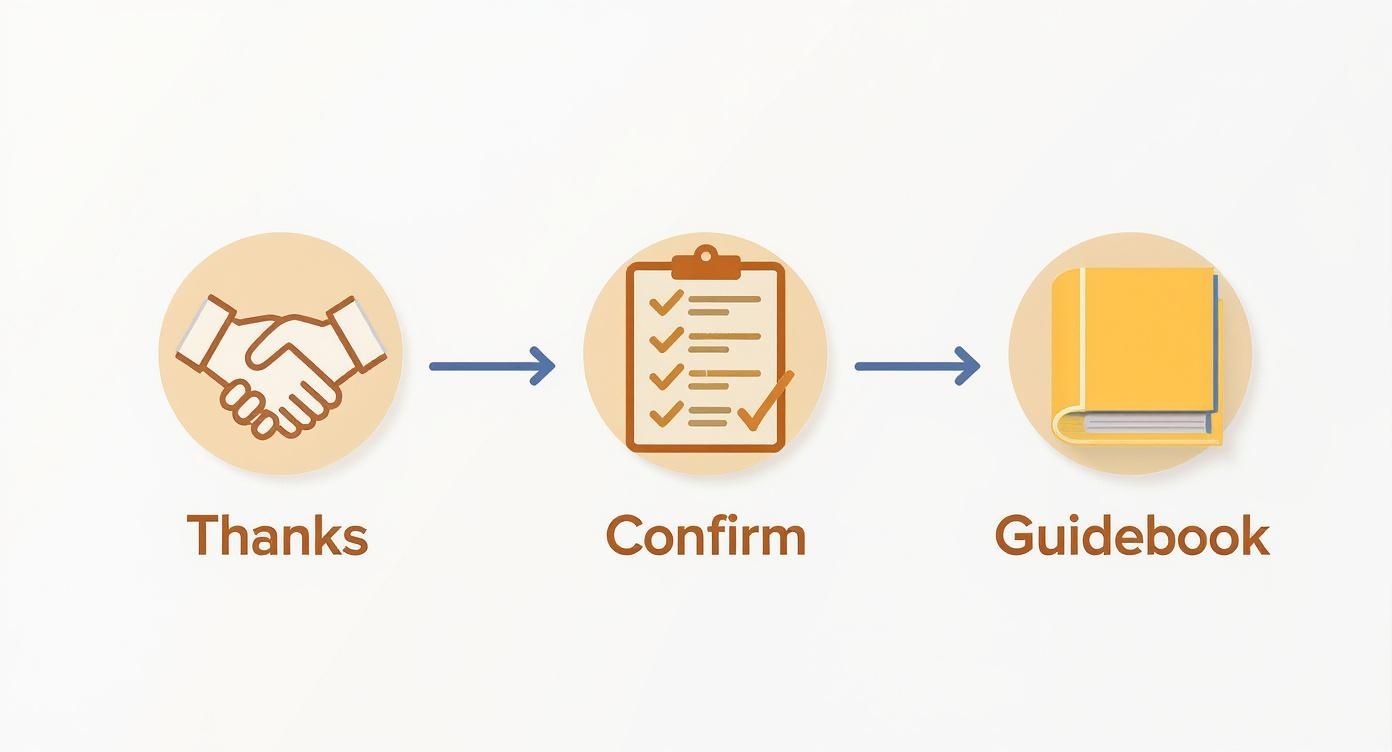
This process shows how each automated step builds on the last, creating a cohesive experience for the guest before they even arrive.
According to a 2023 AirDNA industry report, hosts who use property management software—which includes messaging automation—see an average revenue uplift of 24%. It's a direct reflection of how operational efficiency translates to better guest experiences and, ultimately, more bookings.
Our Pro Tip: We always generate a unique door code for each guest that's only activated for the duration of their stay. This adds a fantastic layer of security and is something we always highlight in our pre-arrival message to give guests that extra bit of confidence.
Platforms like SmoothStay make this entire process incredibly simple, allowing you to build these automated Airbnb messages with customizable fields and precise scheduling. It’s a small effort that pays massive dividends in happy guests and stellar reviews.
Using a Mid-Stay Check-In to Prevent Bad Reviews
So many hosts obsess over the perfect check-in and checkout messages but miss a golden opportunity in the middle: the mid-stay check-in. From our experience managing properties from DC to the Riviera Maya, this one simple, automated message is a powerful tool for stopping bad reviews before they start.
It’s a light, proactive touch that shows you’re genuinely invested in your guest's comfort. Just because a guest is silent doesn’t mean everything is perfect. Sometimes, it means they're stewing over a minor issue they don't want to "bother" you with—until it shows up in their review.
The Power of a Simple Question
Sending an automated message the morning after their first night can change the entire dynamic. We usually schedule something straightforward and friendly, like this:
"Hi [Guest_Name], hope you’re settling in and enjoying your stay! Just wanted to check in and see if you need anything at all. Let me know if there's anything we can do to make your visit more comfortable."
This single message has saved us more times than we can count. It's how we've caught small problems—a burnt-out lightbulb, a finicky thermostat, or a request for extra towels—that could have easily spiraled into quiet resentment. It flips a potential complaint into a chance to show off your five-star hospitality. For more on handling guest feedback gracefully, our article on how to fix poor guest reviews with better communication has some practical tips.
This proactive communication is more critical than ever. According to recent Airbnb data from 2023, "Communication" is one of the top three categories where hosts receive 5-star reviews, and guest feedback consistently shows that responsiveness is a key driver of satisfaction.
Why This Automation Works So Well
At its core, a mid-stay check-in reinforces your role as a thoughtful, attentive host. It sends a clear signal that you're available and truly care about their experience, making guests feel valued and looked after.
By automating this message, you guarantee this crucial touchpoint happens for every single guest without adding another task to your plate. It’s a classic low-effort, high-impact move that builds goodwill and cuts off negative feedback before it ever has a chance to make it into a review.
How to Automate Checkout and Review Requests
A smooth checkout is just as important as a flawless check-in. It’s the final interaction your guest has with your property, and getting it right leaves a lasting positive impression. After managing our properties for years, we’ve found that a gentle, automated reminder the evening before departure prevents confusion and stress for everyone.
This message isn’t about dropping a chore list on your guests; it’s a friendly and helpful nudge. It confirms the checkout time, clarifies simple instructions, and offers a final, sincere thank you. This single automated Airbnb message ensures the stay ends on a high note.
The Gentle Nudge for Checkout
Our checkout message is designed to be helpful, not demanding. We schedule it to send around 7 PM the night before departure, which is late enough that guests are likely back from their day but not so late that it’s intrusive.
Here’s what our template generally includes:
A Friendly Opening: Start with a warm line like, "Hope you had a wonderful time exploring!"
Checkout Time Reminder: A simple confirmation, "Just a friendly reminder that checkout is at 11:00 AM tomorrow."
Simple Departure Steps: Keep instructions to a minimum. We ask guests to simply lock the door and leave the keys in the lockbox.
A Sincere Thank You: End with gratitude. "Thanks so much for staying with us. We hope you have a safe trip home!"
This approach avoids making guests feel like they need to do a full-scale cleaning operation. It frames checkout as a simple, hassle-free process.
Automating the All-Important Review Request
Once a guest has checked out, the final piece of the puzzle is securing their review. Positive reviews are the lifeblood of any Airbnb business, directly impacting visibility and booking rates. But let’s be honest—manually asking every single guest is tedious and easy to forget.
This is where automation closes the loop perfectly. We schedule an automated message to go out one or two days after checkout. This timing gives guests a moment to settle back home but keeps their positive experience fresh in their minds.
Based on what's worked for us, the review request should be polite, personal, and brief. We always thank them again for their stay and mention that we’ve left them a positive review (which we do). This simple reciprocity makes a huge difference.
Automated messaging platforms often integrate with other tools, which can significantly boost your review rate. For example, some systems allow hosts to send review requests via SMS, which can achieve open rates as high as 98% according to 2023 data from Attentive Mobile—far surpassing email or standard app notifications.
This final, automated touch is incredibly effective for boosting your review count. For a complete strategy on feedback, check out our guide on the best review management software for hosts. It's a professional and efficient way to ensure your hard work gets the recognition it deserves.
Common Questions About Airbnb Message Automation
Even after years of using automated messages, we still get questions from fellow hosts who are curious but a little hesitant. That’s completely understandable—the fear of sounding like a robot or losing that personal connection is real. Let's tackle some of the most common concerns we hear.
Will Using Automated Messages Make My Hosting Feel Impersonal?
Honestly, not if you do it right. We've found the opposite to be true. The key is to write your messages in your own voice and use personalization shortcodes, like the guest's name, so it feels like it’s coming directly from you.
We see automation as a tool for consistency with the essential information—things like check-in codes and Wi-Fi passwords. Getting that handled automatically frees us up to have more meaningful, spontaneous conversations when unique questions pop up. Our guests often praise our communication, never realizing much of it is automated.
Which Messages Should I Automate First?
If you're just starting out, our advice is to focus on the "big four." These are the messages that save the most time and prevent the most common headaches.
Booking Confirmation: A warm, instant welcome that sets a great tone.
Pre-Arrival Instructions: Sent 2-3 days before check-in, this message eliminates arrival day stress.
Checkout Instructions: A gentle reminder sent the night before departure so everyone is on the same page.
Post-Stay Review Request: A polite nudge sent a day after they leave to help boost review numbers.
How Do I Handle Questions My Automated Messages Don’t Answer?
This is a critical piece of the puzzle. Automation is fantastic for the predictable stuff, but it's not meant for personal, one-off questions. Most modern messaging tools will send you a notification the moment a guest replies with something unique.
The goal isn't to eliminate communication. It’s to handle the 80% of repetitive questions so you can give your full attention to the 20% that truly require a human touch.
It’s crucial to monitor your inbox for these queries and jump in with a prompt, personal response. Think of it this way: automation clears your plate of routine tasks, giving you more bandwidth to be an exceptional host when your guests really need you. It enhances your hospitality; it doesn't replace it.
At SmoothStay, we’re hosts helping hosts. We built our tools to solve the real challenges we faced, focusing on guest-first features that lead to better stays and five-star reviews. Our customizable guidebooks and AI-powered tools are designed to feel personal, not robotic.
Ready to streamline your communication while elevating the guest experience? Start your free 14-day trial today.