
How to Automate Airbnb Messages Like a Pro
Learn how to automate Airbnb messages to save time, elevate the guest experience, and secure 5-star reviews. A practical guide from hosts, for hosts.
Disclosure: Some links in this article are affiliate links. If you make a purchase, we may earn a commission at no extra cost to you. This helps support our content.
Automating your Airbnb messages is one of the biggest levers you can pull to get your time back and seriously boost guest satisfaction. It’s all about setting up pre-written templates that fire off automatically at just the right moments—think booking confirmations, check-in instructions, or checkout reminders. This way, your guests always have what they need, right when they need it, without you having to manually type out every single response.
Why You Absolutely Need to Automate Your Airbnb Messages
Before we jump into the "how," let's talk about the "why." If you've ever felt like you're running a 24/7 help desk, fielding the same questions about the Wi-Fi password and check-in times over and over, you get it. We certainly did. Juggling our own place in DC and our beach properties in Mexico, we learned that every hour spent on repetitive messaging was an hour we weren't spending on tasks that actually grow the business.
Automating your guest communication is about building a system that works for you. It’s not about being less personal; it’s about being smarter with your communication. To really get this, it helps to understand the fundamental principles of email marketing automation, which is all about delivering the right message at the right time.
Reclaim Your Most Valuable Asset: Your Time
The first thing you'll notice is the sheer amount of time that flows back into your day. Instead of being tethered to your phone, you can finally focus on the things that actually grow your business or make your property better.
For us, that meant we could finally tackle things like:
Improving the listing: Taking a weekend to shoot better photos or finally rewriting that stale description.
Coordinating maintenance: Proactively fixing that leaky faucet before it becomes a bad review.
Finding new properties: Actually having the bandwidth to scale our hosting business without scaling our workload.
Deliver Consistent 5-Star Service
Automation ensures every single guest gets the same high-quality, accurate information, every single time. No more forgotten check-in details or missed checkout reminders because you got pulled into a meeting. This kind of consistency is the bedrock of a professional operation and a huge driver for earning those coveted 5-star reviews.
In our experience, consistent communication is the easiest win for any host. It answers questions before they're asked, reduces guest anxiety, and makes them feel genuinely looked after from the moment they book.
This reliability is also your ticket to keeping that Superhost status. Airbnb's algorithm loves hosts with fast response rates, and automation guarantees you’re always on top of those initial inquiries and booking confirmations. It keeps your metrics in the green without you even thinking about it.
Ultimately, to automate Airbnb messages is to build a more resilient, efficient, and guest-friendly business.
The Essential Guest Messaging Sequence
Crafting the right messaging flow is a bit of an art. When you get it right, guests feel genuinely cared for and informed. But when you miss the mark, it can feel robotic. Through years of managing our own properties—from our family home in DC to our beach spots in Mexico—we’ve dialed in a communication strategy that hits that sweet spot. It’s all about delivering crucial information at exactly the right moment.
The key is to map out the guest's journey and pinpoint the five most important touchpoints where a well-timed message can make a huge difference. Think of it less as a rigid set of templates and more as a proven conversation that builds trust and answers common questions before they’re even asked. This approach lets you automate your Airbnb messages without losing the warm, personal touch that earns those 5-star reviews.
Making the move from manual to automated messaging is what ultimately frees you up to focus on what matters most: growing your business.
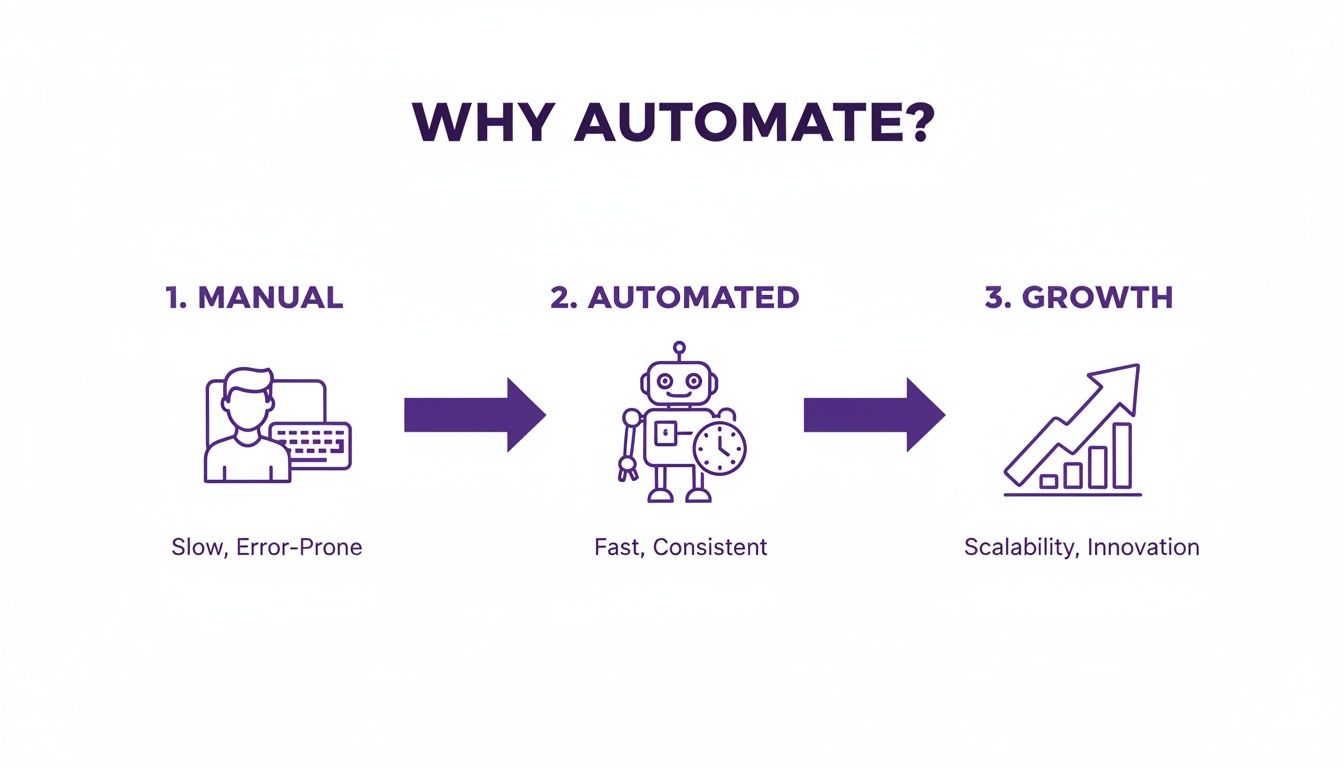
This visual shows a simple but powerful progression. By automating the repetitive back-and-forth, you create the bandwidth you need to scale your hosting operation.
To help you visualize this sequence, here's a quick reference table outlining the essential messages, their timing, and what they need to include.
Key Automated Message Timing and Content
Message Type | Ideal Send Time | Essential Content |
|---|---|---|
Booking Confirmation | Immediately after booking | Thank you, confirm dates, and set a welcoming tone. |
Pre-Arrival/Check-In | 2-3 days before check-in | Full address, check-in instructions, Wi-Fi details, parking info. |
Mid-Stay Check-In | Morning after the first night | A simple "How is everything?" to show you care and catch issues early. |
Check-Out Instructions | Evening before departure | Check-out time, trash/recycling rules, and key/locking instructions. |
Post-Stay Review Request | A few hours after check-out | Thank you and a gentle nudge to leave a review. |
This table serves as a great starting point, but let's break down the "why" and "how" behind each message to really bring your strategy to life.
1. Booking Confirmation Message
This is your first impression, so make it count. This message should go out immediately after a booking is confirmed. It’s your chance to thank the guest, confirm their dates, and set the tone for a fantastic stay.
Keep it brief and welcoming. The goal here isn't to unload a ton of details on them—it’s simply to reassure them that a real, professional host is on the other side of that "Book Now" button.
Example Template:
Hi [Guest Name],
Thanks so much for booking with us! We're excited to host you from [Check-in Date] to [Check-out Date]. We'll send over detailed check-in instructions a few days before your arrival. In the meantime, feel free to reach out if you have any questions at all.
Best, [Your Name]
2. Pre-Arrival and Check-In Details
This is arguably the most critical message you'll send. Timing is everything here. We've found that 2-3 days before check-in is the perfect window. It’s close enough that the information stays top-of-mind but not so last-minute that it causes any arrival-day anxiety.
This message needs to contain everything they need for a smooth, stress-free arrival.
Full Property Address: Make it easy to copy and paste right into a map app.
Check-in Instructions: Include lockbox codes, smart lock details, or where to pick up the key.
Wi-Fi Details: This is often the very first thing guests look for when they walk in the door.
Parking Information: A crucial detail that's a common source of stress if it's not crystal clear.
A link to your guidebook: This is a great way to provide more detail without cluttering the message itself.
For hosts looking for more inspiration, we’ve put together a detailed guide with more Airbnb message examples that you can adapt for your own properties.
3. Mid-Stay Check-In
A simple, friendly check-in shows you genuinely care about your guest's experience. We always send ours on the morning after their first night. This timing is strategic—it gives them enough time to settle in and notice if anything isn't quite right, like a burnt-out lightbulb or a coffee maker they can't figure out.
This proactive message can turn a potential complaint into a positive interaction. While specific growth numbers can vary, the principle holds: systemizing communication creates a more professional, reliable experience for guests, which is a cornerstone of any successful hosting business.
4. Check-Out Instructions
Don't leave guests guessing what to do on their last day. Send a clear, concise check-out message the evening before departure. This friendly reminder helps prevent late check-outs and ensures your cleaning crew can get started right on time.
Be sure to include these key points:
Check-out time.
Instructions for trash and recycling.
A reminder to lock all doors and windows.
Where to leave the keys or how to secure the property.
5. Post-Stay Thank You and Review Request
Your final message should go out a few hours after the official check-out time. Thank them for staying and gently nudge them to leave a review. This last touchpoint closes the loop on a positive note and is crucial for building your property's reputation on Airbnb. A simple "We'd appreciate you sharing your feedback" is often all it takes.
Choosing Your Message Automation Tools
Alright, so you’ve mapped out your messaging strategy. Now for the fun part: picking the right tools to bring it all to life. The market has plenty of options, but they are not all created equal. From our experience scaling from a single house in DC to managing several properties in the Riviera Maya, we learned that the right tool depends entirely on where you are in your hosting journey.
The choice really boils down to three main paths, each with its own set of pros and cons.
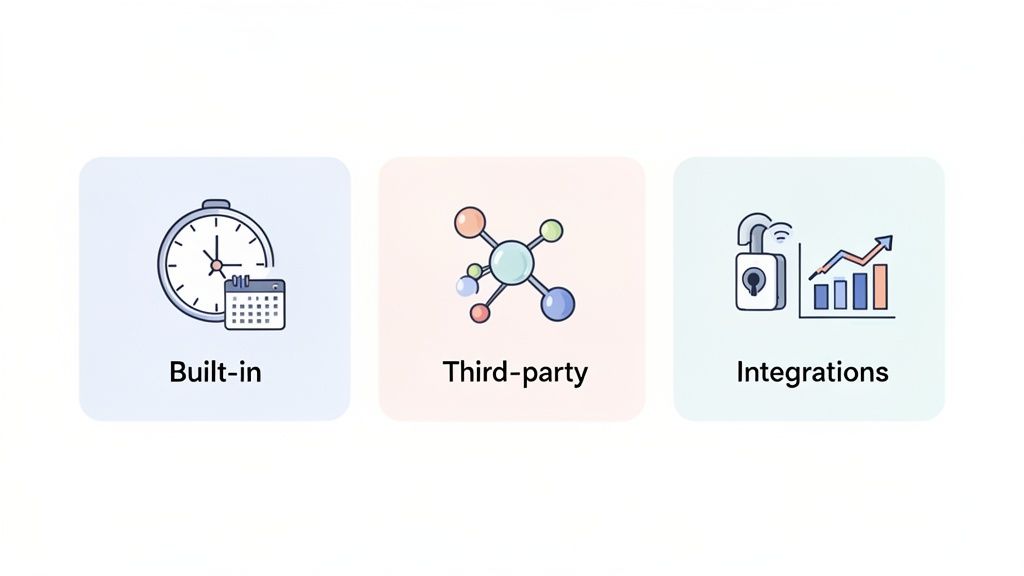
Airbnb’s Built-In Scheduled Messages
If you're just starting out, Airbnb’s own "Scheduled Messages" feature is a fantastic place to begin. It's free, easy to set up, and handles all the basic triggers like booking confirmations, check-in instructions, and checkout reminders. It’s the perfect way to automate Airbnb messages without spending a dime.
But its simplicity is also its biggest weakness. You'll quickly find it lacks advanced features, like conditional logic. For example, you can't send a different welcome message for a one-night stay versus a week-long booking. It also won't integrate with other tools in your arsenal, like smart locks or dynamic pricing software.
Powerful Third-Party Platforms
As your portfolio grows, you'll almost certainly need something more robust. This is where third-party property management systems (PMS) or specialized messaging tools come in. These platforms offer a much deeper level of customization and can manage communication across multiple booking channels—like Vrbo and Booking.com—not just Airbnb.
They also unlock powerful features you can't get with the native tool:
Conditional rules to send specific messages based on reservation details.
Integrations with smart locks to automatically send unique door codes.
Unified inboxes to manage every guest conversation in one place.
While these tools come with a subscription fee, the time they save can easily justify the cost, especially once you're juggling multiple properties.
In our own business, we found that once we were managing more than two properties, a dedicated tool became essential. It allowed us to create a consistent, professional communication system that could scale right along with us.
A Holistic Approach with Digital Guidebooks
Another strategy we've found incredibly effective is pairing your automated messages with an interactive digital guidebook. While a tool like SmoothStay isn't a direct messaging platform, it works hand-in-hand with your automations to create a truly seamless guest experience. Instead of cramming every single detail into your messages, you can simply link guests to a beautifully designed, mobile-friendly guidebook.
This approach dramatically cuts down on follow-up questions. By using AI-powered digital guidebooks with an integrated chatbot, you can answer many of those common guest inquiries instantly. You can learn more about how a vacation rental chatbot works in our detailed guide.
Advanced Strategies for a Personal Touch
Automation is a powerful tool, but the biggest mistake we see hosts make is letting it completely strip the personality out of their hospitality. The whole point is to automate Airbnb messages in a way that actually makes guests feel more cared for, not less. What's worked for us is using smarter, more targeted automations that anticipate what a guest might need.
This is where you graduate from a basic timeline of messages and start using conditional logic—what some platforms call "if/then" rules. Think of it as creating a responsive system that adapts to each guest and their specific situation. It’s a simple concept on the surface, but it makes your communication feel incredibly thoughtful.
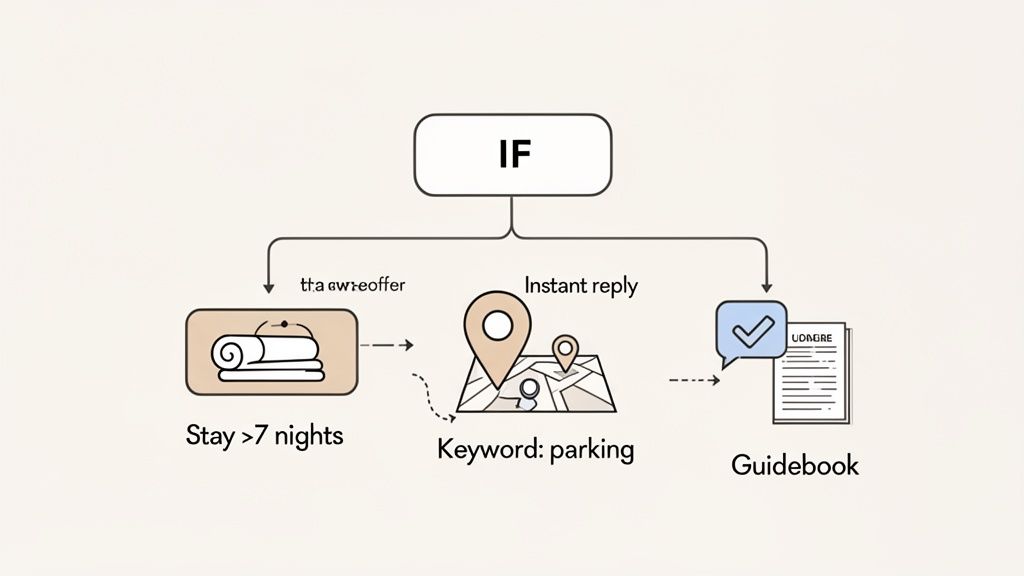
Using Conditional Rules for a Tailored Stay
Conditional rules are your best friend for setting up specific message triggers. This lets you design unique communication flows for different types of guests, so you’re not sending a one-size-fits-all message to everyone.
A classic example, and one we use all the time, is for longer stays. At our beach properties in Playa del Carmen and Tulum, we get a lot of guests booking for a week or more. We used to try and remember to check in with them halfway through their stay, but life gets busy, and it's easy to forget.
So, we set up a simple rule:
IF a guest's reservation is longer than seven nights,
THEN on day four, automatically send a message offering a mid-stay towel and linen refresh.
This tiny gesture makes our long-stay guests feel valued and taken care of, but it’s completely hands-off for us. It turns a standard stay into something that feels a bit more premium, all without adding to our to-do list.
Setting Up Instant Keyword Replies
Another incredibly powerful tactic is setting up automated replies for specific keywords. Just stop and think about the most common one-off questions you get hammered with. For us, it’s often "parking," "crib," or "Wi-Fi."
You can configure your messaging system to fire off an instant, pre-written response whenever an incoming message contains one of those keywords. A guest texts "What are the parking details?" and within seconds, boom—they get a detailed message with instructions and a map. This gives them an immediate answer and makes you look incredibly responsive.
The key to advanced automation isn't about sending more messages. It's about sending the exact right message at the precise moment it’s needed. This is how you build a system that feels less like a robot and more like a personal concierge.
Integrating with a Digital Guidebook
This might be the single most effective strategy we’ve put into practice: integrating our messaging with our digital guidebook. We don't just send a generic link and call it a day. Instead, we use deep links to point guests to the exact section of the guidebook that solves their problem.
For example, our pre-arrival message includes a standard link to the main page of our SmoothStay guidebook. But our automated reply for the keyword "coffee" sends them a deep link straight to the page that has a video tutorial on using our specific espresso machine.
This creates a seamless, genuinely helpful experience. Guests get the detailed info they need without having to hunt for it, and we get to skip another manual back-and-forth. It’s a guest-first approach that uses automation to provide proactive, personalized support on autopilot.
How to Measure and Refine Your System
Once your automated messages are live, the real work begins. This isn't a "set it and forget it" kind of thing. The magic truly happens when you treat your messaging system as a living, breathing part of your hosting business—one you constantly tweak and improve.
To get the most out of your automated Airbnb messages, you have to look past simple metrics like response time. You need to dig into what your guest communications are actually telling you.
An effective system is one that learns from real guest interactions. The time you can get back is significant. For example, some property managers report that AI-driven communication tools can reduce the time spent on guest messaging by 75% or more, freeing up dozens of hours each month to focus on higher-value tasks.
Conduct a Quarterly Question Audit
This is a simple process we’ve sworn by for years, and it pays off every single time. Every three months, we sit down and just read through our guest inboxes. The goal is simple: find patterns in the questions that still manage to slip past our automations.
Are guests still asking about the coffee machine, even after you’ve sent them the guidebook link? That’s a huge signal. Maybe the instructions in the guide aren't clear enough, or maybe a quick video tutorial linked in your pre-arrival message would finally put that question to rest for good.
This audit is all about finding the gaps. It’s a data-driven way to sharpen your message templates and improve your digital guidebook, making sure your system works as hard as you do. This idea of continuous improvement is vital, and you can see parallels in leveraging feedback for AI system improvement across other industries.
Key Metrics to Track
Beyond that manual audit, a few key data points will tell you if your system is actually doing its job.
Manual Intervention Rate: What percentage of conversations still need you to jump in? If this number is high, your templates or keyword triggers probably need a fresh look.
Time to First Response: Even with automation, are there blind spots where guests are waiting too long for an answer to a unique question?
Guest Engagement with Guidebooks: Tools like SmoothStay offer analytics that show you exactly which sections of your guidebook are getting the most views. If nobody is looking at the "Check-Out" section, maybe the link in your departure message is broken or buried.
Think of your messaging system not as a tool you set up once, but as a continuous feedback loop. Every question a guest asks is a piece of data telling you how to make your system smarter and your hospitality smoother.
Keeping an eye on these metrics gives you a clear, honest picture of what’s working and what isn’t. For a deeper dive, check out our guide on using short-term rental analytics to make smarter hosting decisions. This proactive approach ensures your automation grows right alongside your guests' needs.
Common Questions About Message Automation
Jumping into the world of message automation can bring up a lot of questions. We’ve heard them all from fellow hosts over the years, usually centered around a few key concerns. Let’s tackle some of the most common ones we hear, based on what we’ve learned from our own hosting experiences.
The biggest fear is often about losing that personal connection. Hosts worry that if they automate Airbnb messages, their communication will sound cold or robotic.
Will My Messages Sound Robotic?
This is a valid concern, but the answer is a firm no—if you do it right. The key is to write every template in your own authentic voice. Think of it as crafting your best, most helpful response once, then simply letting technology send it at the perfect moment.
We always use dynamic tags like [Guest Name] and add friendly sign-offs like "We hope you have a fantastic stay!" to keep it feeling human. It’s about being consistently helpful, not impersonally robotic.
What Happens with Complex Questions?
Automation is designed to handle the predictable, repetitive questions—the roughly 80% that eat up your time. The other 20%—the unique, complex, or urgent queries—are exactly where you should be spending your energy.
Your automation system acts as a filter. It clears away the noise of routine questions about Wi-Fi and check-out times, so you can immediately focus on the conversations that truly require your personal touch and problem-solving skills.
Most automation tools are smart enough to recognize when they can't answer a question. They’ll send you a notification so you can step in right away. This way, nothing important ever slips through the cracks.
How Should I Get Started?
It’s easy to feel overwhelmed by all the options out there. Our advice is always to start simple.
Airbnb’s built-in "Scheduled Messages" feature is a fantastic starting point. It’s free, covers the basics, and is perfect for hosts with just one or two properties. Get comfortable with the core message sequence—booking confirmation, check-in, check-out—and see how it feels.
As you grow, you might find you need more advanced features like conditional logic or integrations with other platforms. That’s when it makes sense to explore a more powerful third-party tool. We started with the basics ourselves and only upgraded when our needs evolved.
At SmoothStay, we're hosts just like you, and we believe in building systems that support hosts without sacrificing the guest experience. Our AI-powered, customizable digital guidebooks are designed to complement your messaging strategy, reducing repetitive questions so you can focus on what matters most. Create a more seamless stay for your guests and get your time back. Discover how SmoothStay can transform your hosting.