Create Your Standard Operating Procedure Template in Microsoft Word
Build a standard operating procedure template Microsoft Word to streamline your rental business. Get actionable steps and real examples from experienced hosts.
Disclosure: Some links in this article are affiliate links. If you make a purchase, we may earn a commission at no extra cost to you. This helps support our content.
Ever heard "standard operating procedure" and pictured a stuffy corporate binder? Let's ditch that idea. For a vacation rental host, an SOP template in Microsoft Word is just a simple, pre-made guide for all the little tasks that keep your business running. Think of it as your reusable blueprint for everything from guest check-in to cleaning, making sure every guest gets the same great experience.
Why A Word SOP Template Is Your Secret Weapon
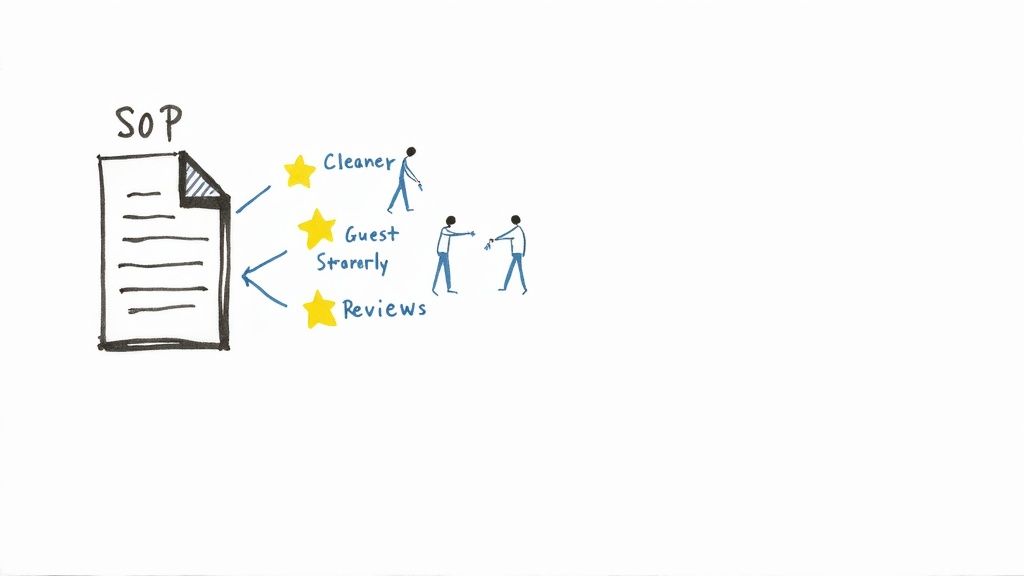
When we first started managing our properties in Washington, D.C., and the Riviera Maya, our "system" was a chaotic mix of sticky notes, text messages, and hoping for the best. It didn't take long to realize that approach just doesn't scale. One cleaner might remember to restock the coffee pods, while another forgets, leading to a completely preventable complaint.
Creating our first standard operating procedure (SOP) template in Microsoft Word was the turning point. It was the moment we went from amateur hosts to actual business owners.
The Power of Consistency
A well-designed SOP isn't just about standardizing tasks; it's a powerful tool to streamline business processes so you can actually grow. It gets all that critical knowledge out of your head and into a format your entire team can access and follow.
From our experience, this simple shift has a massive impact:
Empowers Your Team: Cleaners, co-hosts, and maintenance staff know exactly what's expected. No more guessing games, which reduces their stress and makes them better at their jobs.
Reduces Costly Mistakes: Clear instructions prevent silly errors like sending the wrong lockbox code or skipping a critical cleaning step—the kinds of things that lead to refunds and bad reviews.
Elevates the Guest Experience: Every single guest gets the same high-quality, reliable service. That’s the foundation of a five-star reputation.
We found that having documented procedures didn't just make our operations smoother; it made us feel more like professional business owners and less like we were just winging it. That confidence is invaluable.
Why Microsoft Word Works
You don't need fancy, expensive software to get this done. Microsoft Word is the perfect tool to start with because it's something everyone already has and knows how to use. Your team members can open a .docx file without any training.
This simplicity removes barriers and makes it easy for everyone to get on board. Moving toward clear documentation is a key part of the digital transformation for small business, making your operations more resilient and ready to scale.
In fact, some process management experts have found that structured SOPs can lead to a 25% improvement in operational efficiency. When you have a template with pre-built sections for purpose, scope, and responsibilities, creating a new process guide takes minutes, not hours.
Building Your First SOP Template in Word
Alright, let's roll up our sleeves and build your very first standard operating procedure in Microsoft Word. We’ll use a real-world example we lean on every single day: the guest check-in process. This is where theory turns into a practical tool that genuinely saves time and prevents those all-too-common headaches.
The idea here is to create a professional, reusable document that anyone on your team—a co-host, a cleaner, a virtual assistant—can pick up and follow without missing a beat. We're not going to mess with complicated Word features. Instead, we’ll focus on the simple stuff that makes a massive difference.
Setting Up the Document Essentials
Before you start typing out instructions, a little bit of structure goes a long way. Getting these basics right from the start makes your SOPs look professional and keeps them easy to manage, especially as your portfolio of procedures grows.
First up, create a simple header. In Word, just go to the Insert tab and select Header. We’ve found a clean, three-column layout works perfectly.
Here’s what worked for us:
Left Column: Your property name or company logo. A little branding never hurts.
Center Column: The document title, something clear like "Guest Check-In Procedure SOP."
Right Column: A version number and date (e.g., Version 1.2 | Last Updated: Oct 2024).
This small detail is surprisingly crucial. When you update the lockbox code or change the Wi-Fi password, bumping up that version number ensures everyone knows they're working with the latest instructions.
Structuring the Core SOP Sections
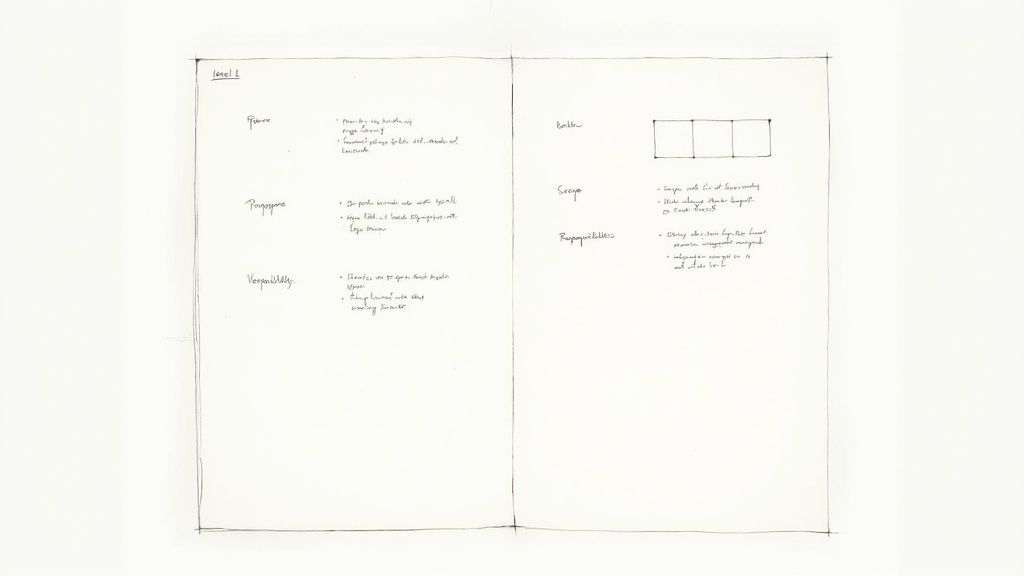
A solid SOP answers a few key questions before it ever gets to the "how-to" part. This context helps your team understand not just what they need to do, but why it matters. This is how we break all of our SOPs down.
Purpose: Just a sentence or two explaining the goal. For our check-in example, it might be: "To provide a seamless, secure, and welcoming check-in experience for every guest arriving at the property."
Scope: This defines who, what, and where the SOP applies. For instance: "This procedure applies to all guest arrivals at our Playa del Carmen house and is to be followed by the on-site host or designated co-host."
Responsibilities: This is where you clarify who does what, eliminating any "I thought you were doing that" confusion down the line. A good example would be stating the co-host is responsible for sending the pre-arrival message, while the cleaner is responsible for confirming the property is ready.
Procedure: The main event. This is the heart of the document, containing the step-by-step instructions.
If you want to dig deeper into framing these sections perfectly, check out our complete guide on how to create an SOP for your rental business.
Crafting Clear Step-by-Step Instructions
Now for the action steps. Use Word’s numbered list function to create a clear, sequential flow that’s easy to follow. Vague instructions are where mistakes happen, so be specific and use action-oriented language.
Here’s a quick snapshot of what our own check-in procedure looks like:
Pre-Arrival Communication (24 Hours Prior)
Verify the guest's identity matches the reservation details.
Send the pre-arrival message using the approved template.
Confirm the guest has received and can access the digital guidebook link.
Day of Arrival (2 Hours Prior to Check-in)
4. Activate the smart lock code for the guest's specific reservation period.
5. Send the check-in instructions message, including the door code and Wi-Fi details.
6. Physically inspect the property to ensure it is 100% guest-ready.
Our Pro Tip: We embed a small table directly in our SOP with emergency contacts (plumber, electrician, our direct cell). This way, if a team member is on-site and runs into an issue, they don’t have to waste time searching for numbers—they're right there in the procedure.
Essential SOP Examples for Every Host
Knowing how to build a standard operating procedure template in Microsoft Word is a great start, but the real magic happens when you know exactly what to put in it. Over the years, we've tweaked dozens of procedures, but a few have consistently saved us from headaches, bad reviews, and those dreaded late-night guest calls.
Let's get practical. Here are three core SOPs we simply couldn't operate without: cleaning, appliance use, and guest communication. Feel free to use these as a launchpad for your own property, adapting the specifics to fit your unique setup.
The Cleaning and Turnover Checklist SOP
This is, without a doubt, the most critical document in our entire operation. Why? Because a single missed detail during turnover can sour a guest's entire stay and tank your review score. Our cleaning SOP isn't just a to-do list; it's a detailed playbook that defines exactly what "five-star clean" means at our properties.
We move way beyond vague instructions like "wipe down counters." Our checklist gets granular:
Kitchen: Run the dishwasher on its sanitize cycle. Double-check the microwave for any splatters. Make sure the coffee maker is spotless and the carafe is empty.
Bedrooms: Always check behind the headboard and under the bed for forgotten items. Confirm all linens are fresh, completely stain-free, and not a wrinkled mess.
Bathrooms: Sanitize every high-touch surface, from light switches to doorknobs. Restock toiletries to precise counts (e.g., 2 extra rolls of toilet paper, 3 full sets of towels).
By being this specific, we leave nothing to interpretation. It empowers our cleaning team to hit the same high standard every single time, whether it's our place in D.C. or our condo in Tulum.
The Appliance and Smart Home Guide SOP
"How do I work the TV remote?" It’s a question we used to get all the time. This SOP was born directly from those late-night texts and has been a total game-changer for encouraging guest independence. It’s a simple, clear guide explaining how to operate any potentially confusing tech in the house.
This document serves two purposes. A detailed version lives with our team so they can troubleshoot or reset things, while a simplified version is available for guests. We often pull key instructions from this SOP and drop them right into our digital guest book—a fantastic way to answer questions before they're even asked. For more on that, our guide to creating an Airbnb welcome book template has some great tips on integrating this info.
Our guide includes crystal-clear, step-by-step instructions for things like:
Smart TV & Remotes: "Press the red 'Netflix' button to log in with our provided guest account." We even include a photo of the remote with key buttons highlighted.
Thermostat: "To adjust, simply press the up/down arrows. The 'Eco' mode will activate automatically when no motion is detected for 4 hours."
Coffee Maker: "Use 2 scoops of the provided coffee grounds for every 6 cups of water. Press the 'Brew' button once to start."
This one SOP has probably saved us hundreds of hours in back-and-forth texts. Guests feel more capable, and we get our evenings back. It’s a true win-win.
The Guest Communication Protocol SOP
How you talk to your guests sets the tone for their entire trip. A warm, professional, and consistent voice builds trust and makes people feel genuinely cared for. This SOP ensures every single message—from the initial booking inquiry to the final review request—reflects our brand of hospitality.
This isn't about creating robotic, copy-paste scripts. It’s about building a reliable framework. We outline the timing, tone, and key information for each guest touchpoint, from handling a booking inquiry to managing a mid-stay issue with grace and empathy. This is another area where a good standard operating procedure template for Microsoft Word really proves its worth, giving us an easy place to store and refine our message templates.
Formatting Your SOPs for Maximum Clarity
Here's something we learned the hard way managing properties from D.C. to Tulum: a perfectly written SOP is useless if it’s intimidating to read. How you format your standard operating procedure template in Microsoft Word is just as crucial as the instructions inside it.
A dense wall of text is a surefire guarantee that your team will skim, miss key steps, or just ignore it completely. The goal is to make the document instantly scannable, so someone can find the exact info they need in seconds. This isn't just about aesthetics; it’s about reducing mistakes and making your team’s life easier during a hectic turnover.
Create a Clear Visual Hierarchy
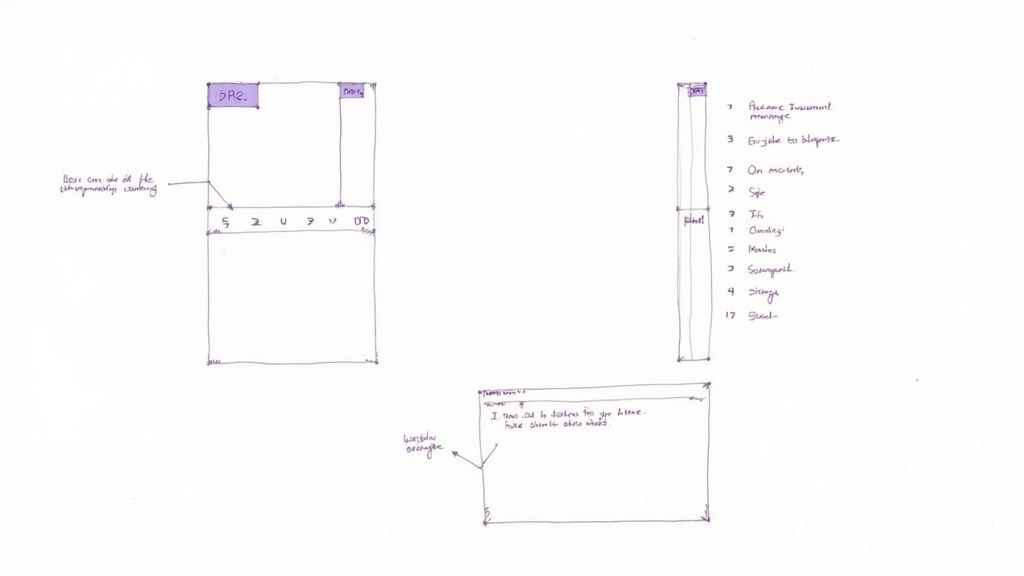
The secret to a readable document is a strong visual hierarchy. All that means is using formatting to guide your reader’s eye to the most important information first. It’s a simple concept, but it makes a world of difference when a cleaner is rushing to get a property ready.
We lean on a few simple tools in Word to make this happen:
Headings and Subheadings: Break up long sections with Word’s built-in heading styles (H2, H3). This creates a logical flow and lets people jump right to the section they need.
Strategic Use of Bold: Use bold text sparingly to draw attention to critical details, like a lockbox code or a safety warning. If you bold everything, nothing stands out.
Plenty of White Space: Don’t be afraid of the "Enter" key. Short paragraphs and blank lines between sections make the content feel less dense and way more approachable.
We found that simple visual cues—like a well-placed subheading or a short bulleted list—dramatically increased the chances of our SOPs being used correctly. Clarity trumps complexity every time.
Use Lists and Visuals to Simplify
Some instructions are just better shown than told. Instead of writing a long paragraph explaining how to use a quirky TV remote, we’ll just drop in a quick photo with arrows pointing to the power and input buttons. It kills the guesswork instantly.
Numbered lists are perfect for sequential tasks, like a check-in process where the order really matters. For a list of supplies that need to be restocked, a simple bulleted list is all you need. Mixing these formats keeps the document from feeling repetitive and boring.
A well-designed SOP template is a serious asset. The idea is so effective that, according to HubSpot's research, businesses are using templates to streamline operations and significantly speed up their workflows.
The same logic applies directly to your vacation rental business. Clear formatting, much like having clear house rules templates, prevents misunderstandings and makes sure everyone is on the same page. These small design choices are what turn a basic Word document into a foolproof guide your team will actually want to use.
How to Share and Manage Your SOPs
Creating a brilliant SOP is a huge accomplishment, but it's only half the battle. The final, most crucial step is actually getting it into your team's hands in a way they’ll use it. A perfect procedure locked away on your laptop doesn't help anyone during a busy turnover.
Over the years, we've developed a simple system for managing and sharing our documents. It’s all about making sure the right information is accessible to the right person at the right time, whether it's a cleaner needing a checklist or a guest trying to work the coffee machine.
The Power of a .dotx Template File
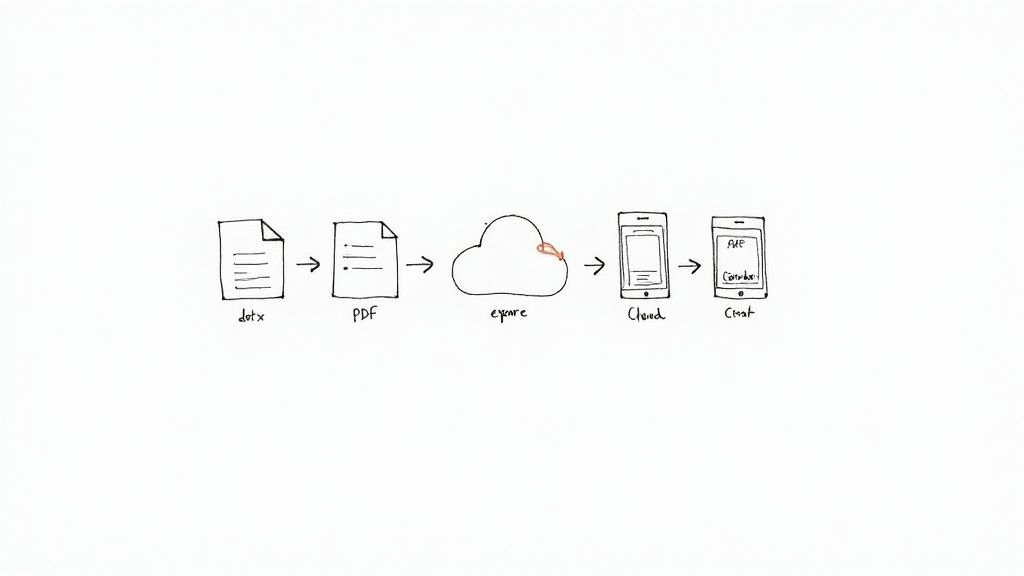
Here’s a little Microsoft Word tip that has saved us countless hours. Instead of just saving your document as a standard .docx file, save your master SOP as a Word Template (.dotx). You can do this by going to File > Save As and just changing the file type in the dropdown menu.
When you open a .dotx file, Word automatically creates a brand-new, untitled copy. This simple trick prevents anyone from accidentally overwriting your master template. It’s an absolute game-changer for quickly spinning up new procedures while keeping your original formatting and structure perfectly intact.
Smart Distribution for Your Team
Once your SOP is polished and ready, you need a smart way to share it. There's no single right answer here; it really depends on who needs it and how they'll use it. For our properties, we use a mix of methods.
PDF for Print: We export a PDF version of our cleaning SOP and keep a laminated copy right in the cleaning closet. It’s durable, non-editable, and always available on-site—even if the Wi-Fi is down.
Cloud Sharing: For our co-hosts and virtual assistants, we share the Word document via a cloud service like Google Drive or Dropbox. This gives them easy access from anywhere and keeps everyone working from the most current version.
To make sure your SOPs stay accurate as they evolve, good version control best practices are critical to keeping everything organized and up-to-date.
We’ve found that the availability of free standard operating procedure templates in Microsoft Word has been a huge help for hosts. The fact that some sites have amassed over 2 million downloads just shows how many of us are looking for ways to professionalize our operations.
Integrating SOPs into Your Guest Experience
For all those guest-facing instructions—like how to use the smart TV or the hot tub—we pull key details directly from our SOPs and plug them right into our digital guidebook. This has dramatically cut down on those repetitive questions. Guests get instant, clear answers right on their phones, which makes them feel more capable and in control of their stay.
This is where a dedicated platform makes a real difference. An electronic guidebook lets you present this information beautifully and accessibly, ensuring guests have a seamless experience from check-in to checkout. It’s really the final piece of the puzzle that connects your internal processes to that five-star guest satisfaction we're all aiming for.
Got Questions About Creating SOPs? We've Got Answers
If you’re just diving into creating your first standard operating procedure in Microsoft Word, you probably have a few questions. We certainly did. Here are some of the most common ones we hear from other hosts—the same ones we asked ourselves when we started out with our first property in Washington, D.C.
How Often Should I Update My SOPs?
Things change, and your SOPs have to keep up. We make it a habit to review our most important documents at least twice a year.
But more importantly, we do an immediate update anytime something significant changes. Just installed a new smart lock? Update the SOP. Changed the Wi-Fi password? Update the SOP. Switched to a new coffee machine that works differently? You get the idea.
An outdated SOP is often worse than no SOP at all. Keeping them current is the single best way to prevent confusion for your team and your guests.
Can I Use a Free Online Template?
Absolutely! Grabbing a free template online is a fantastic way to get a head start. There’s no reason to reinvent the wheel when it comes to the basic structure and formatting. Plenty of great resources out there will give you a solid foundation to build on.
Just remember to make it your own. We strongly recommend customizing any template to fit your specific property, your brand, and the way you run things. A generic cleaning SOP won’t tell your team how to care for the custom tile in the bathroom or the specific way you want the welcome basket arranged.
The real magic of an SOP is in its specificity. Use a template for the framework, but fill it with the details that make your property and guest experience one-of-a-kind.
What's the Difference Between an SOP and a Checklist?
This is a great question, and it’s a crucial distinction. They work together but play very different roles.
Think of it this way: a checklist is the "what." It's a simple to-do list for tracking tasks.
Wipe counters.
Empty trash.
Lock the front door.
An SOP, on the other hand, is the "how" and "why." It's the playbook that explains the process behind each task. Instead of just "Wipe counters," the SOP would detail which cleaning product to use, the technique for a streak-free shine, and the exact standard of cleanliness you expect.
In short, SOPs provide the detailed process and quality standards, while checklists help your team confirm that the process was followed correctly.
Ready to stop answering the same questions over and over? With SmoothStay, you can embed your key procedures directly into a beautiful, AI-powered digital guidebook. Our customizable templates and guest-first features help you deliver a seamless five-star experience every time. Start your free 14-day trial today and see how easy it can be.