Your Guide to an AI Chatbot for Small Business
Discover how an AI chatbot for small business can transform customer service, save time, and drive growth. A practical guide by fellow business owners.
Disclosure: Some links in this article are affiliate links. If you make a purchase, we may earn a commission at no extra cost to you. This helps support our content.
Think of an AI chatbot for a small business as your best employee. You know, the one who works 24/7, never needs a coffee break, and has an instant answer for almost every customer question. For small business owners like us, this isn't just a gadget; it's a way to handle routine inquiries and capture leads while you sleep, freeing you up to focus on the work that actually grows your business.
What an AI Chatbot Can Do for Your Business
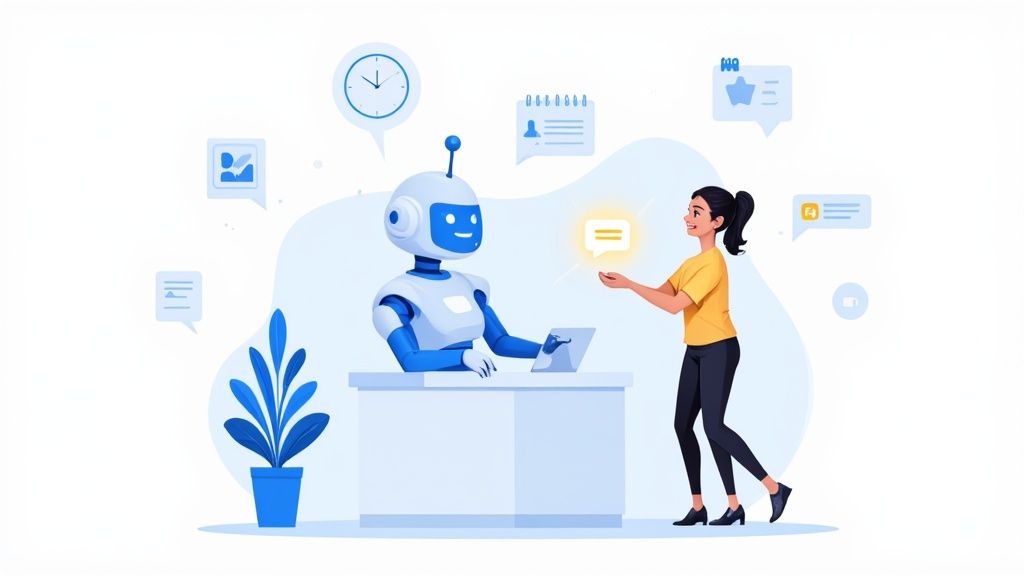
If you’re wondering how one of these tools can genuinely help, you're in the right place. From our experience managing our own vacation rentals—a house in Washington, DC, and a few properties in the Riviera Maya—we’ve found them to be a total game-changer. They’re no longer just for massive corporations; they've become an accessible and essential part of running a modern small business.
The recent surge in AI adoption is impossible to ignore. Since late 2022, small businesses have been jumping on board. One recent study found that nearly one in ten small businesses in the US were using generative AI as of March 2024, a figure that's growing quickly. And it's not slowing down—71% of small business leaders plan to increase their AI investments in the next year.
More Than Just Answering Questions
An AI chatbot is so much more than a glorified FAQ page. Think of it as an active member of your team that can juggle a surprising number of tasks, making your entire operation run smoother.
To give you a better idea, here’s a quick snapshot of what we’ve seen them do:
Provide Instant Customer Support: They can immediately answer common questions about your hours, services, or shipping status—any time, day or night.
Generate and Qualify Leads: They're great at engaging website visitors, collecting contact info, and asking a few qualifying questions to separate the serious prospects from the casual browsers.
Automate Simple Tasks: They can help customers book appointments, track orders, or find the right product, all without needing a human to step in.
Let's take a quick look at the core benefits.
Key Benefits of an AI Chatbot at a Glance
Benefit | How It Helps Your Small Business |
|---|---|
24/7 Availability | Your business is always "on" to answer questions and capture leads, even after hours. |
Increased Efficiency | Automates repetitive tasks, freeing up your team for more complex, high-value work. |
Lead Generation | Engages website visitors proactively, turning casual browsers into qualified prospects. |
Cost Savings | Reduces the need for a large customer support team, lowering operational expenses. |
Improved Customer Experience | Provides instant answers to common questions, reducing frustration and wait times. |
Data Collection | Gathers valuable insights into customer needs and common pain points. |
These advantages aren't just theoretical; they translate into real-world results that can make a huge difference for a small team.
For us, this meant no more late-night calls about the Wi-Fi password at our house in Playa del Carmen. Our chatbot handled it instantly, letting us—and our guests—rest easy. This shift is a core part of the broader digital transformation for small businesses, allowing you to build smarter, more scalable operations.
By taking those repetitive tasks off your plate, a chatbot empowers you and your team to focus on what humans do best: building relationships, solving complex problems, and thinking about the bigger picture. It’s all about working smarter, not harder, to deliver an amazing customer experience that keeps people coming back.
How AI Chatbots Work Without the Jargon
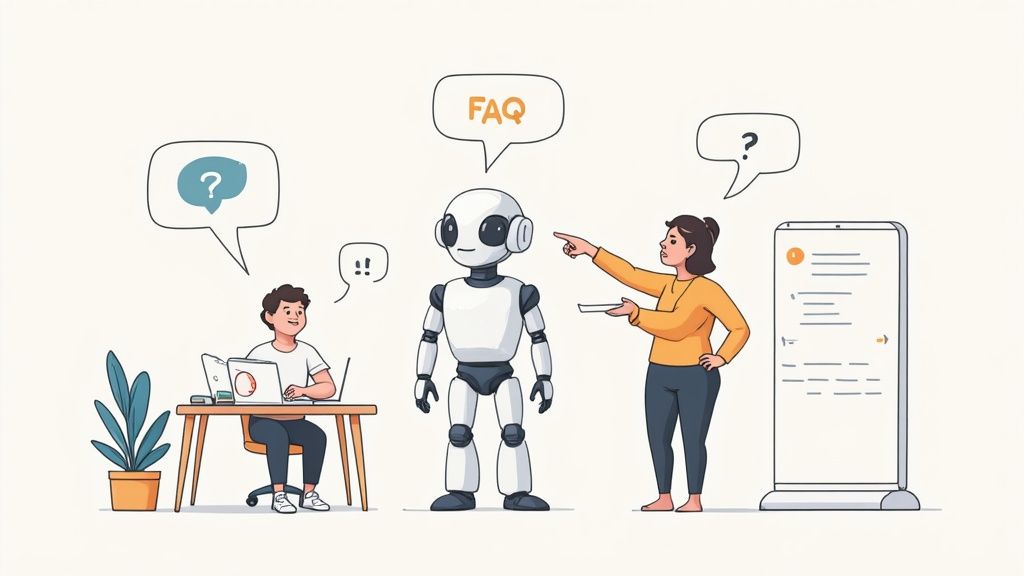
Let's pull back the curtain on how these tools actually operate, minus the confusing tech-speak. The best way to think of an AI chatbot for a small business is like hiring a new team member. Your first job is to train them.
Instead of sitting them down for a week of onboarding, you give the AI a "knowledge base"—this is just all your existing content, like your website, FAQ pages, property details, and house rules.
The AI reads and digests every single word. So when a customer asks something, the bot doesn't just scan for keywords. It actually understands the meaning behind the question to give a genuinely helpful, conversational answer.
From Clunky Menus to Smart Conversations
We've all been stuck dealing with an old-school, rule-based bot. They’re the digital equivalent of those infuriating automated phone menus: "Press 1 for sales, 2 for support." Ask a question that isn't on their script, and they just get stuck, repeating, "I'm sorry, I don't understand."
Modern AI chatbots are a world apart. They use a technology called Natural Language Processing (NLP), which is really just a fancy way of saying we can teach computers to understand how humans actually talk—typos, slang, and all.
A guest might type, "wut time is checkout?" An old bot would be stumped. But an NLP-powered chatbot gets that they mean, "What time is check-out?" and gives the right answer. It’s this ability to grasp context and intent that makes them so powerful.
This is the technology that separates a frustrating dead-end from a truly helpful interaction. It also allows the chatbot to learn from conversations and get smarter over time, just like any good employee.
Training Your AI Assistant
The real magic behind a great chatbot isn't just the AI itself; it's the quality of the information you feed it. The bot is only as good as its training material. To get the best results, you have to be clear about what you need it to know.
"Training" your AI effectively is a bit of a skill. For small business owners, it's worth taking a moment to understand What is Prompt Engineering: A Guide for Business, which is basically the art of talking to an AI to get exactly what you want out of it.
Here’s a quick look at how the training process works based on our experience:
You provide the data: This is as simple as uploading your website pages, help articles, or any other documents with key business info. For our vacation rentals, we just upload our digital guidebooks.
The AI processes it: The chatbot instantly starts making connections between concepts, learning the answers to thousands of potential questions.
It starts answering: When a customer asks a question, the chatbot taps into its new brain to form a natural, accurate response in your brand's voice.
This whole process turns your existing content into an interactive, 24/7 support agent ready to help your customers anytime, day or night.
Real-World Chatbot Examples Driving Growth
Theory is great, but seeing how an AI chatbot for small business actually works in the real world is where the magic happens. These aren't just flashy tools for big tech companies; they're incredibly practical, problem-solving assistants for all sorts of everyday businesses. Let's look at a few examples.
Take a local plumbing service. The owner is probably juggling calls and scheduling jobs while crawling under a sink. By adding a simple chatbot to their website, they can instantly give quotes for standard services, book appointments right into their calendar, and answer common questions like, "Do you work on weekends?"
Suddenly, their website becomes a 24/7 receptionist. It’s capturing leads and booking jobs without the owner having to constantly stop what they're doing to pick up the phone.
From E-commerce to Local Services
This same idea applies pretty much everywhere. For a small e-commerce shop selling handmade jewelry, a chatbot acts like a savvy sales assistant. It can field product-specific questions, help a customer track an order, and even offer a little discount code if someone seems to be hesitating at checkout. This is a simple way to cut down on abandoned carts and turn more window shoppers into buyers.
A study by Intercom found that businesses using chatbots saw an average 67% increase in sales, and a huge chunk of those sales happened outside of normal business hours.
That stat says it all. A chatbot is a tireless salesperson, always on and ready to help a potential customer.
Our Experience with Vacation Rentals
We’ve seen the benefits firsthand with our own properties. Before we had a chatbot, our phones would buzz at all hours with the same questions: the Wi-Fi password, how to work the smart TV, or where the extra towels were. It was draining, and it kept us from focusing on the bigger picture of managing our rentals.
Now, our chatbot—which is trained on our SmoothStay digital guidebook—handles about 80% of these routine questions on the spot. A guest can ask, "How does the coffee maker work?" at 6 AM and get step-by-step instructions instantly. This doesn't just give us our time back; it gives our guests a better, more independent stay.
If you’re a host, we’ve laid out more specific strategies in our guide to using a vacation rental chatbot to seriously upgrade your guest communication.
These examples make it clear that a chatbot isn't some gimmick. It’s a workhorse—a practical tool that solves common business headaches, saves a ton of time, and directly leads to a better customer experience and a healthier bottom line.
Choosing the Right AI Chatbot for Your Business
With so many options on the market, picking the right AI chatbot for your small business can feel like a chore. When we first started looking for a tool to manage our properties, we learned pretty quickly that not all chatbots are created equal. The trick is to find one that solves your specific problems without adding a bunch of complexity you don't need.
You’re not running a massive corporation, so you don't need a system built for one. Instead, focus on a few core factors that really matter for a smaller operation like yours. A good place to start is by asking some practical questions.
Key Factors to Consider
First off, how easy is it to set up? You're busy running a business, so the last thing you need is a tool that requires a developer to get going. We looked for a "no-code" solution where we could be up and running in an afternoon just by feeding it our existing website content and guest guidebooks.
Next, think about integrations. A chatbot is most powerful when it plays nicely with the other tools you already use. Can it connect to your booking software, your CRM, or your property management system? A smooth connection means the bot can handle tasks like checking availability or updating a customer record all on its own.
Finally, take a close look at customization and pricing.
Customization: Can you tweak the chatbot's personality and tone to match your brand's voice? A bot for a law firm should sound a lot different than one for a beach rental.
Pricing Models: Look for fair, scalable pricing. Many platforms offer free trials or starter plans, which let you test the waters before you commit. The goal is to avoid paying for a hundred features when you only need a handful.
From our experience, the best choice is often the simplest one that absolutely nails the basics. For us, that meant prioritizing a flawless guest experience and a management dashboard that didn't require a user manual to figure out.
Comparing Chatbot Platform Features
To help you sift through the options, here’s a breakdown of the must-have features we think are essential for any small business chatbot.
Feature | Why It Matters | What to Look For |
|---|---|---|
No-Code Setup | You need to get up and running fast without hiring a developer. Your time is better spent on your business, not on coding. | A platform that lets you train the bot by simply linking to your website, uploading documents (like PDFs), or pasting text. |
Integrations | Your chatbot should connect to the tools you already rely on, like your booking system, calendar, or customer database. | Pre-built connections (APIs) to popular software like Calendly, Stripe, or your specific PMS. |
Customization | The bot is an extension of your brand. Its tone and personality should feel authentic to your business. | Options to change the bot's name, avatar, color scheme, and pre-written "welcome" or "goodbye" messages. |
Analytics Dashboard | You can't improve what you don't measure. Analytics show you what questions people are asking and where the bot struggles. | A simple dashboard showing conversation volume, common questions, and customer satisfaction scores (if applicable). |
Scalable Pricing | You shouldn't pay for enterprise-level features when you're just starting out. | A clear pricing structure with a free trial or a low-cost starter plan that grows with your business needs. |
Ultimately, the right platform will feel less like a complicated piece of software and more like a helpful team member who is ready to get to work.
The Growing Market Benefits You
The good news is that the market is exploding right now, which is fantastic for small businesses. Recent data shows that 71% of small business leaders are planning to increase their AI investments over the next year. This flood of new investment means more companies are competing for your business, which drives down costs and makes powerful, easy-to-use chatbots more accessible than ever.
You can learn more about how these financial trends impact small businesses and find other insights in this 2025 enterprise AI report.
The core function is always the same—guiding the customer to a solution—but the specific actions are tailored to the business. Choosing the right tool lets you build a workflow that fits your unique needs perfectly, helping you sidestep common pitfalls like paying for a bunch of features you'll never touch.
Setting Up Your First AI Chatbot
Ready to jump in? Launching your first AI chatbot for a small business is a lot less intimidating than it seems. Based on our experience setting them up for our own rentals, the key is to start with one clear, simple goal and then build from there.
Don't try to make it do everything at once. Pick one primary job for your chatbot to master. Is it answering frequently asked questions? Capturing leads after hours? Maybe booking appointments? Defining this single purpose will guide every other decision you make.
When we launched our first bot, its only job was to answer three questions: the Wi-Fi password, the check-out time, and the address. It was a small start, but it immediately cut down on repetitive messages and proved the concept worked.
Once you have a goal, the next step is building the bot's "brain" or knowledge base. This is where you feed it all the information it needs to actually be helpful.
Building Your Bot Step-by-Step
Getting your chatbot up and running involves a few straightforward steps. Most modern platforms are designed for business owners, not developers, so you won't need to write a single line of code.
Here's how we approach it:
Define Its Purpose: Like we said, start with one main goal. This keeps the setup manageable and makes sure your bot excels at its most important task right out of the gate.
Gather Your Knowledge: Collect all the information your bot will need to pull from. This could be your FAQ page, product descriptions, or in our case, our digital guest guidebook. Often, just giving the AI a link to these resources is all it takes to get started.
Craft Its Personality: Decide on the bot's tone. Should it be professional and direct? Or friendly and a bit more casual? This is your chance to make sure it sounds like a true extension of your brand.
Test and Refine: Before you unleash it on the public, do a test run. Ask it common questions, try to trick it, and see how it responds. Use this feedback to fill any gaps in its knowledge.
Starting small is the best advice we can give. Perfect its initial task, then you can gradually expand its responsibilities over time. For more tips on this, check out our guide on how to automate repetitive tasks in your business.
Overcoming the Learning Curve
Adopting any new tool comes with a few hurdles. A lot of small businesses worry they don't have the technical skills to manage an AI chatbot. It’s a common concern—one recent report noted that skills gaps are a top barrier to using more AI. But the reality is that today's platforms are built to be incredibly user-friendly.
The time you get back is well worth the initial effort. The same report found that small-business AI users save, on average, over five hours a week. By focusing on a clear goal and using an intuitive platform, you can add a powerful new assistant to your team faster than you think.
Common Questions About AI Chatbots
Diving into any new technology brings up questions, and when it comes to an AI chatbot for small business, we've heard them all. When we first considered one for our properties, we had the same concerns. Is it really worth the cost? Will it sound like a generic robot? Is setting it up going to be a massive technical headache?
Let's walk through some of the most common questions we hear from fellow hosts and business owners. Based on our experience, the answers are often a lot more straightforward than you might think.
Is an AI Chatbot Too Expensive for a Small Business?
Not anymore. While custom-built corporate solutions can easily run into the thousands, the market is now full of affordable, powerful platforms designed specifically for smaller operations. In fact, plenty of great tools offer free plans or low-cost subscriptions that cost less than a team lunch.
For a pretty small monthly fee—often under $50—a chatbot can handle thousands of customer interactions. When you weigh that against the hours you get back and the leads it captures while you’re busy (or sleeping), the return on investment becomes clear very, very quickly.
Will a Chatbot Make My Business Feel Robotic?
This is a huge concern, and a valid one. Nobody wants to replace their personal touch with a cold, impersonal robot. But modern AI chatbots are incredibly flexible. You can customize their personality and tone of voice to perfectly match your brand, whether that’s professional and efficient or warm and friendly.
Think of it less as a robot and more as a helpful assistant that’s been trained to sound just like you.
In our experience, the key is to also program it to know its limits. A well-configured chatbot understands when a question is too complex or sensitive and will smoothly hand the conversation over to a human. This approach actually improves the customer experience because guests get instant answers to simple questions and direct access to you for the important stuff.
This way, your bot handles the routine, freeing you up to provide that personal, human support where it really counts.
How Much Technical Skill Do I Need to Set One Up?
Honestly, you don't need to be a developer. Most of today's best chatbot platforms are built with busy business owners in mind. They feature "no-code" interfaces with simple drag-and-drop builders that make the process surprisingly easy.
Setting one up is often as simple as giving it a link to your website's FAQ page. The AI reads your content and learns how to answer questions on its own. While you can certainly dive into more advanced customizations, the basic setup can typically be done in a single afternoon, no coding required. For further details and answers to common concerns about AI implementation, you might consult a comprehensive list of frequently asked questions.
How Do I Measure If My Chatbot Is Working?
Success all comes down to the goal you set in the beginning. Your metrics should directly reflect what you want the chatbot to accomplish.
Here are a few key performance indicators (KPIs) to watch:
Resolution Rate: What percentage of customer questions does the bot solve without needing human help? This is a great measure of time saved.
Lead Generation: How many new contacts, booked appointments, or sales inquiries did the chatbot capture? This directly ties its performance to revenue.
Customer Satisfaction (CSAT) Scores: If you add a quick "Was this helpful?" button after an interaction, you can get direct feedback on how well it's performing.
Conversation Volume: Tracking how many conversations it handles per day or week shows you how much work it's taking off your plate.
By keeping an eye on these numbers, you can easily see the impact your new digital assistant is having and make small tweaks to improve its performance over time.
At SmoothStay, we built our AI-powered features with these exact challenges in mind. We're hosts ourselves, so we know what matters. Our platform makes it simple to create a guest-first chatbot trained on your own professional, customizable guidebooks. It's designed to give you your time back, deliver instant answers, and create the kind of seamless experience that earns 5-star reviews, all with fair, scalable pricing that works for any host.